Work Adjustment Enabled
With the "Work Adjustment Enabled" feature, employees can edit their own time entries. However, the change is not applied directly and must first be reviewed and approved by a responsible person.
Where is this feature enabled?
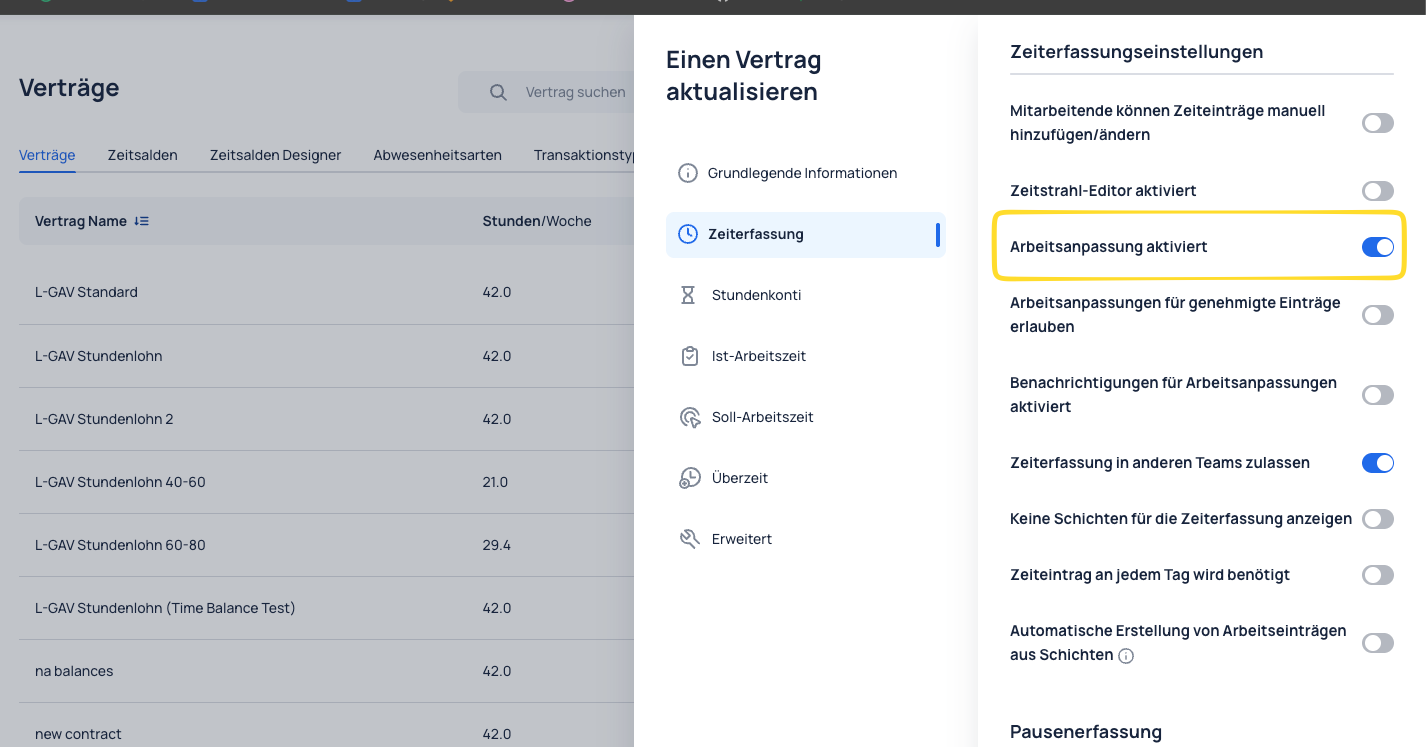
This setting is enabled in the contract under Time Tracking:
- Organization
- Contracts
- Time Tracking
- Time Tracking Settings
- Work Adjustment Enabled
In the example shown, the "Work Adjustment Enabled" toggle is switched on.
How does the process work?
- Employees edit an existing time entry.
- The change is submitted as a request in the Reports area.
- Responsible users can review the request in the Adjustments panel.
- The request can be Approved or Rejected.
Review in the "Adjustments" area
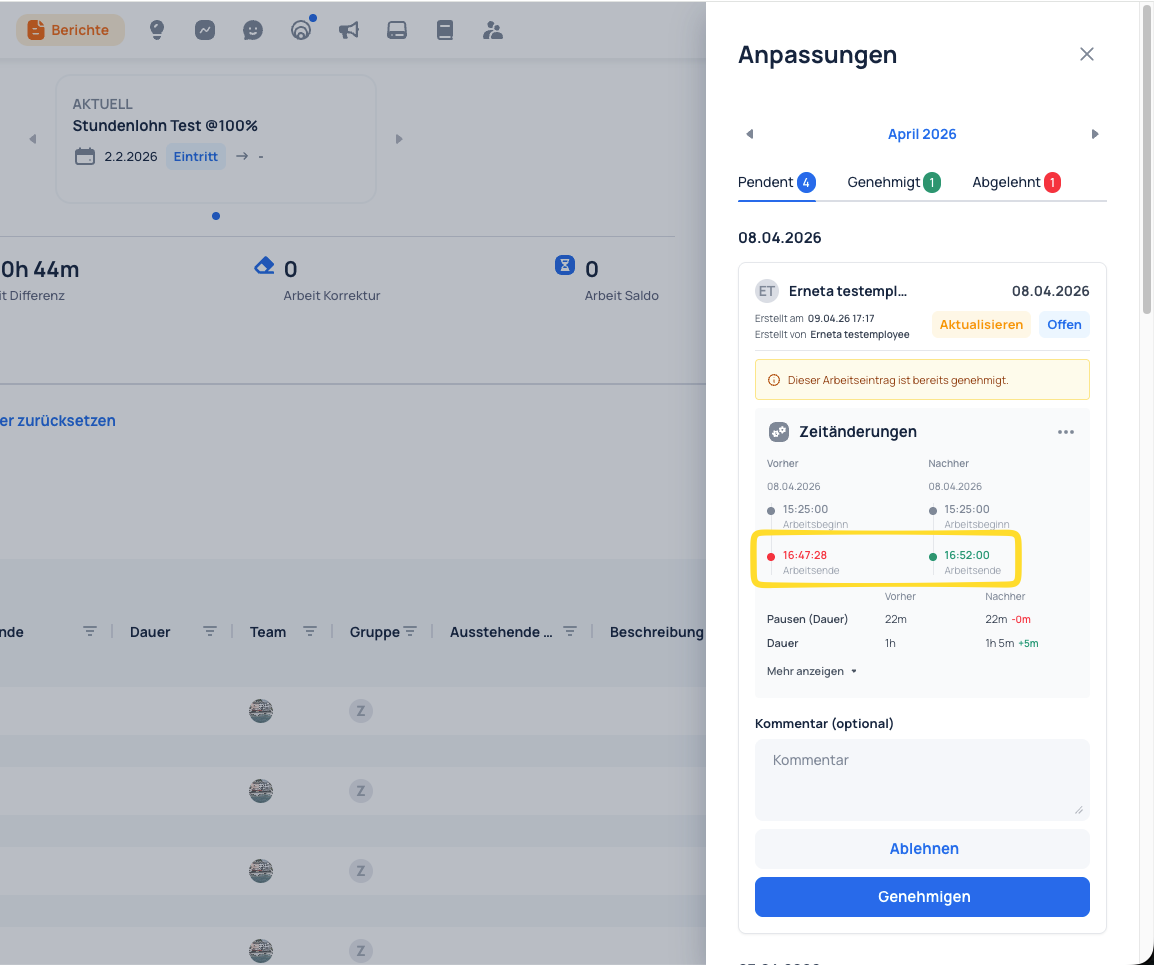
In the Adjustments area, requests are displayed by status:
- Pending
- Approved
- Rejected
In addition, a direct before/after comparison of the time change (for example, shift end) is shown so changes can be checked quickly.
When is this feature useful?
This feature is useful when:
- employees should be able to correct their own times;
- changes need to be documented;
- supervisors should keep final control and decision-making.