JobDone logoJobDone logo
JobDone Knowledge Base
L-GAV - SwitzerlandOrganization ConfigurationProcessesFeature Overview
English
  • Deutsch
  • English
  • Processes
    • Reports
      • Reports Overview
      • Interim Report
      • Zvoove Export
      • Time Balance Excel Export
      • Time Entries Export
      • Shift Export
      • L-GAV Check Export
      • Work Export
      • Adonis Export
      • Absence Export
      • Export Units for Work Hours and Absences
    • Time Reports
      • Time Reports Overview
      • Time Entries
      • Work Adjustment Enabled
      • Time Accounts
      • Balance Calculations (Actual = Target)
      • Time Report
      • Corrections
      • Bulk Corrections
    • Shift Planning
      • Copy Time Periods
      • Publish Shifts
      • Absences
      • Flash Mode - Shift Templates
      • Create a Shift
  • Processes
  • Shift Planning
  • Flash Mode - Shift Templates

Flash Mode - Shift Templates

If the same shifts are regularly needed to create a shift plan, it is recommended to save them as templates. The templates can be used in Flash mode, making it possible to create a shift plan with just a few clicks.
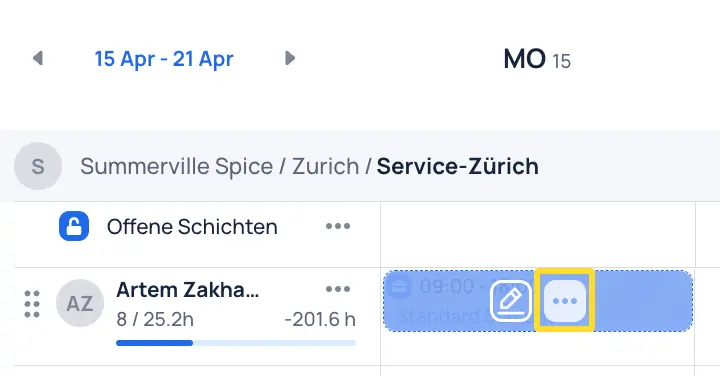
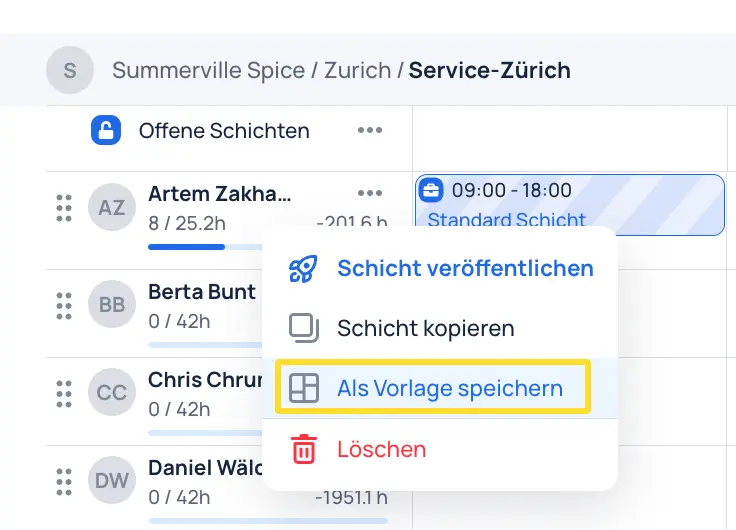
Click on the three dots in the shift and click "Save as template".
Configure the shift template and assign a template name and a shift title.
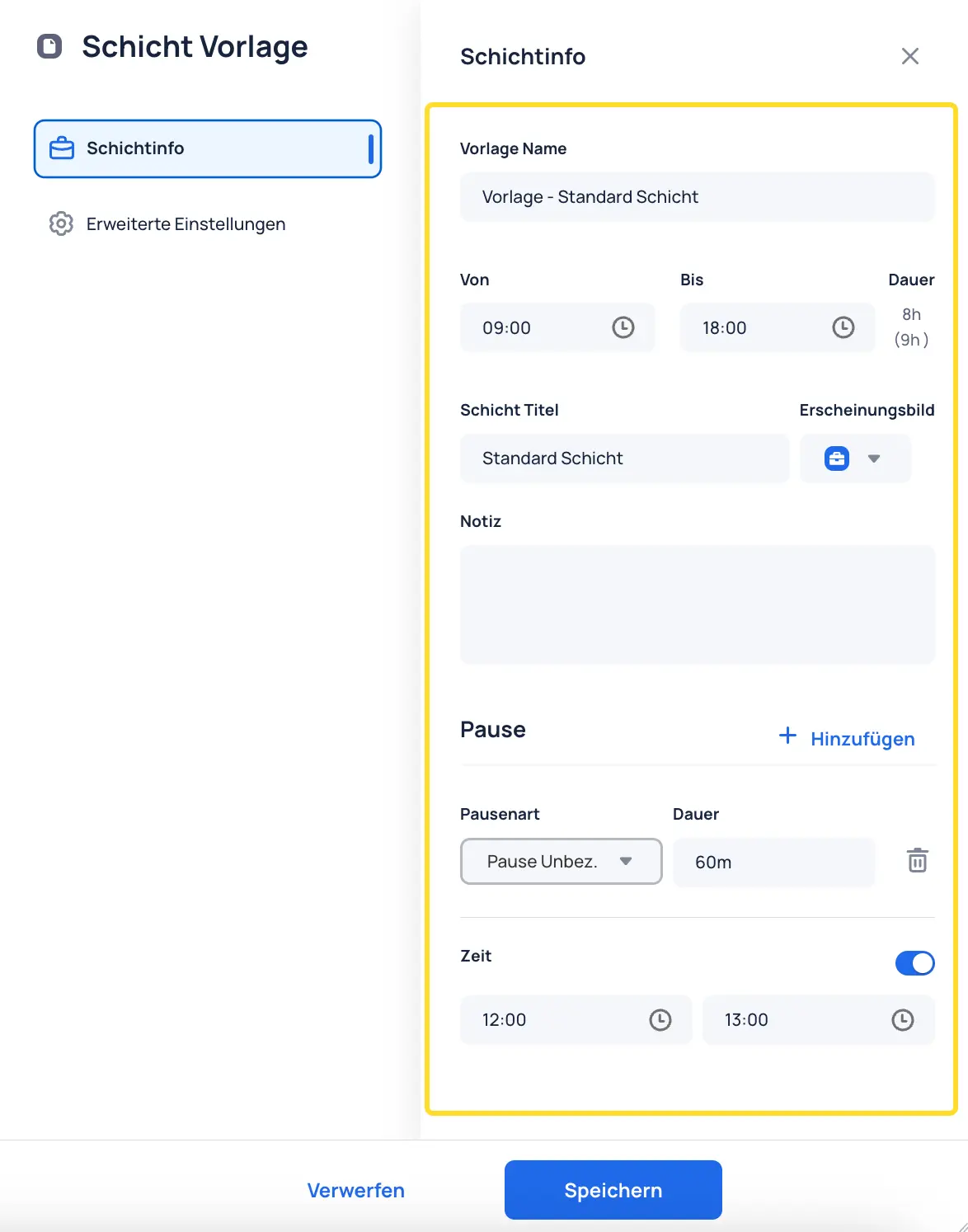
Save the template to add it to the templates.

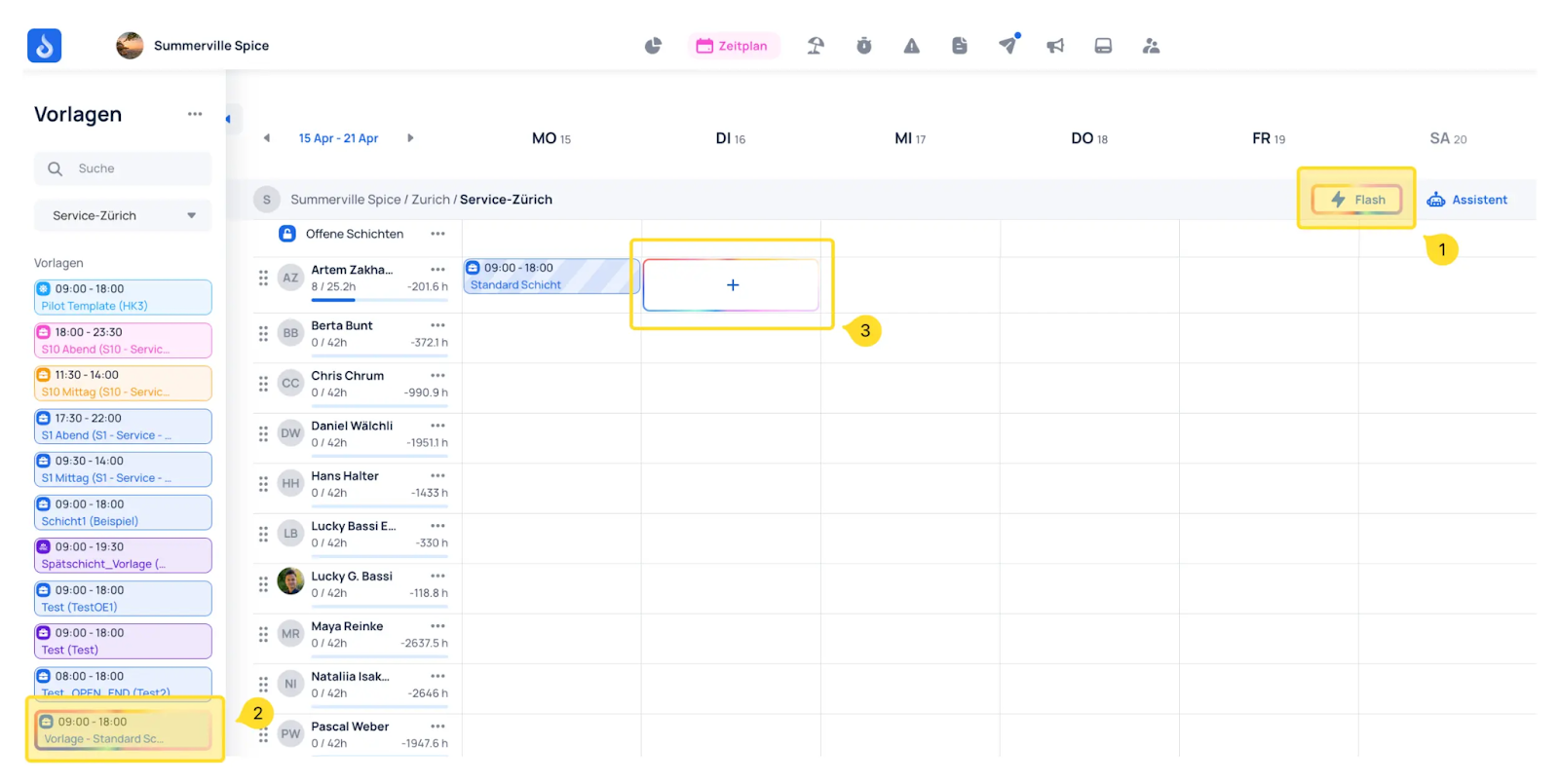
  1. To use the template for shift planning, click "Flash" in the top right to switch to Flash mode
  2. Select the shift you created earlier
  3. Click to place the shift template into the desired cell of the shift plan
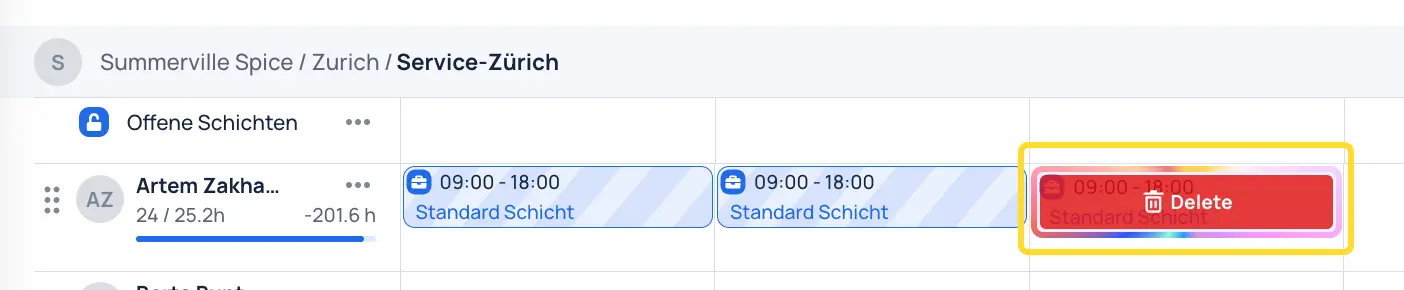
If a shift was entered incorrectly, it can be removed with a click.
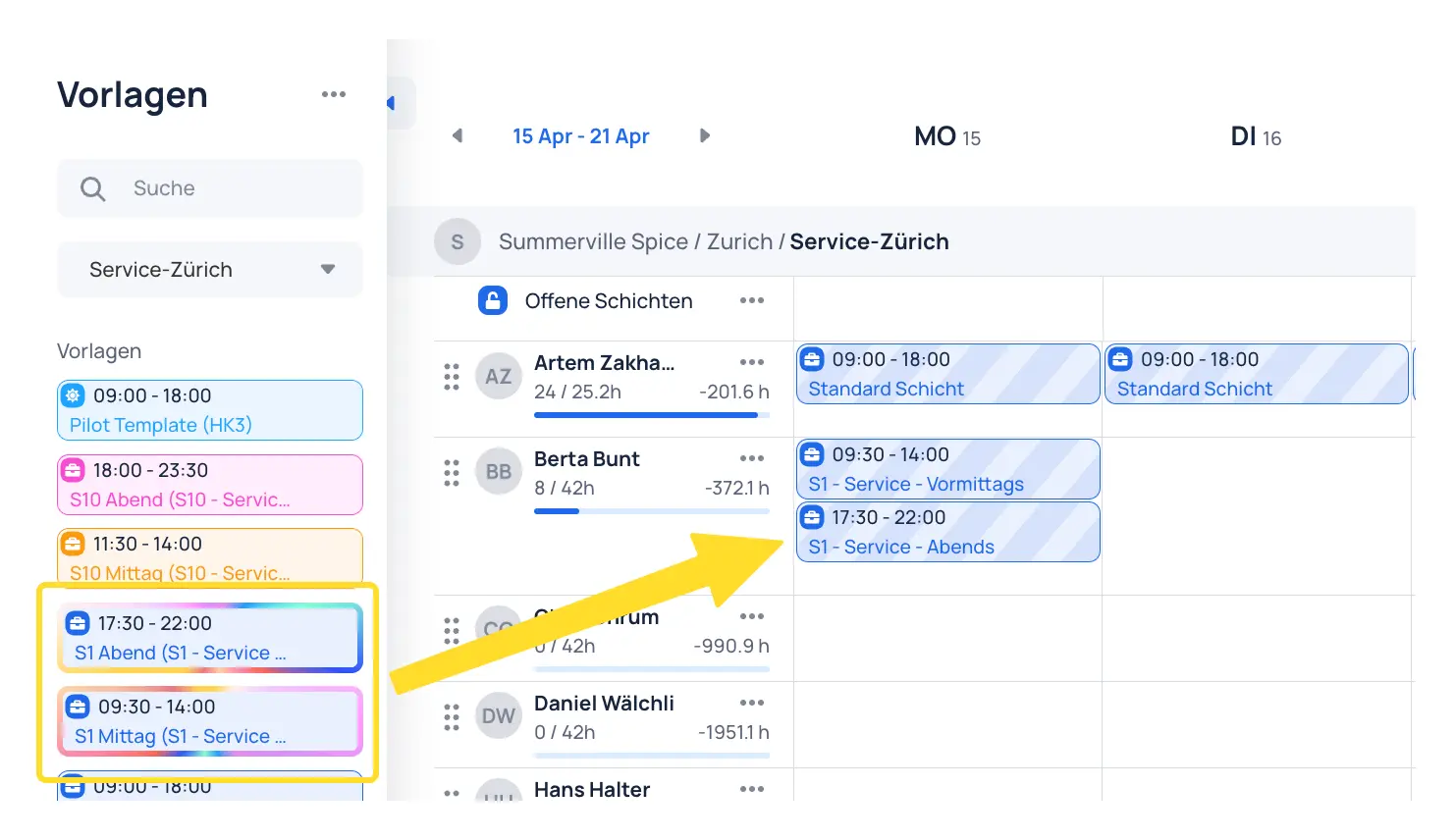
If two shifts need to be scheduled on the same day (e.g., morning/afternoon shift), two shifts can be selected simultaneously in the templates.
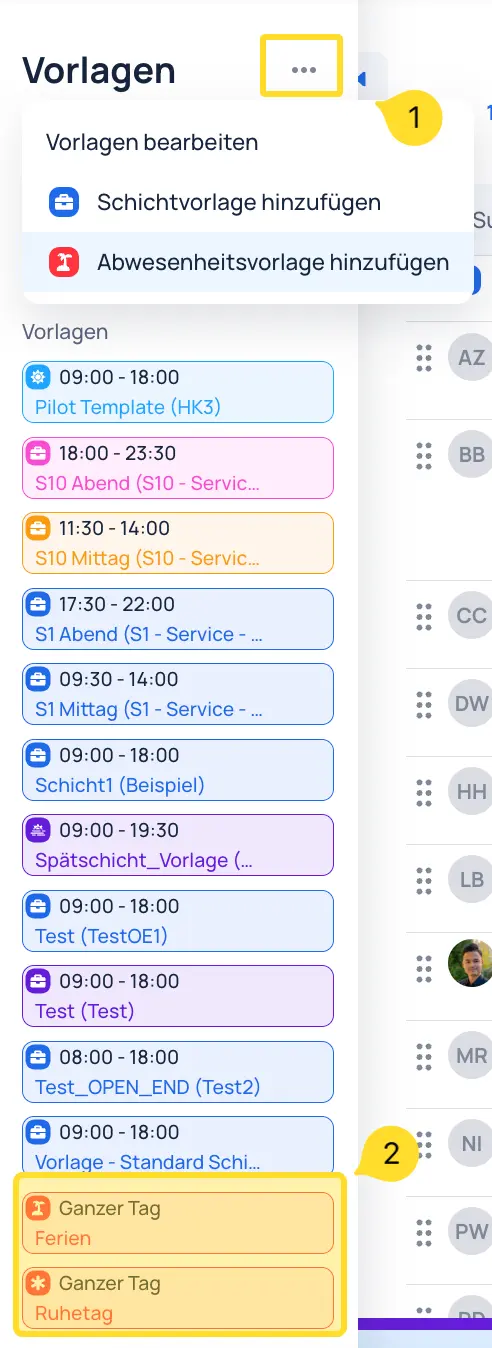
In the templates, absence templates (1) can also be created using the three dots (2).
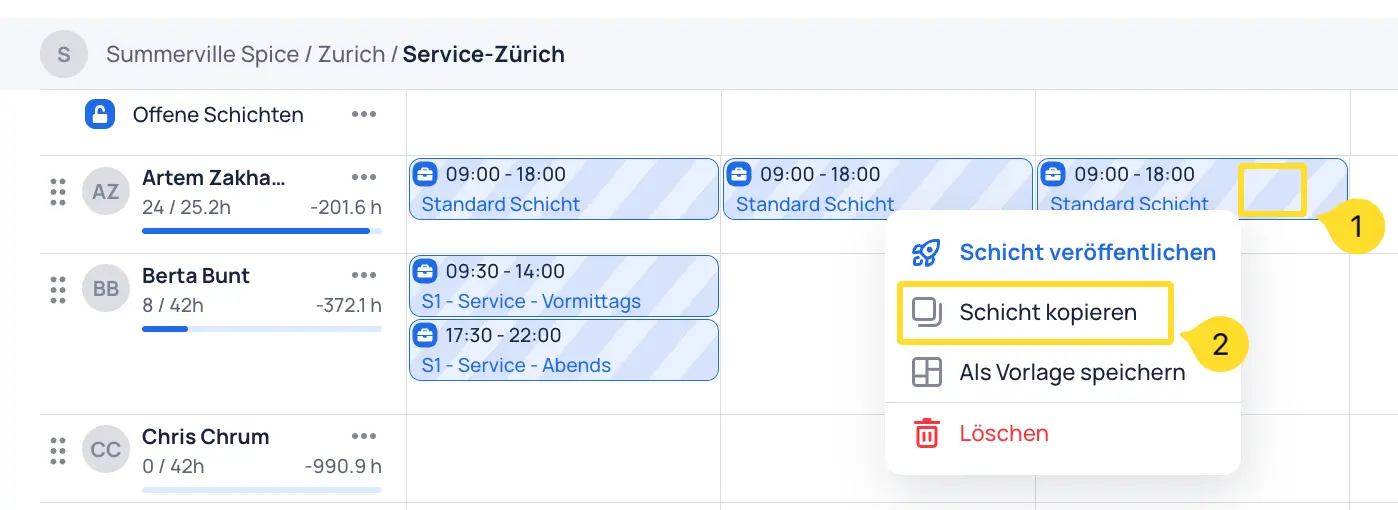
If a shift needs to be used multiple times in the current plan but is not relevant for future shift plans, it can be copied as follows.
Previous
Absences
Next
Create a Shift
JobDone
 Download on the App Store ▶ GET IT ON Google Play

Knowledge Base

Home L-GAV - Switzerland Organization Configuration Processes Feature Overview JobDone Updates

Pricing

Pricing

Resources

Support Partnership Contact Us About Us

Legal

Terms & Conditions Privacy Imprint Cookies
All rights reserved © 2023 JobDone
Brought to you with ♥ by the JobDone Team