JobDone logoJobDone logo
JobDone Knowledge Base
L-GAV - SwitzerlandOrganization ConfigurationProcessesFeature Overview
English
  • Deutsch
  • English
  • Processes
    • Reports
      • Reports Overview
      • Interim Report
      • Zvoove Export
      • Time Balance Excel Export
      • Time Entries Export
      • Shift Export
      • L-GAV Check Export
      • Work Export
      • Adonis Export
      • Absence Export
      • Export Units for Work Hours and Absences
    • Time Reports
      • Time Reports Overview
      • Time Entries
      • Work Adjustment Enabled
      • Time Accounts
      • Balance Calculations (Actual = Target)
      • Time Report
      • Corrections
      • Bulk Corrections
    • Shift Planning
      • Copy Time Periods
      • Publish Shifts
      • Absences
      • Flash Mode - Shift Templates
      • Create a Shift
  • Processes
  • Reports
  • L-GAV Check Export

L-GAV Check Export

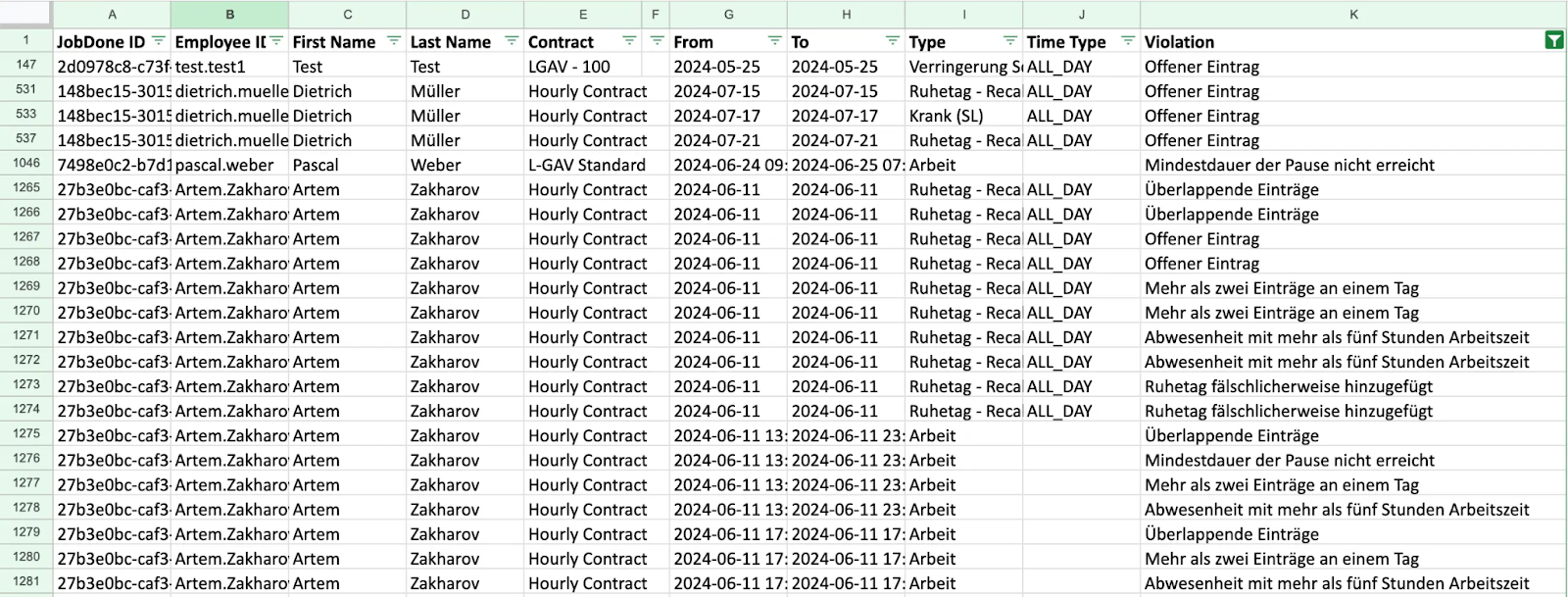
The L-GAV Check Export checks entries against the L-GAV rules defined in JobDone and flags any violations. Possible checks include too many shifts, missing rest days, insufficient rest time between shifts, etc. This guide will help you understand and make the most of the report settings.

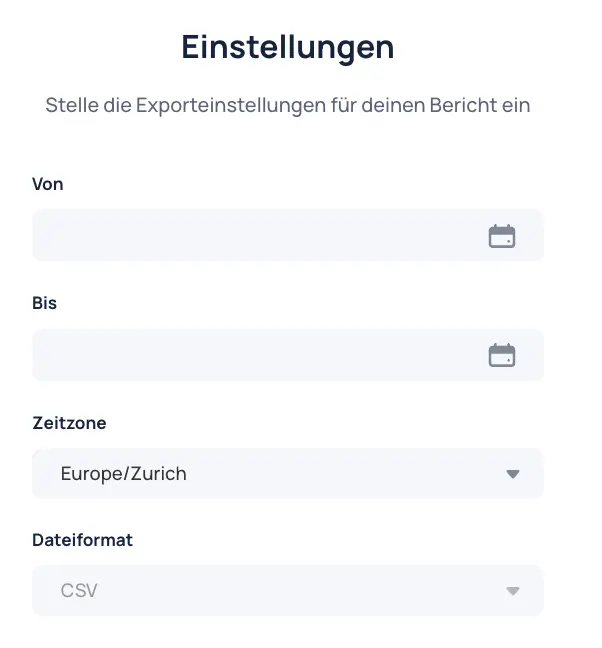
Settings​

  • Set time period: Define the period for which the report should be generated (from/to).
  • Select time zone: Set the correct time zone for accurate export data. Default is Europe/Zurich.
  • File format: CSV standard

Result​

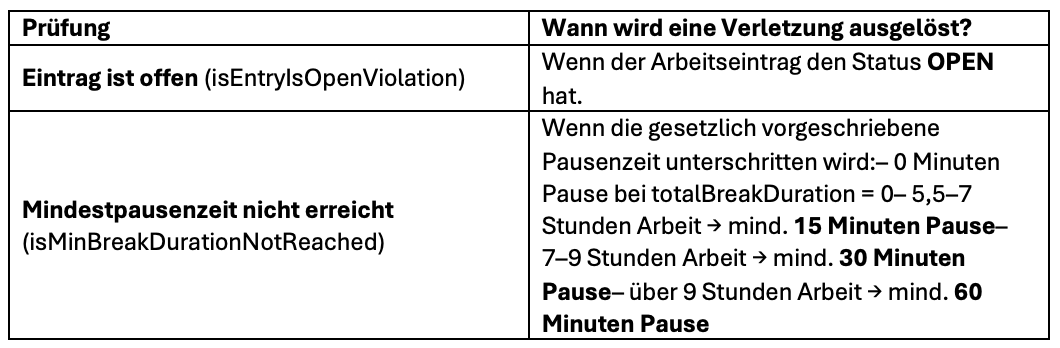
Checks for Work Entries​

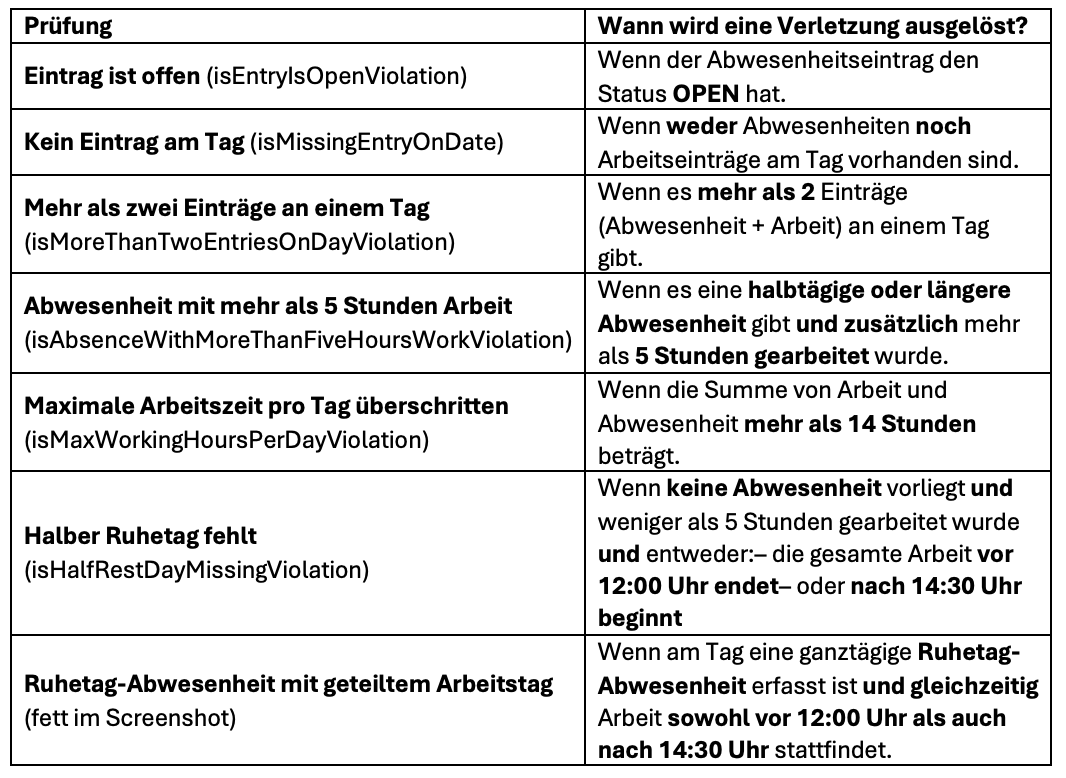
Checks for absence entries:

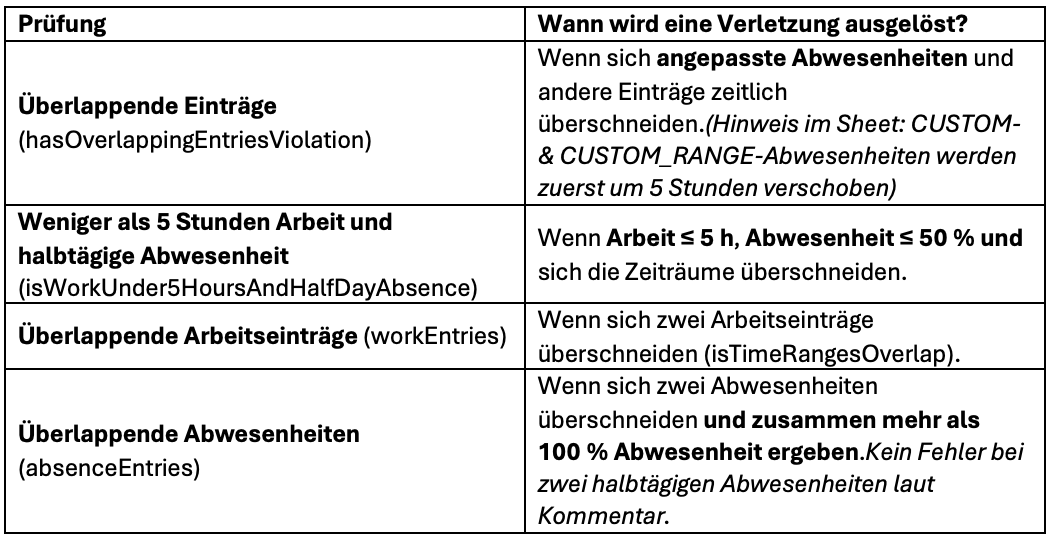
Check for overlapping periods
Previous
Shift Export
Next
Work Export
  • Settings
  • Result
  • Checks for Work Entries
JobDone
 Download on the App Store ▶ GET IT ON Google Play

Knowledge Base

Home L-GAV - Switzerland Organization Configuration Processes Feature Overview JobDone Updates

Pricing

Pricing

Resources

Support Partnership Contact Us About Us

Legal

Terms & Conditions Privacy Imprint Cookies
All rights reserved © 2023 JobDone
Brought to you with ♥ by the JobDone Team