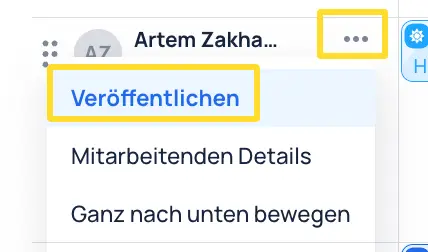
Publish Shifts
When creating a shift plan, it can be useful to only publish shifts after the complete shift plan has been created. Unpublished shifts are shown hatched.
There are different ways to publish shifts.
Publish multiple shifts at once
- In the schedule, the bar at the bottom left shows how many shifts in the current view have not yet been published.
- These shifts can be published by clicking "Publish".
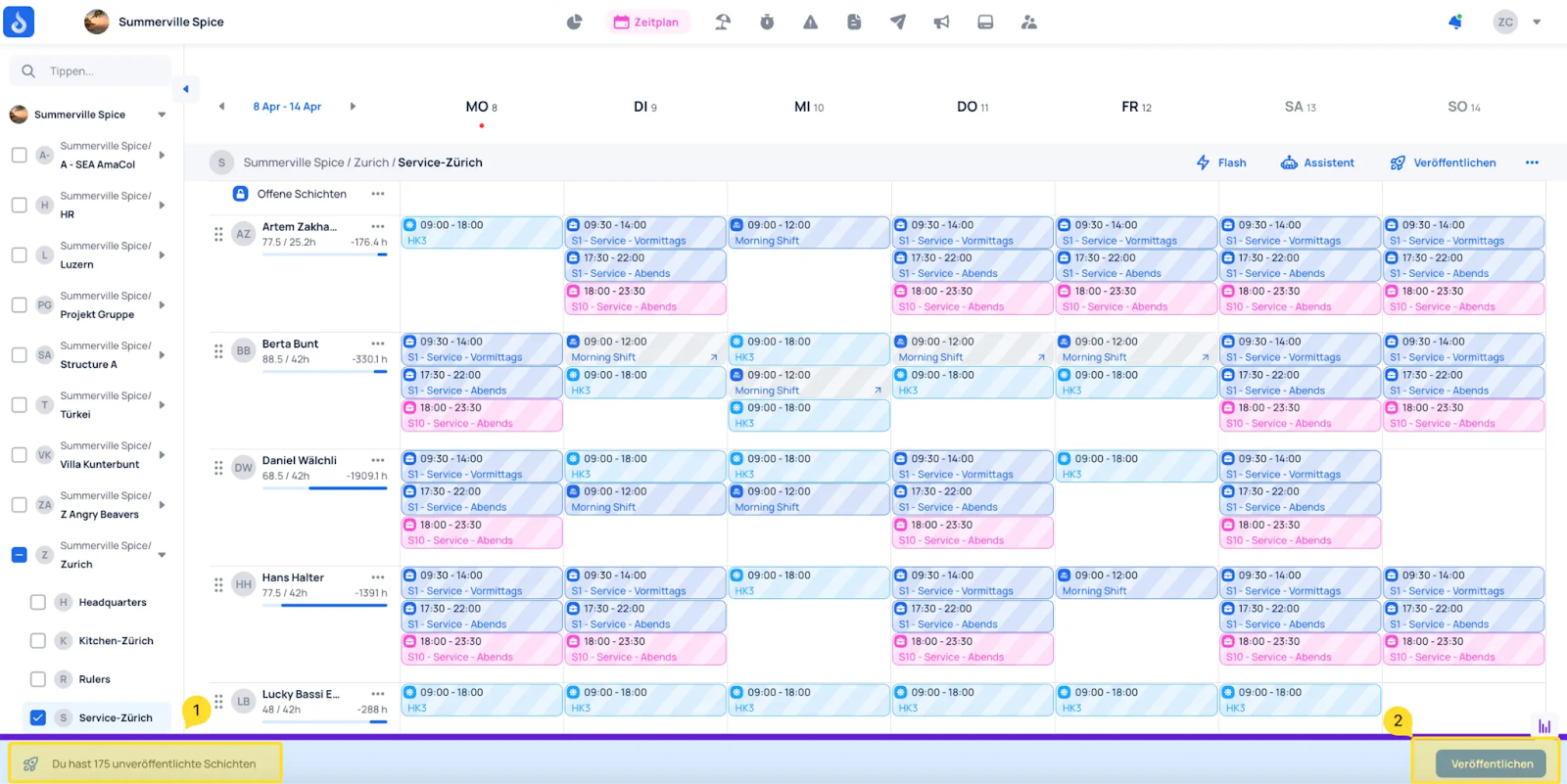
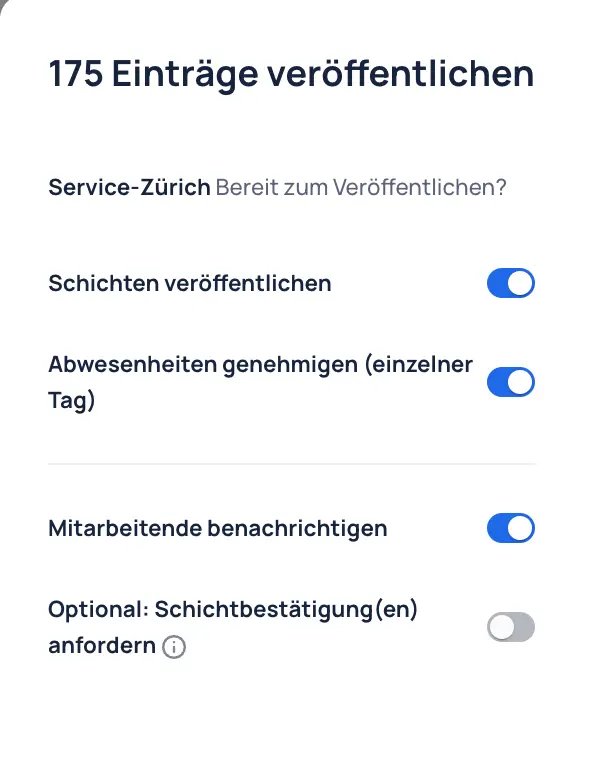
The following settings can be configured and will be applied when publishing.
The shifts have now been published.
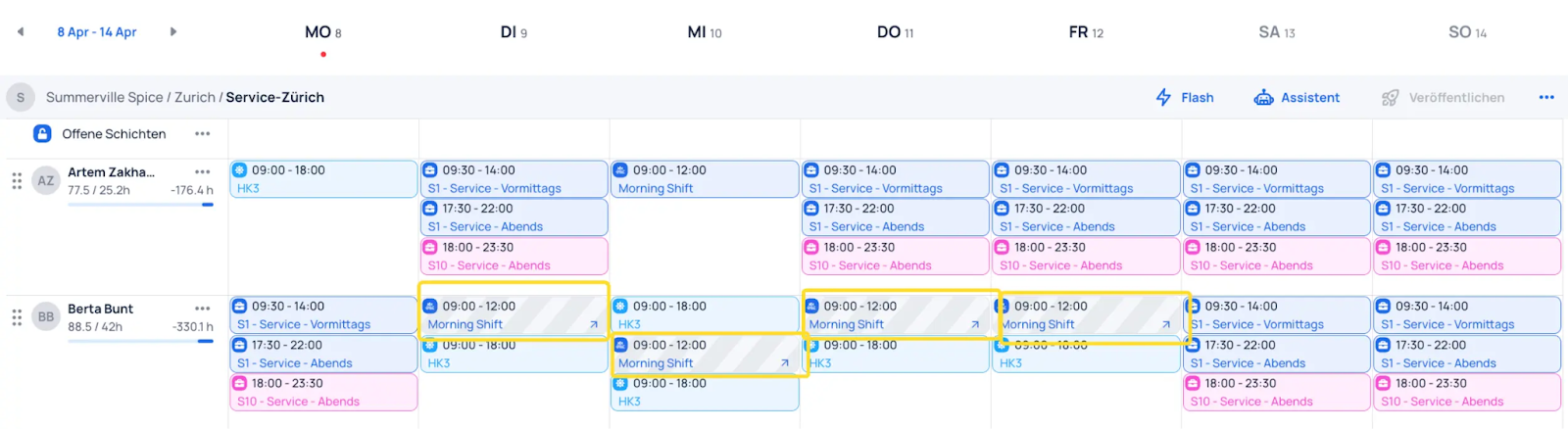
In the example, there are still some shifts that have not been published — these are shifts from other teams. In this example, Berta Bunt was loaned to another team. The shifts must be published by the team that owns them.
Publish individual shifts
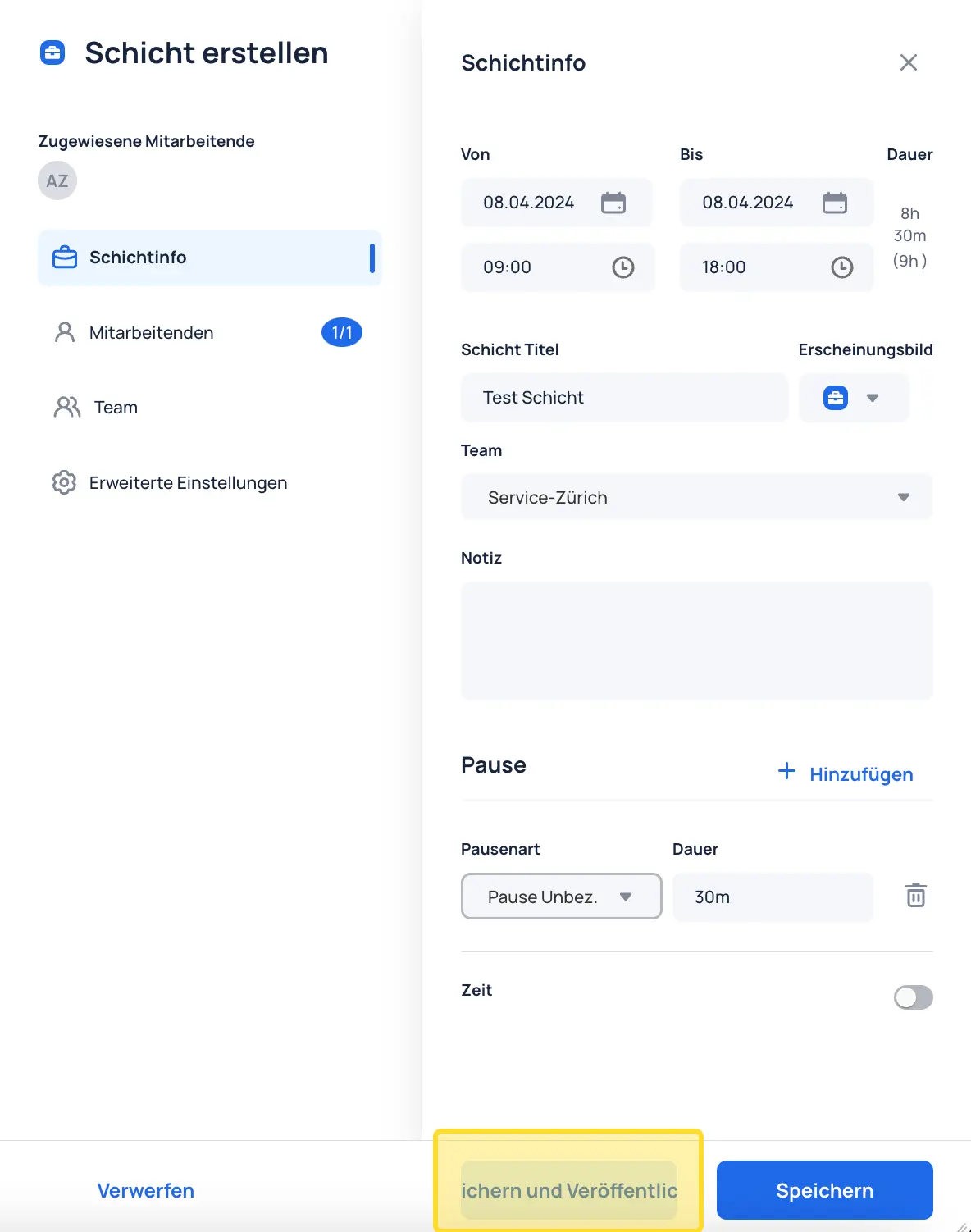
When a single shift is created, it can be saved and published directly as follows.
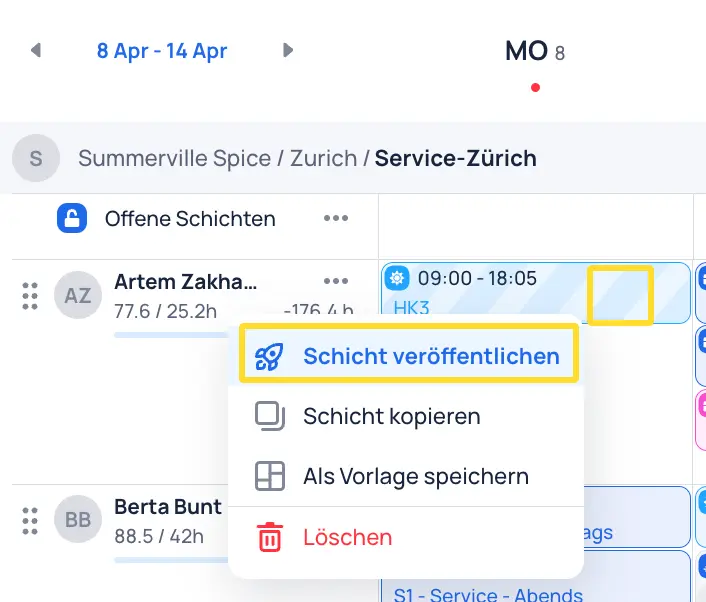
Shifts can also be published via the three dots on the shift.
Shifts for individual employees can be published as follows.