Corrections
There are various reasons why corrections to time accounts — such as working hours, vacation, public holidays, rest days, etc. — may be needed. This depends on the organization. Common reasons include crediting anniversary vacation days or special leave, as well as transferring opening balances into JobDone.
In addition to standard corrections, JobDone also supports bulk corrections, which are covered in the following chapter "Bulk Corrections."
Under Reports → Timesheets, select the employee for whom the correction should be made.
Then switch to step 2: Time Accounts, where the correction can be added.
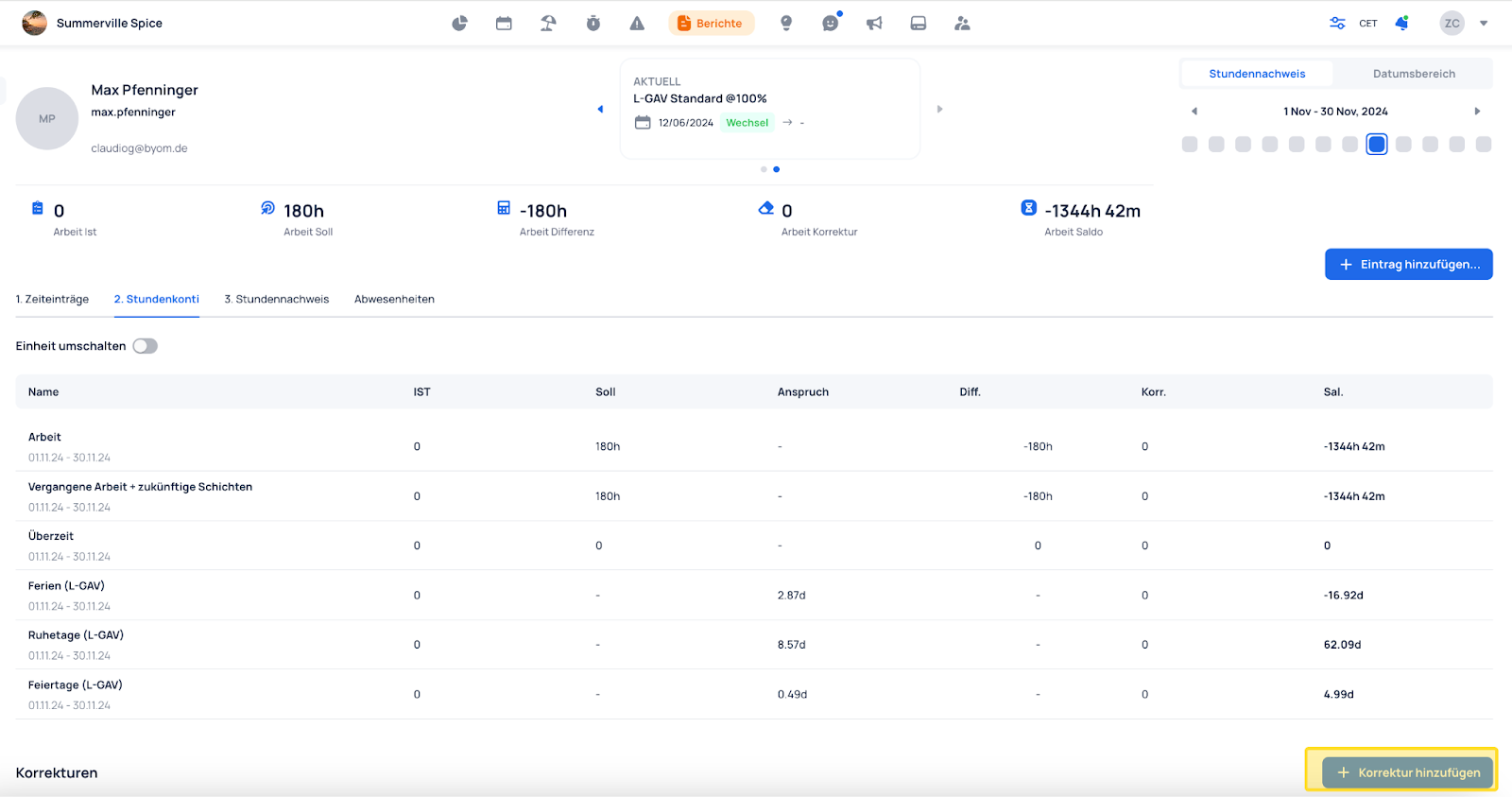
- Select the account on which the correction should be applied
- Set an effective date for when the correction should take effect
- Add a description — for example, why and when the correction was made
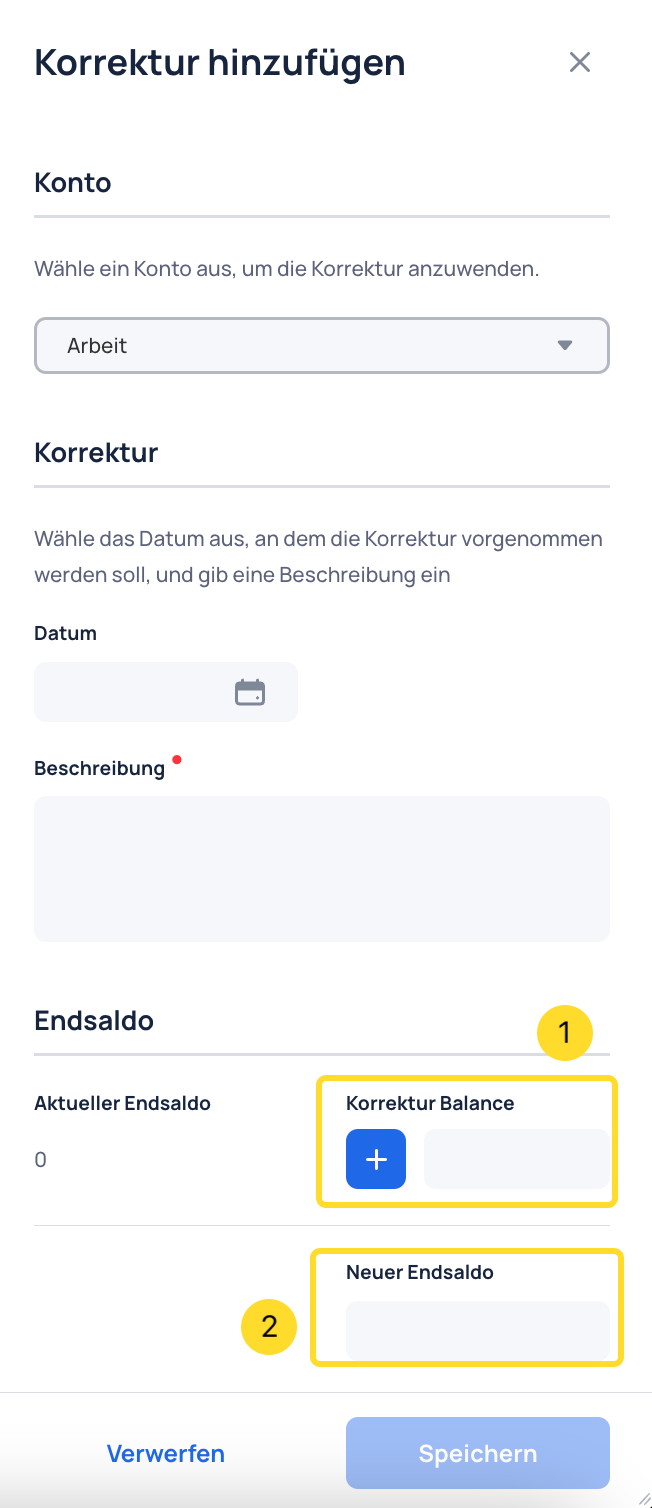
Two types of corrections can be applied. Corrections are entered in hours.
1. Correction by a value — the plus (+) can be switched to a minus (−)
2. Correction to a specific value
Once created, a correction can be easily deleted.
