Adonis Export
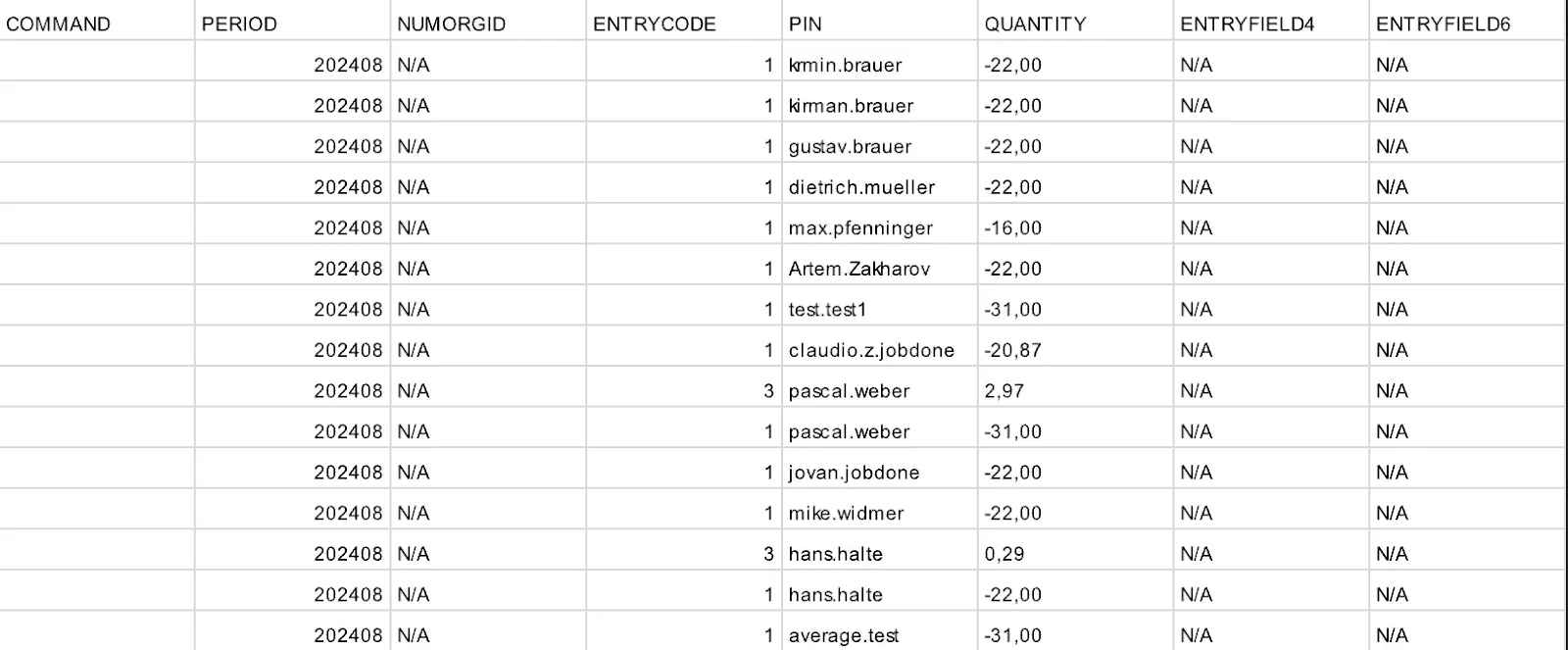
The Adonis Export in JobDone makes it possible to export employee time balances in a format that can be imported directly into the Adonis system. This guide will help you optimally configure the export options.
Settings
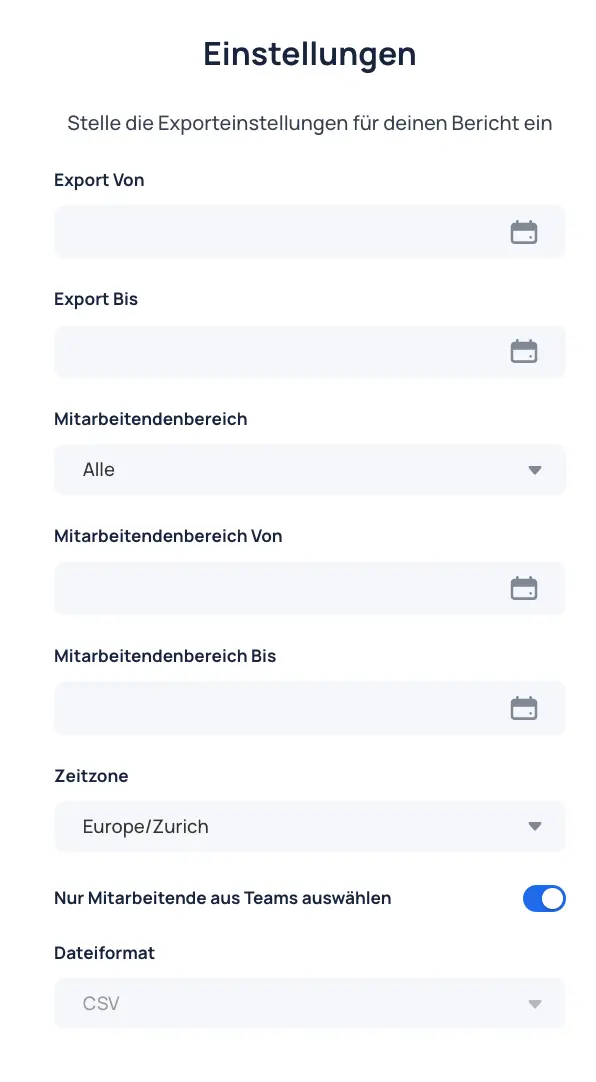
- Set time period: Define the period for which time balance data should be exported (from/to).
- Filter employee scope:
- All: Includes all employees.
- Departures and transfers: Includes only employees who have left or switched teams.
- Departures only: Includes only employees who have left.
- No departures: Includes only employees who have not left.
- Transfers only: Includes only employees who have switched teams.
- Employee scope from/to: Set the date range for employee scope (from/to).
- Select time zone: Set the correct time zone for accurate export data. Default is
Europe/Zurich. - Select only employees from teams:
- Active: Only team-level memberships are considered. Group-level memberships are ignored.
- Inactive: Group-level memberships are also considered.
- File format: CSV standard
Audience
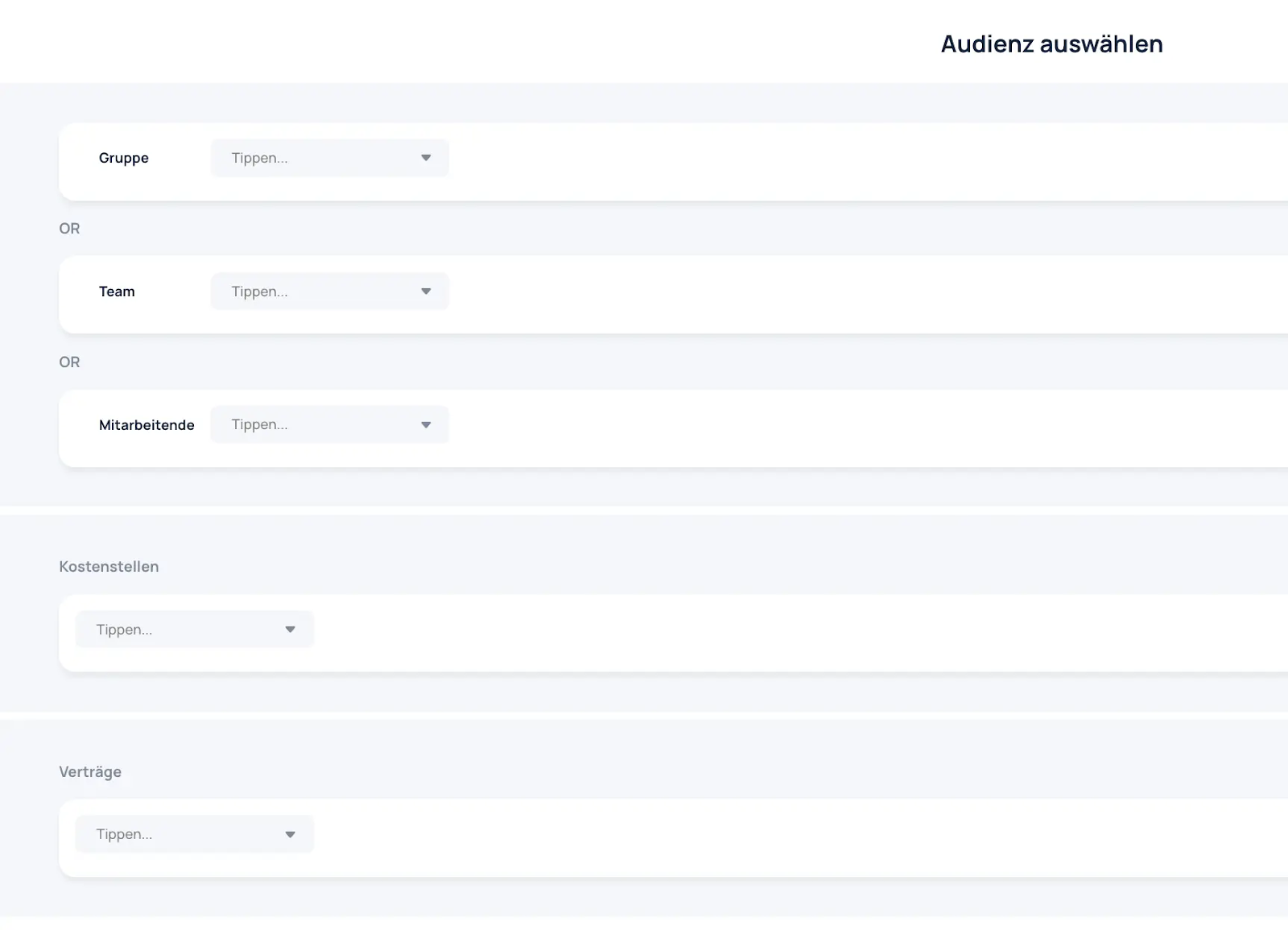
- Group, team, or employees: Select specific groups, teams, or individual employees.
- Cost centers: Select work data based on cost centers.
- Contracts: Select employees based on assigned contracts.
Select Time Balance Types

- Selection of time balance types: Select the desired time balance types from the list and add them to the export.
- Search time balance types: If a specific time balance type is not listed, you can search for and add it manually.
Time Balance Types Export Settings
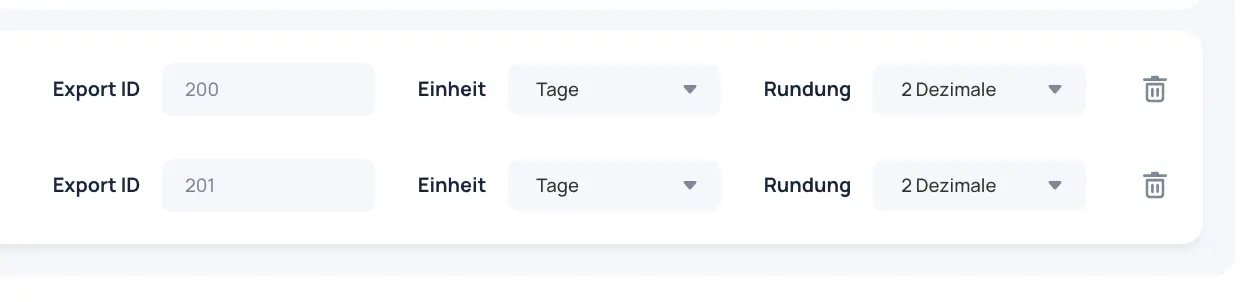
- Export ID per time balance type: Set an ID for each time balance type in the export. The same ID can be used if needed.
- Desired unit: Days, hours, working hours, or working hours in days.
- Rounding: 2 decimal places or round to 0.5.
Result