Bulk Corrections
There are various reasons why corrections to balances such as working time, vacation, public holidays, or rest days may be required. This is mainly organization-specific. Typical reasons include crediting anniversary vacation days or special leave days, as well as transferring opening balances into JobDone.
If specific corrections are needed for individual employees, use the standard correction flow. If the same corrections need to be applied to multiple employees, bulk corrections are the way to go.
Create a new bulk correction under Reports → Bulk Corrections.
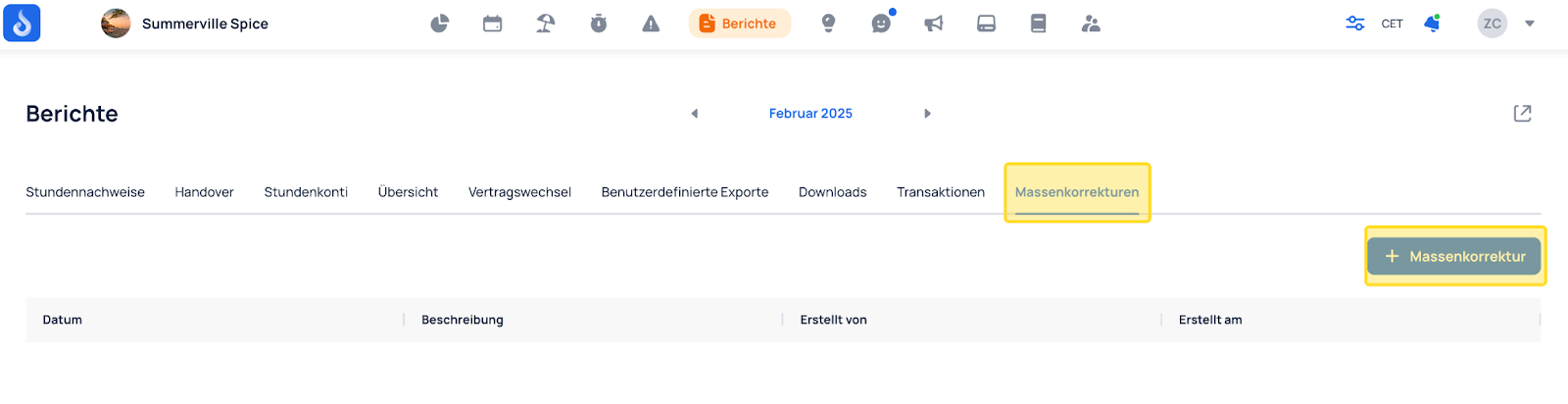
Feature Overview
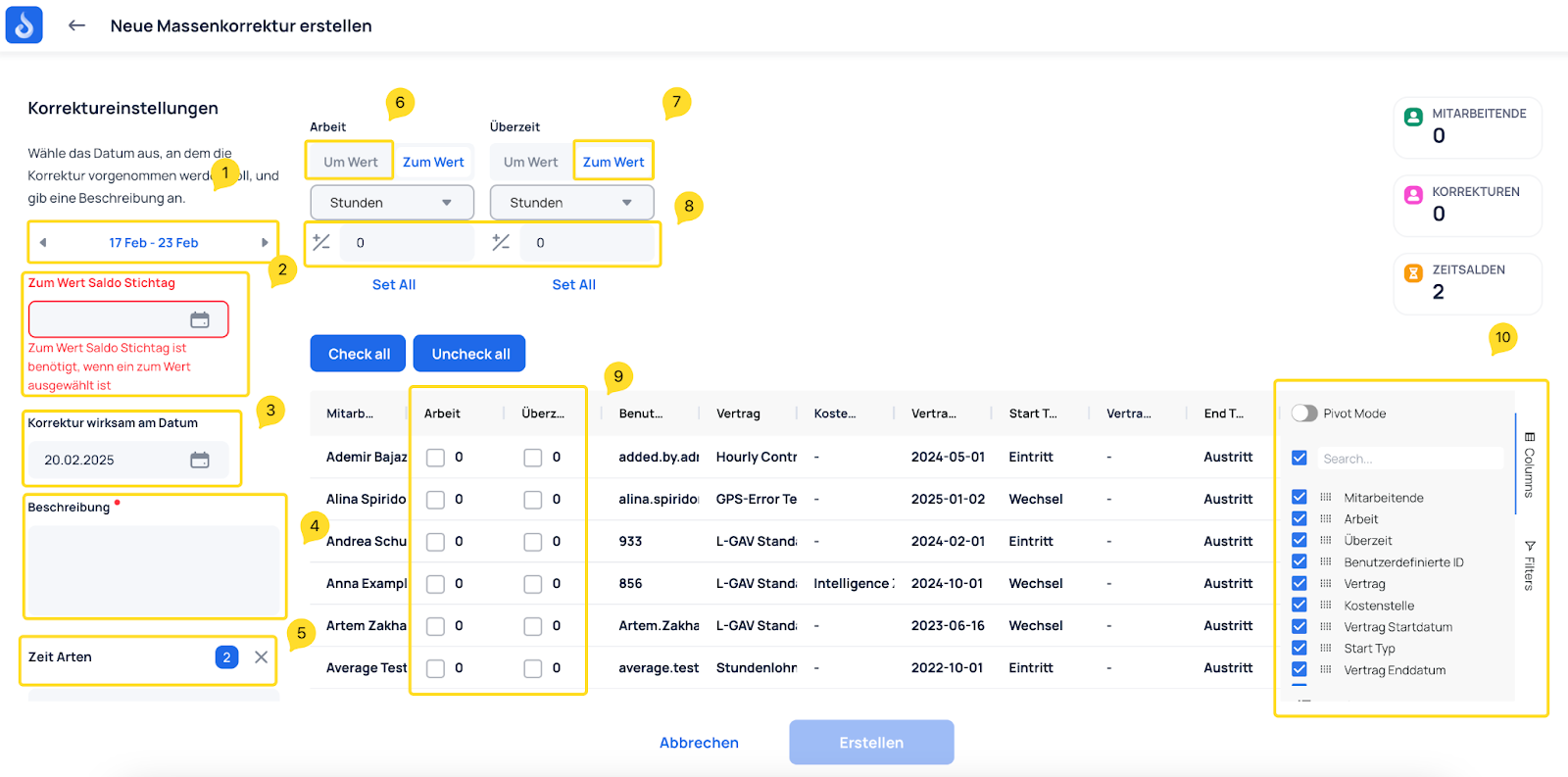
- Time range: Shows employees with an active contract in the selected period.
- To-value balance key date: For a "To value" correction, defines the key date on which the balance is evaluated.
- Correction effective date: Defines when the "To value" correction takes effect.
- Description: A description is required.
- Time types: Select the time types you want to correct.
- By value: Add or subtract a specific amount from the existing balance.
- To value: Adjust the existing balance to a specific target amount.
- Amount: Set the amount that should be applied for all employees in the table.
- Employees and time types: Choose which employee and time type should be adjusted, then edit the value by double-clicking the number.
- Table settings: Configure columns, column order, and filters.
To Value Correction
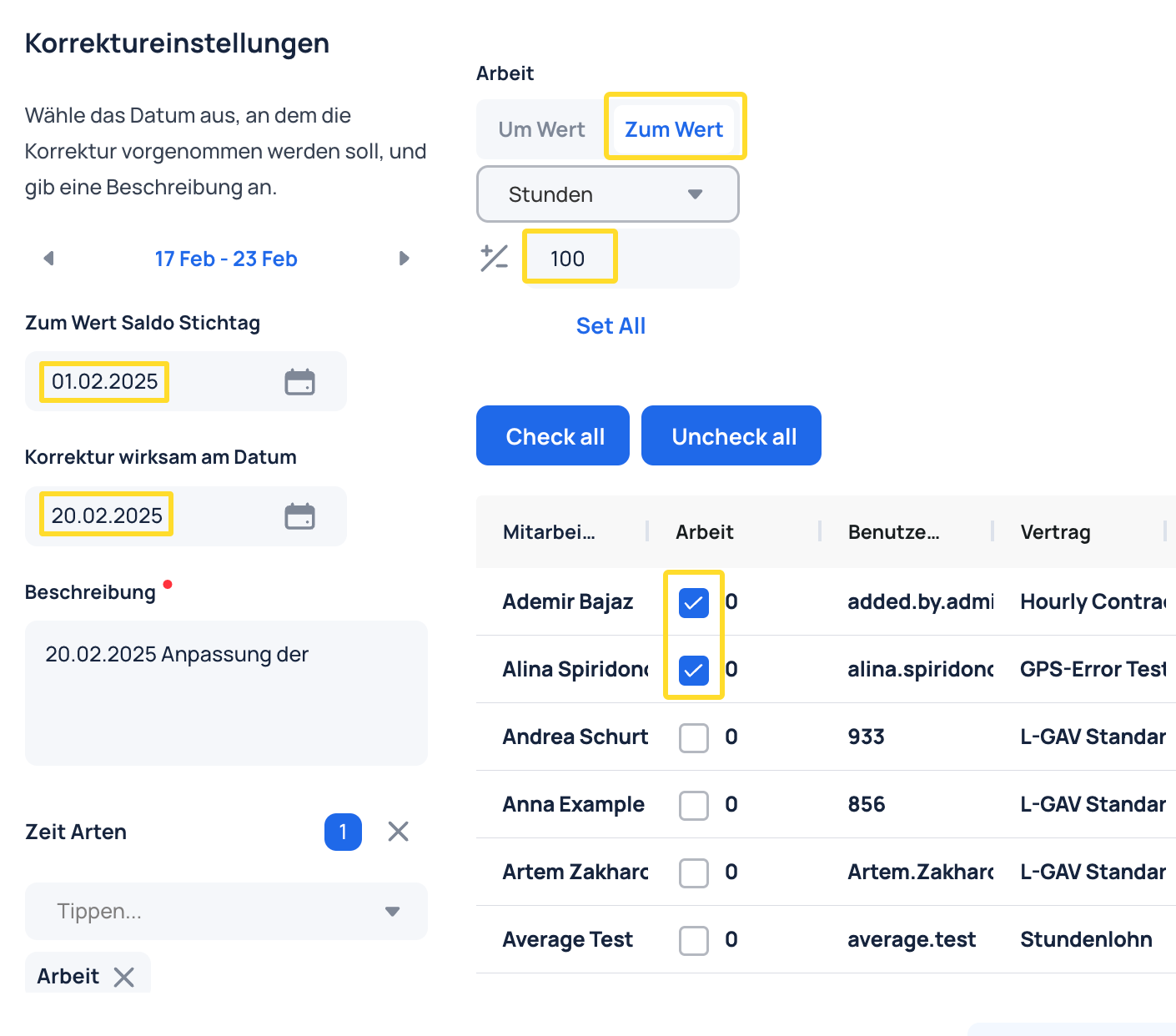
In this correction, Ademir's working hours are increased by 100 hours on 25.02.2025 using a key date of 01.02.2025.
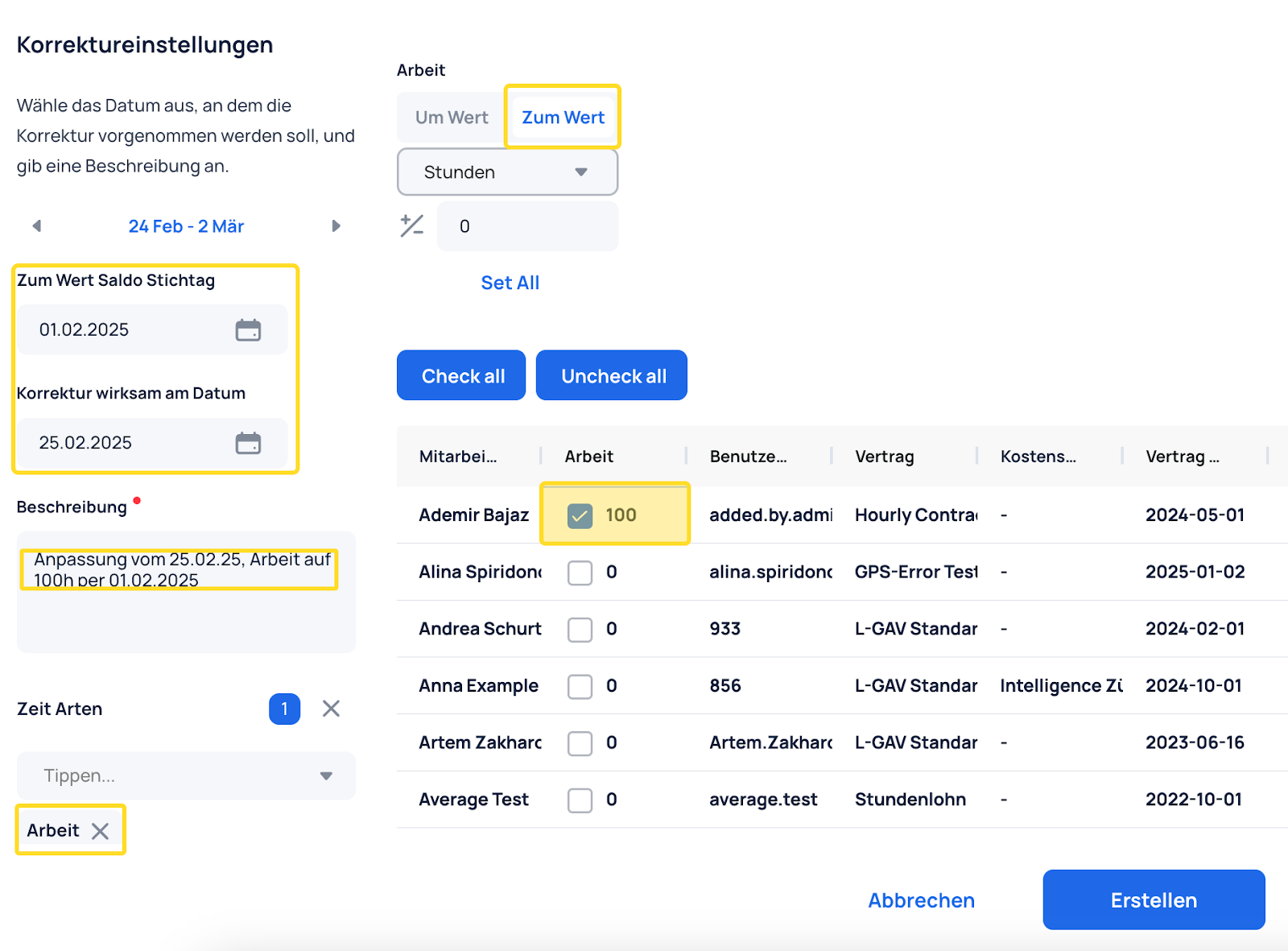
A new entry is created:
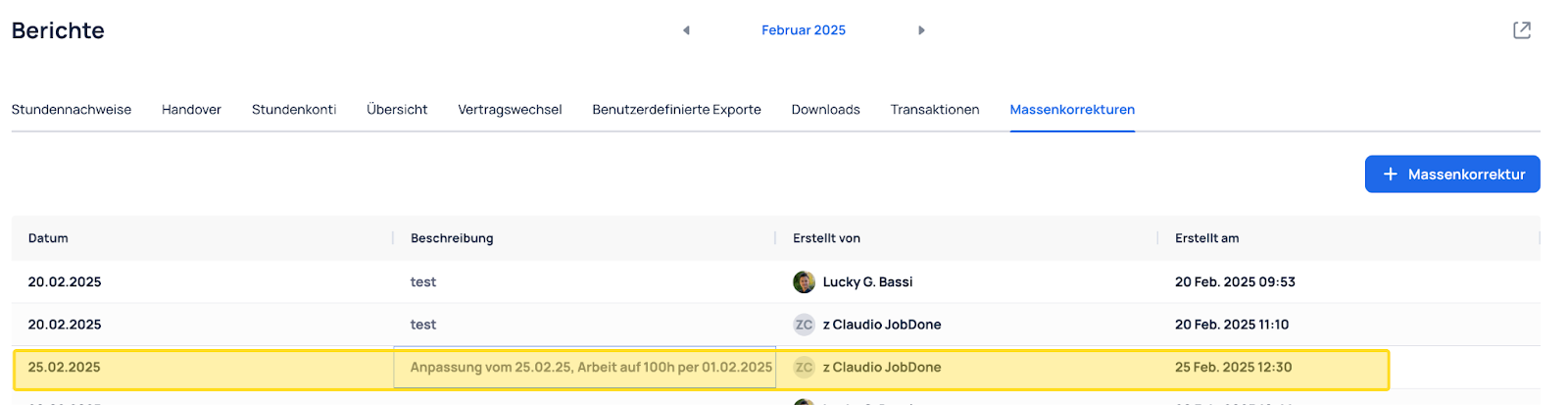
Inside the entry, you can see the correction details and whether it has been executed:

By Value Correction
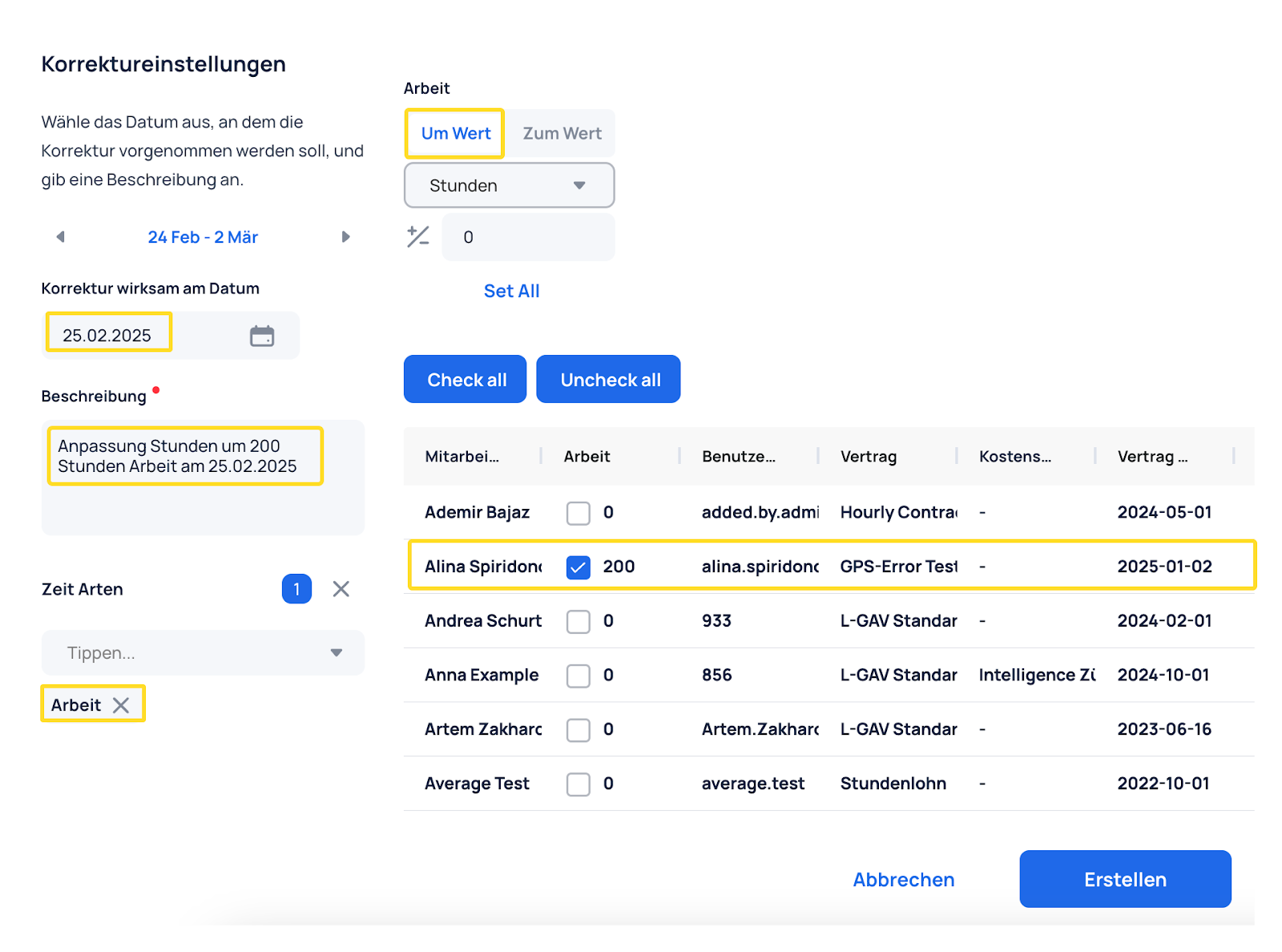
In this correction, Alina's working hours are increased by 200 hours on 25.02.2025.
Inside the correction, you can see the effective correction value per time balance.
