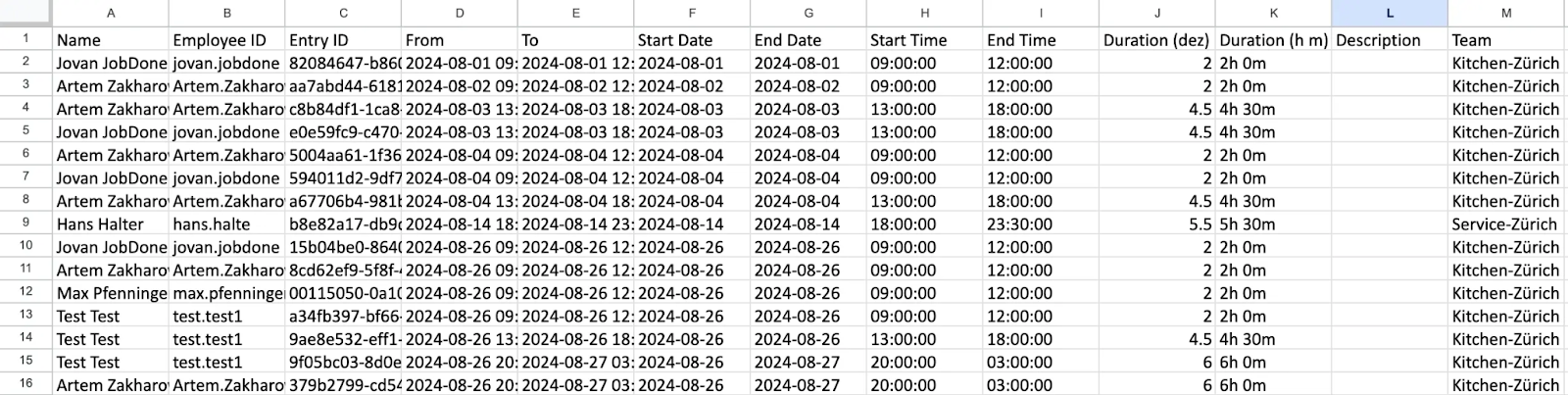
Shift Export
The shift export makes it possible to export employee shift data in different formats and for different purposes. This guide helps you understand and use the export options efficiently.
Settings
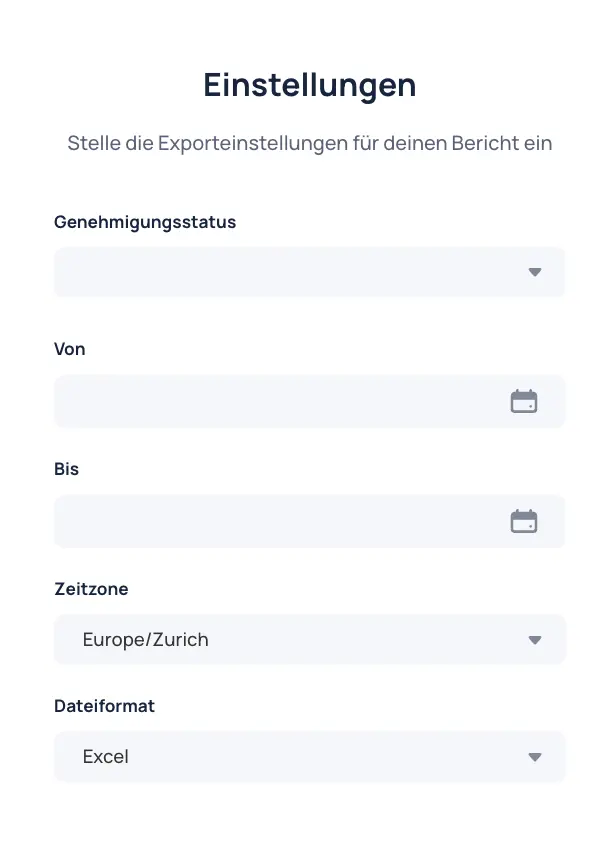
- Select publication status: Choose the publication statuses to include in the export (Published, Unpublished).
- Set time period: Define the period for which shift data should be exported (from/to).
- Select time zone: Set the correct time zone for accurate export data. Default is
Europe/Zurich. - Select file format: Choose the desired export format (
Excel .xlsxorCSV .csv).
Columns
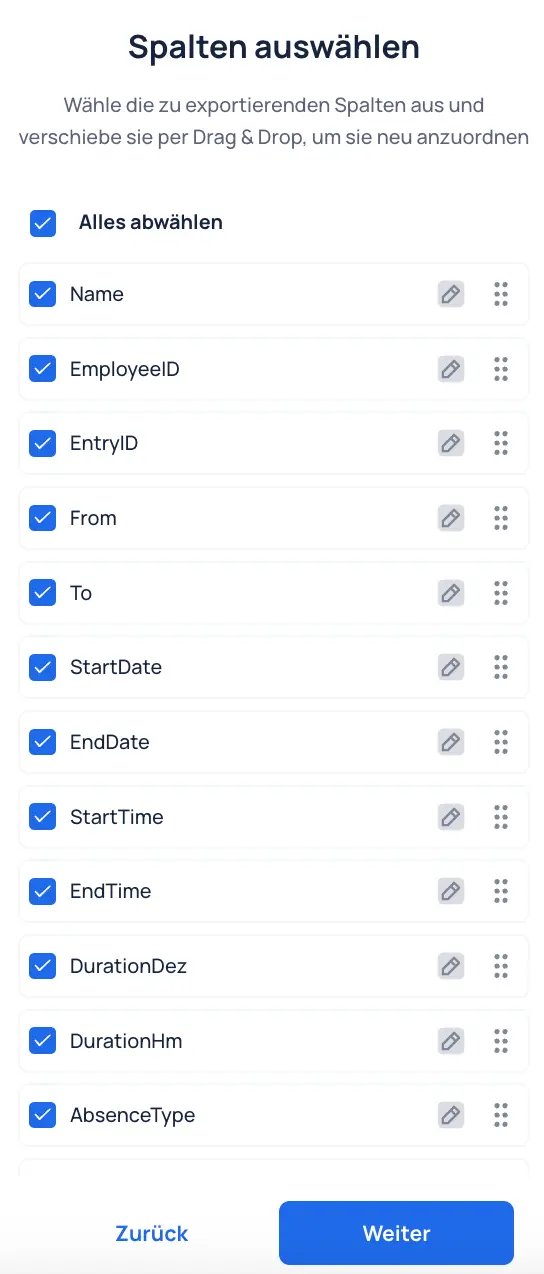
- Selection of columns: Select specific fields that should appear as columns in the export. All fields can be selected. Unneeded columns can later be hidden or deleted in the Excel or CSV file.
Audience
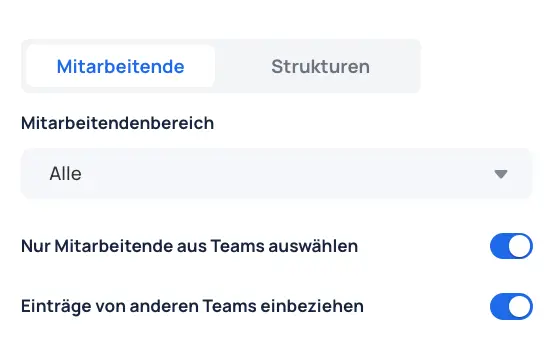
- Audience selection: Determine whether the export should be based on individual employees or the organizational structure (e.g., teams, cost centers).
Options
- Group, team, or employees: Select specific groups, teams, or individual employees.
- Cost centers: Select shift data based on cost centers.
- Contracts: Select employees based on assigned contracts.
Filter Employee Scope
- Filter options:
- All: Includes all employees.
- Departures and transfers: Includes only employees who have left or switched teams.
- Departures only: Includes only employees who have left.
- No departures: Includes only employees who have not left.
- Transfers only: Includes only employees who have switched teams.
Additional Settings
- Select only employees from teams:
- Active: Only team-level memberships are considered. Group-level memberships are ignored.
- Inactive: Group-level memberships are also considered.
- Include entries from other teams:
- Active: If selection is done by team, entries from selected users in other teams are also included.
- Inactive: Entries in other teams for users from the selected team are not included.
Result