Schedule
The Schedule provides a comprehensive and flexible solution for creating and managing employee shift plans. The interface is intuitive and customizable to meet the specific needs of every organization.
Layout Options
Several layouts are available to choose from based on your preference — from a table view with breaks that offers detailed shift planning and a clear overview of break times, to a resource view that shows resource availability and assignments at a glance.
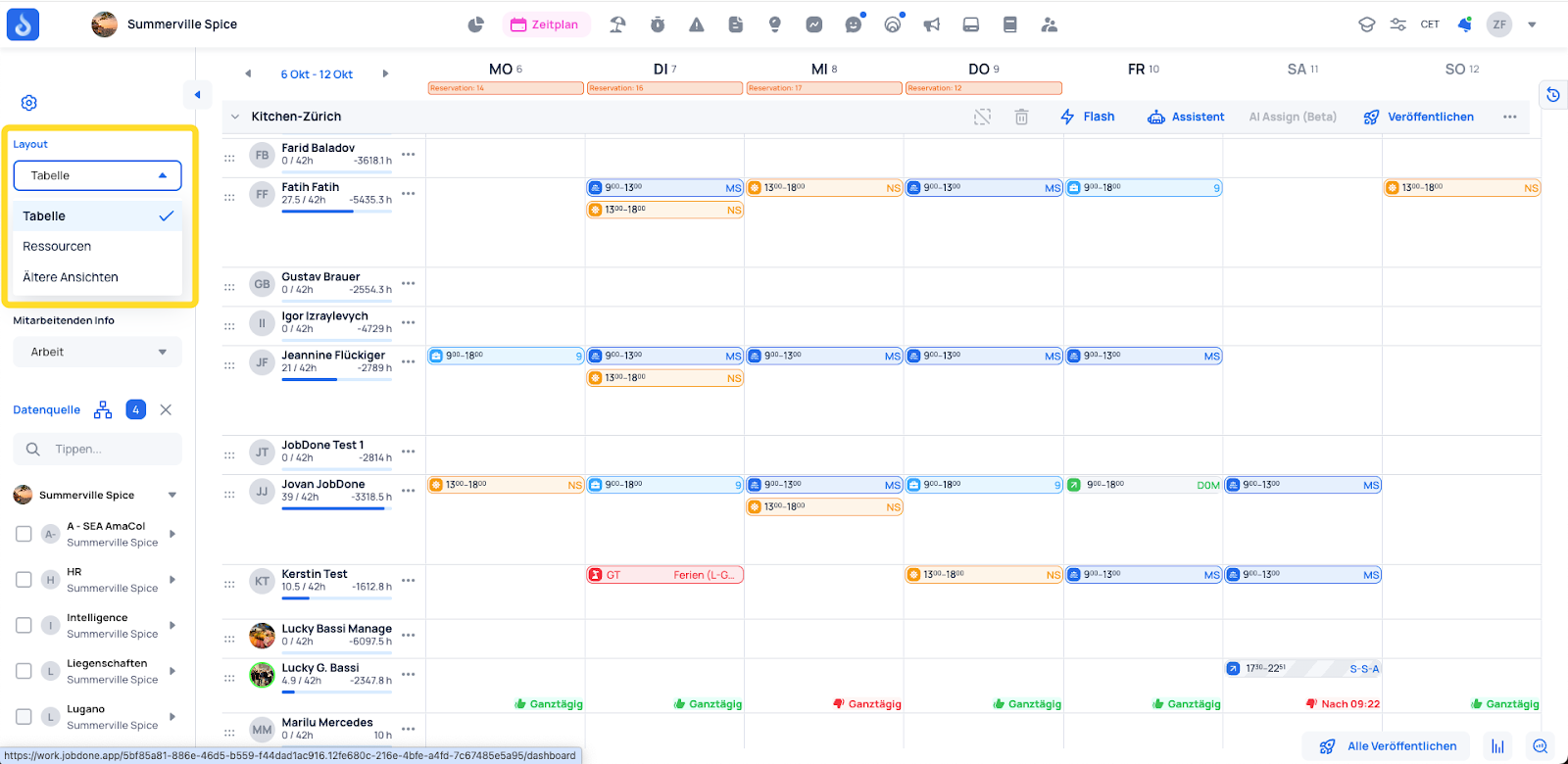
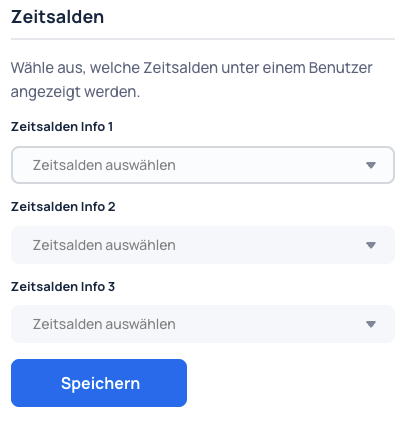
You can configure which employee information is displayed (Profile → Organization → Schedule Settings) and choose which time balances and details appear below each employee. This can include overtime, remaining vacation days, or other relevant time balances.
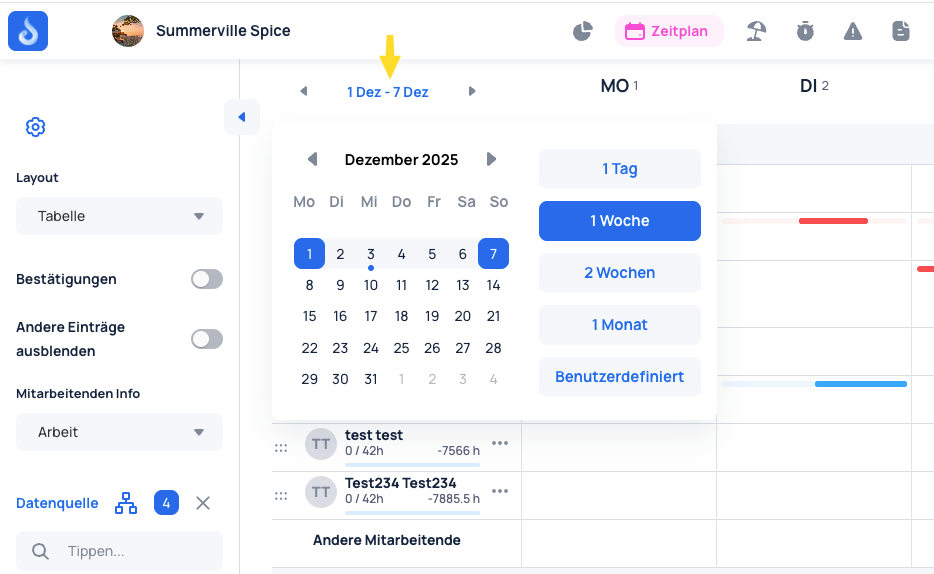
The Schedule offers flexible viewing options, allowing you to switch between daily, weekly, monthly, and custom views. This lets you see shift plans at whatever level of detail you need.
You can select specific teams to create schedules for. Within the Schedule, both work shifts and absences — such as rest days, vacations, or public holidays — can be planned.
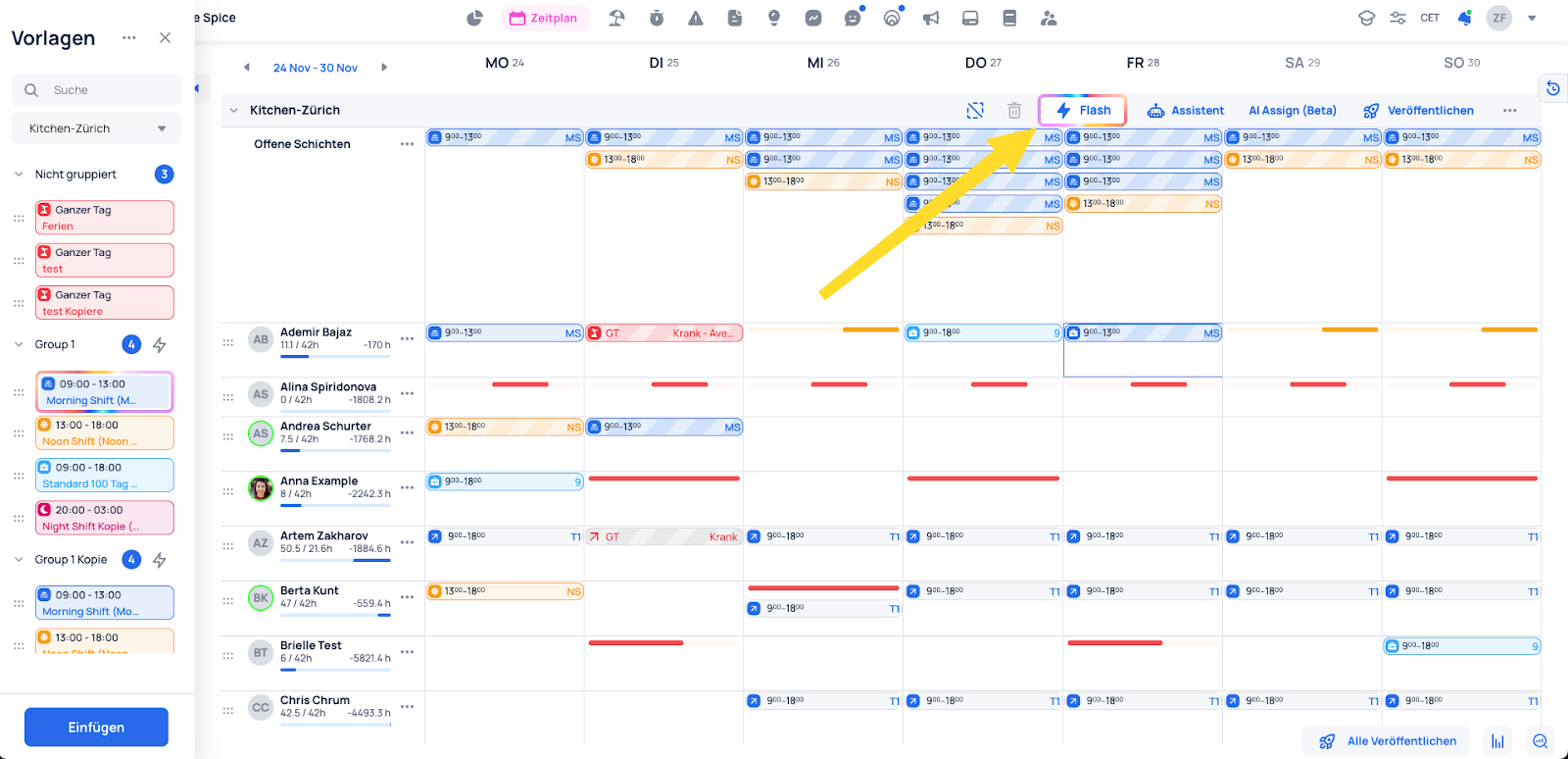
A key feature of the Schedule is Flash Mode. This mode lets you assign shift templates with a single click, saving significant time during planning.
Shift plans can be copied with just a few clicks, making it easy to set up recurring shifts. They can also be exported to Excel for further processing or archiving.
These and many more features make the Schedule a powerful and user-friendly shift planning solution that minimizes administrative effort and maximizes efficiency.
Related links: Create a shift plan