JobDone logoJobDone logo
JobDone Knowledge Base
L-GAV - SwitzerlandOrganization ConfigurationProcessesFeature Overview
English
  • Deutsch
  • English
  • Feature Overview
    • Messenger
    • Engagement
    • Absences
    • Reports
    • Analytics
    • File Drive
    • Organization
    • Dashboard
    • Menu Overview
    • Schedule
    • Open Shifts
    • Shift Invite
    • Shift Swap
    • Time Tracking
      • Lending Employees / Time Tracking in Other Teams
    • Warnings
    • Directory
    • Shift Pool
    • Calendar Sync with Google
    • Notifications
    • Transactions
    • Wishes
  • Feature Overview
  • Open Shifts

Open Shifts

With the Open Shifts feature, open and unassigned shifts can be published in the Team Schedule so employees can apply for them directly.

What Open Shifts are​

Open Shifts are available shifts without an assigned employee.
Employees can see them directly in the Team Schedule in the mobile app.
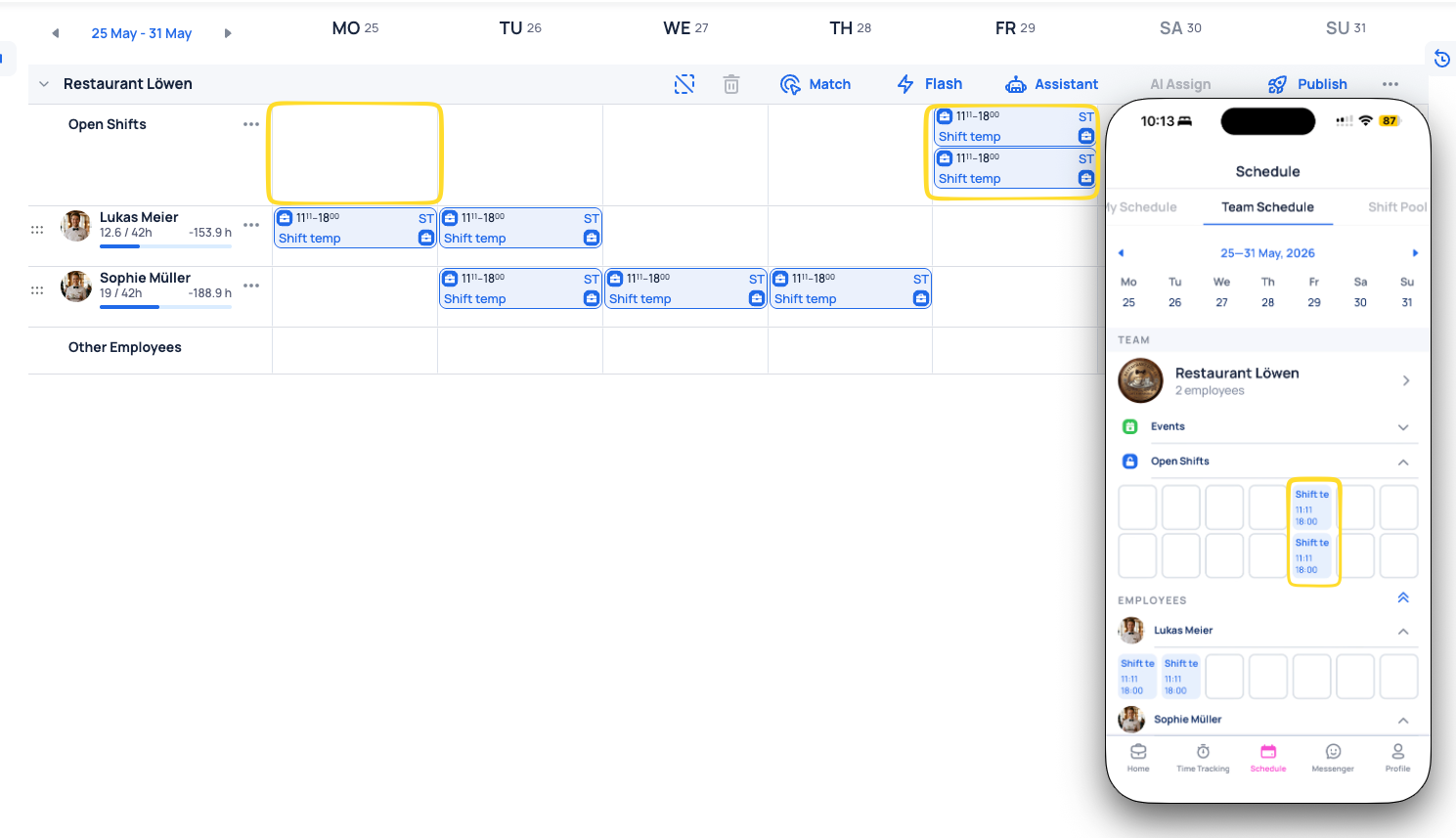
Open Shifts visible in Team Schedule on web and mobile

Open shifts are visible in Team Schedule and can be requested immediately.

How employees apply​

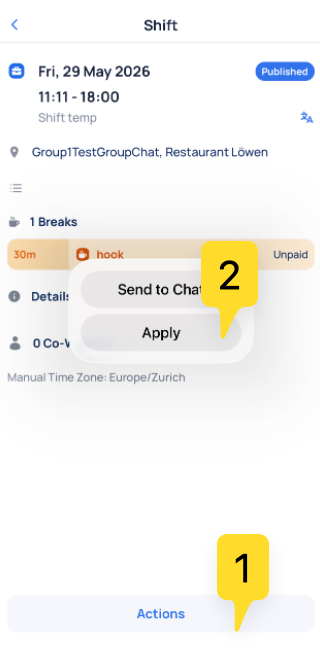
  1. Open the shift in Team Schedule.
  2. Select Actions → Apply.
  3. Submit the application.
Applying to an open shift via Actions and Apply in mobile app

The application is sent directly from the shift details view.

How approval works on web and mobile​

After an application is submitted, it must be approved:

  • On web: approval is done in Assistant
  • On mobile: approval is done in Shift Pool → My Requests
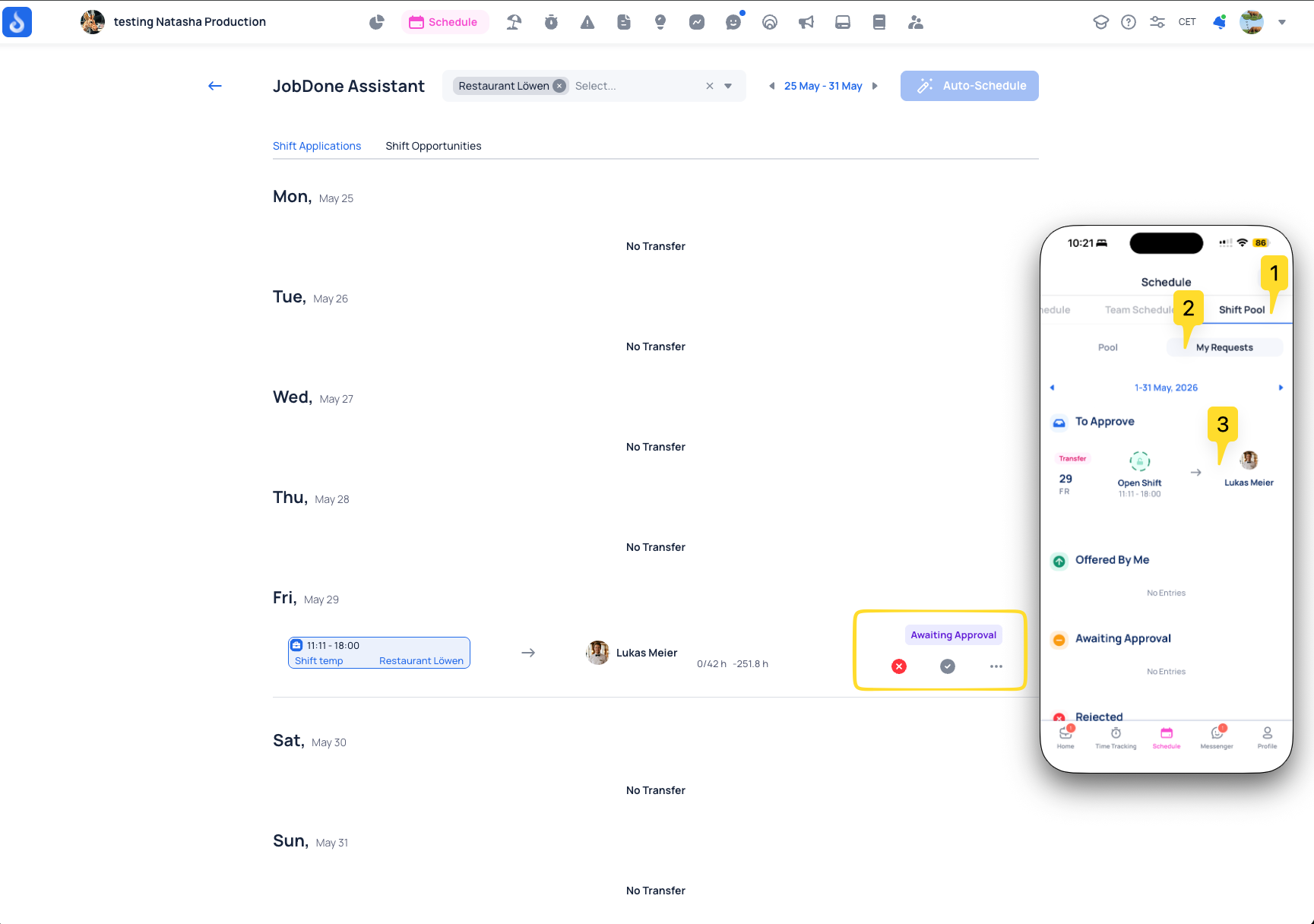
Open shift application approval flow in Assistant and mobile Shift Pool

Applications appear in review status and move to assignment after approval.

Once approved, the open shift is automatically assigned to the employee.

Related links:

  • Schedule
  • Shift Pool
Previous
Schedule
Next
Shift Invite
  • What Open Shifts are
  • How employees apply
  • How approval works on web and mobile
JobDone
 Download on the App Store ▶ GET IT ON Google Play

Knowledge Base

Home L-GAV - Switzerland Organization Configuration Processes Feature Overview JobDone Updates

Pricing

Pricing

Resources

Support Partnership Contact Us About Us

Legal

Terms & Conditions Privacy Imprint Cookies
All rights reserved © 2023 JobDone
Brought to you with ♥ by the JobDone Team