Shift Pool
The Shift Pool is part of JobDone Circles. Here, shifts can be posted directly within the company, and employees can apply for them easily via the mobile app.
The Shift Pool can be activated in the Circle settings. For more details, see Organization Configuration → Circles.
Circle Settings
Under Organization Settings → Planning, you can configure how shift applications are handled.
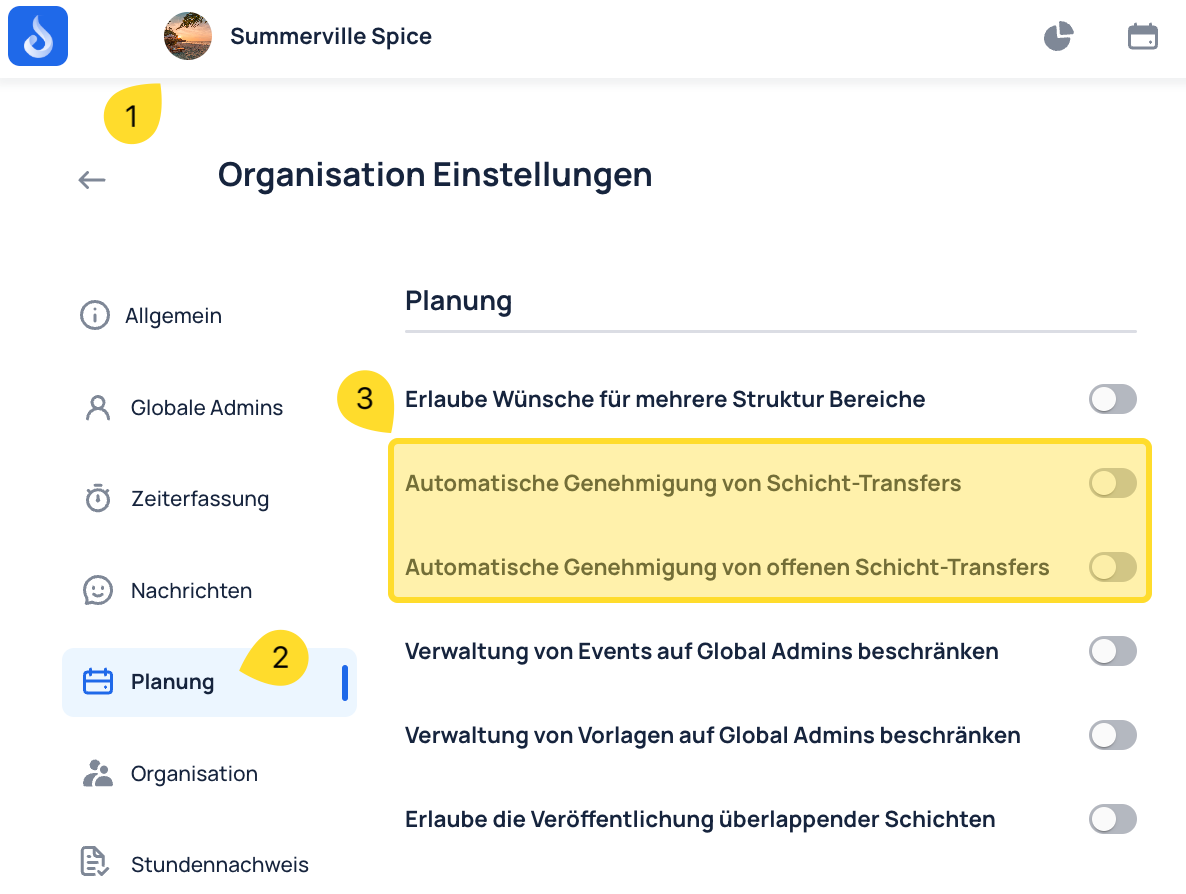
- Automatic approval of shift transfers
Employees can offer their assigned shifts back for pickup — either via chat or the Shift Pool. If someone is unable to work a shift, they can mark it as available through one of these options, giving other employees the opportunity to apply for it.
If automatic approval is enabled, the shift is automatically transferred to the new employee after they apply — without requiring additional confirmation from management.
-
Automatic approval of open shift transfers
Open shifts are shifts that have not yet been assigned to a specific employee and have been published for applications in the Shift Pool or chat.
If an employee applies for an open shift and automatic approval is enabled, the shift is immediately transferred to the applicant without additional management confirmation.
Process
1. Create open shifts
In the Schedule, plan and publish shifts for the Shift Pool under "Open Shifts."
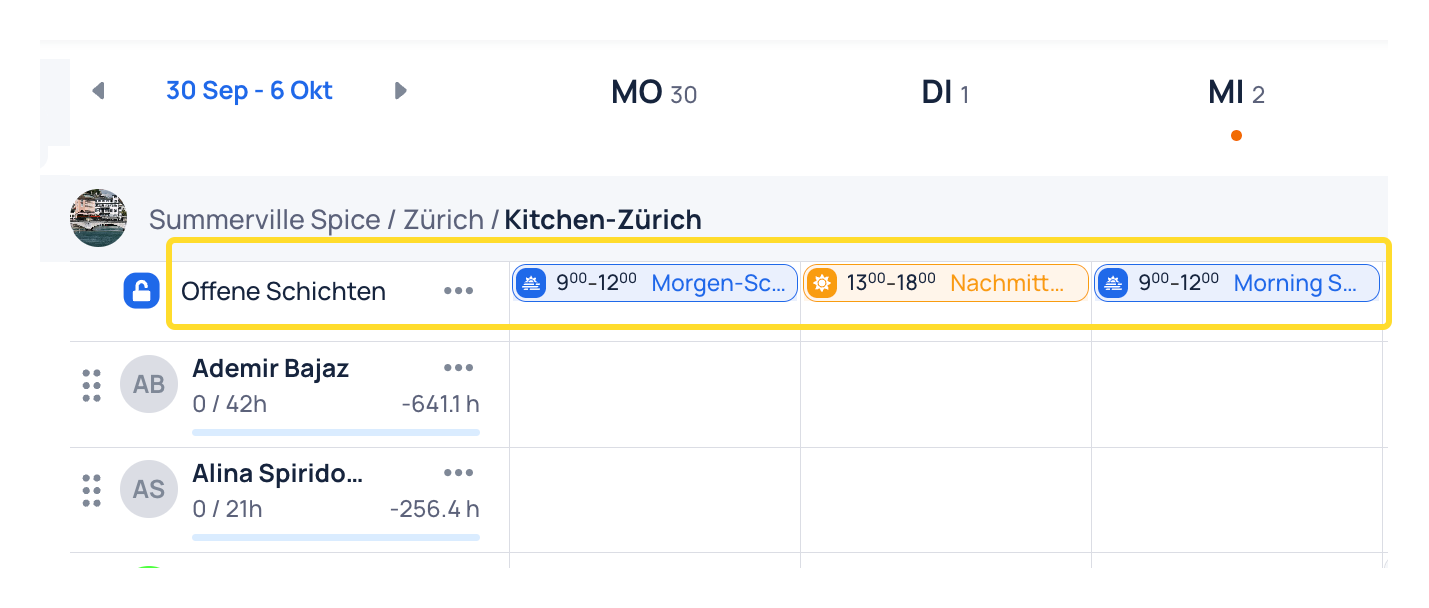
2. Announce in a Circle or group chat that new shifts are available
3. Employees apply for open shifts on their smartphone
In the smartphone app, shifts appear under Schedule → Shift Pool
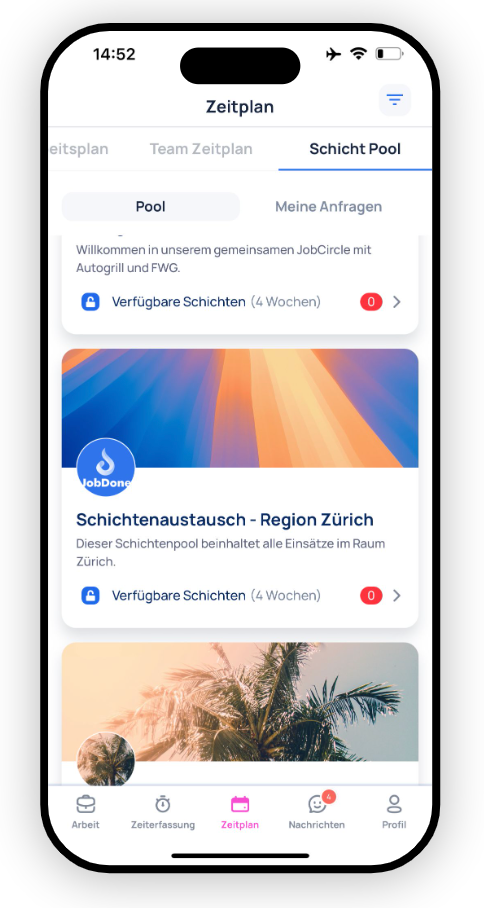
Employees can apply for shifts in the Shift Pool
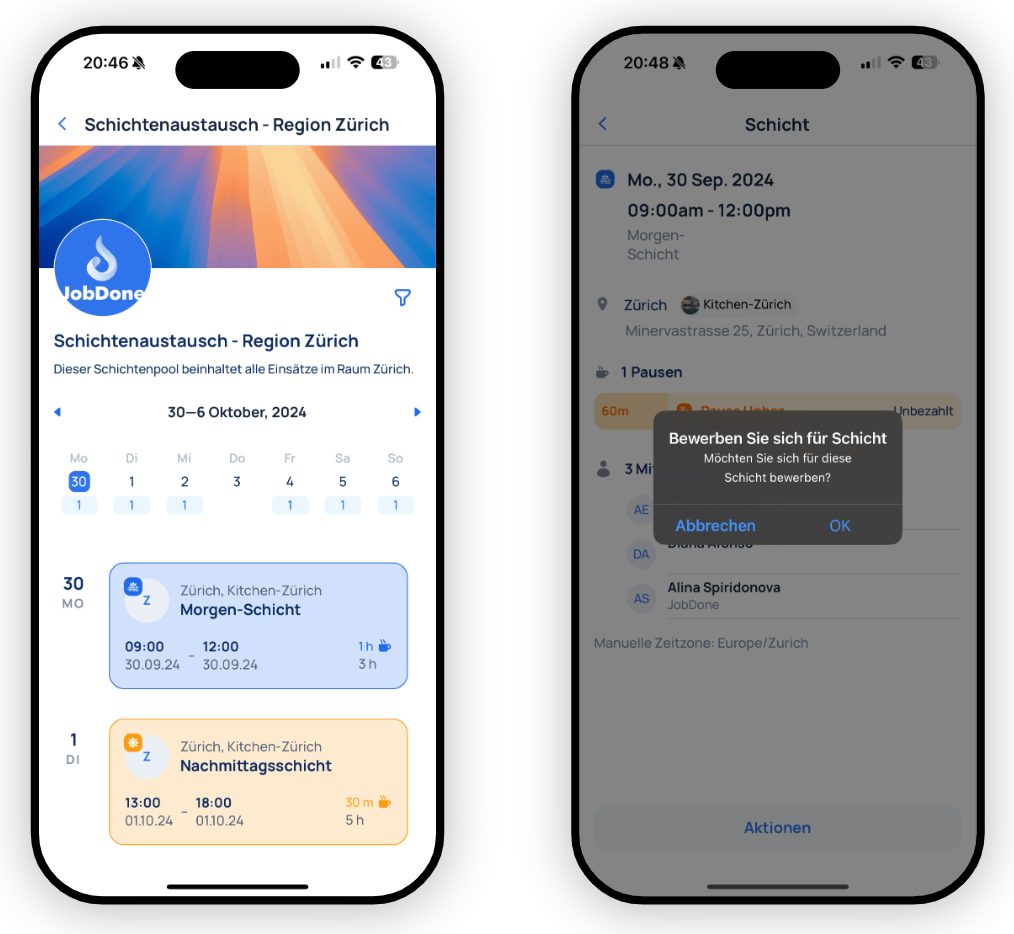
Under "My Requests," employees can see the status of their Shift Pool applications — whether approved or declined. Managers can see whether there are pending shift applications that need their approval.
Employees also have the option to return confirmed shifts back to the Shift Pool.