Shift Invite
With Shift Invite, managers can invite employees to an open shift.
Responses are submitted in mobile, and the final assignment is completed in Assistant on web.
1) Send invite in Assistant (Web)
First open Schedule, then open JobDone Assistant.
In Shift Opportunities, select the target shift, choose the audience with Select Audience, then send Invite.
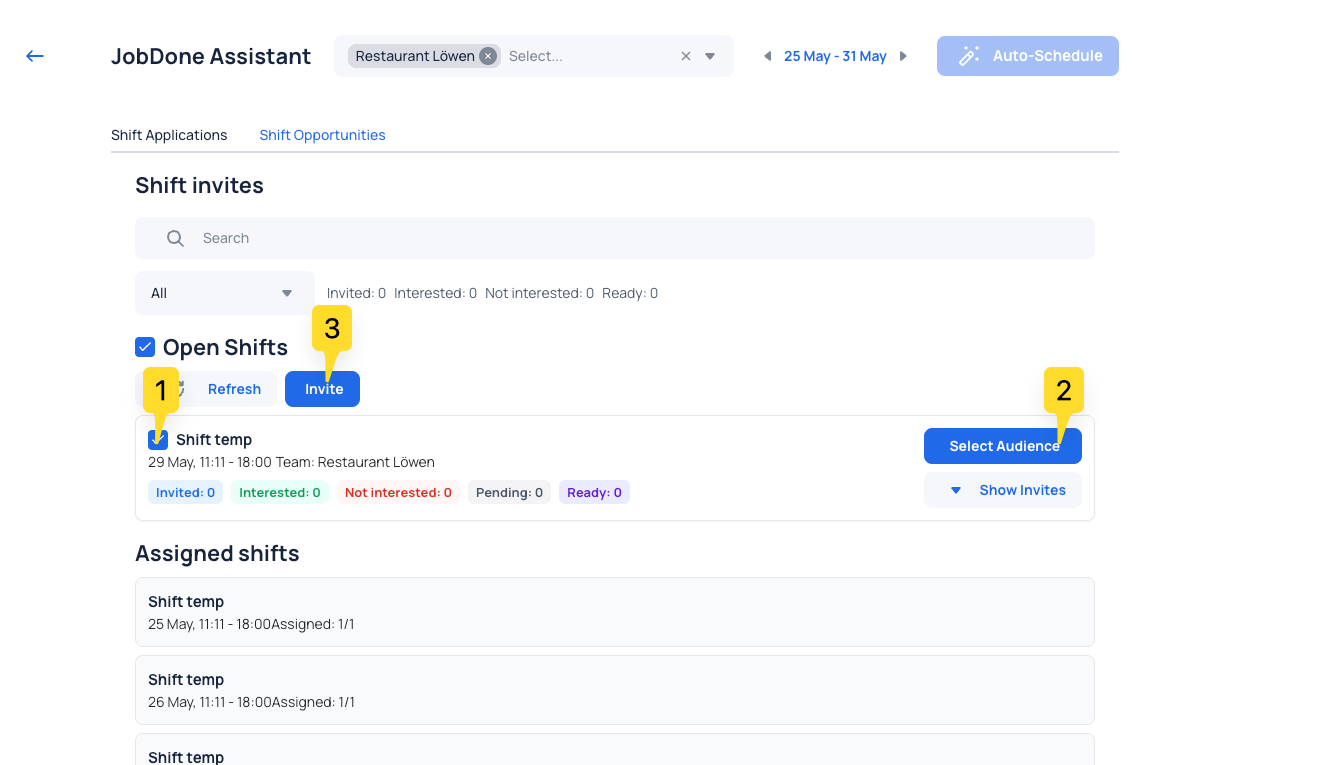
Select shift, choose audience, and send invite.
2) Employee response in Mobile
Employees open Home → My Day → Go to Shift Invites and respond:
- Swipe left = not interested
- Swipe right = interested
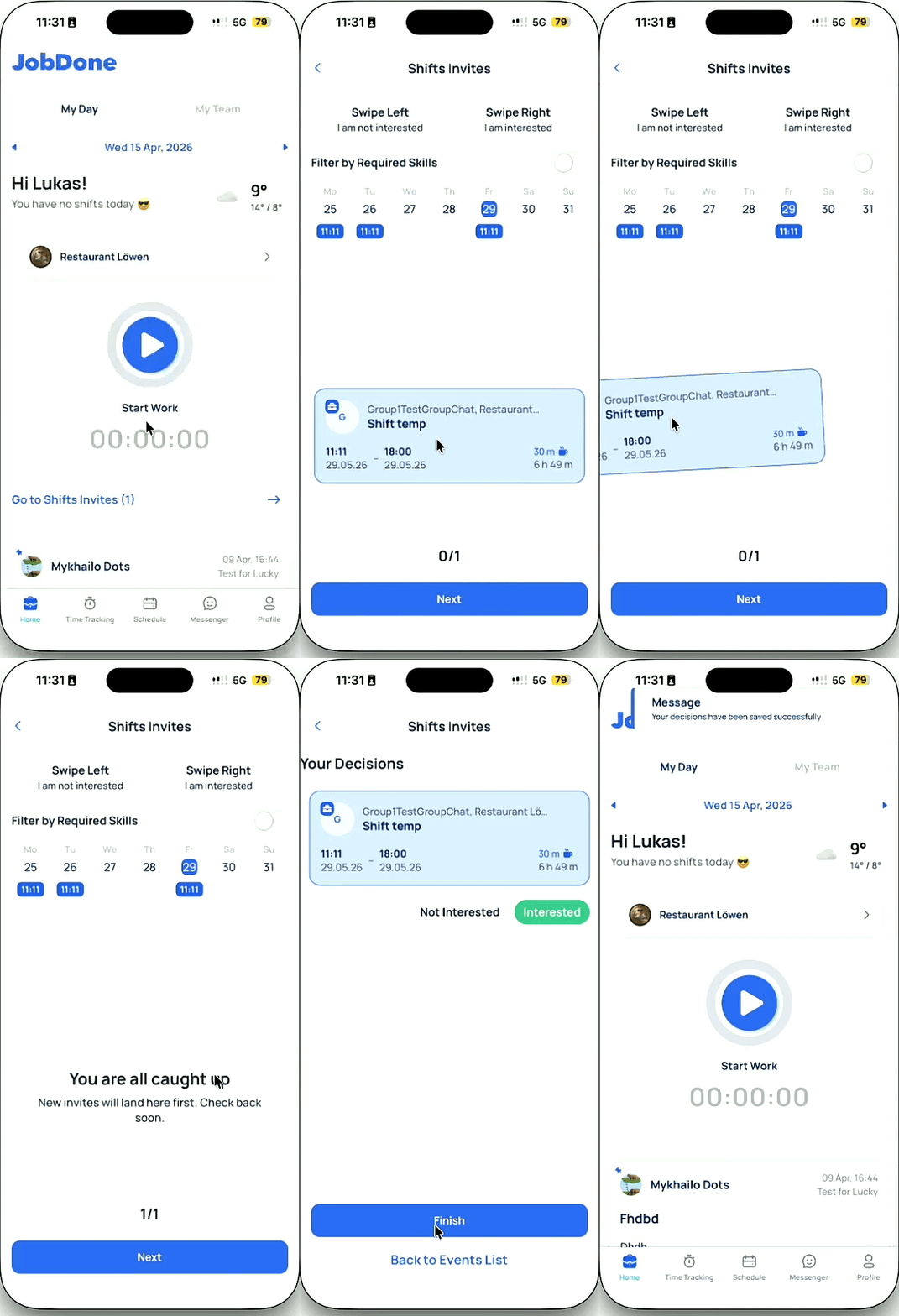
Open Shift Invites and respond with a swipe.
3) Review responses and assign shift (Web)
Back in Schedule → Assistant, review responses, pick the best-fit employee, and complete assignment with Assign.
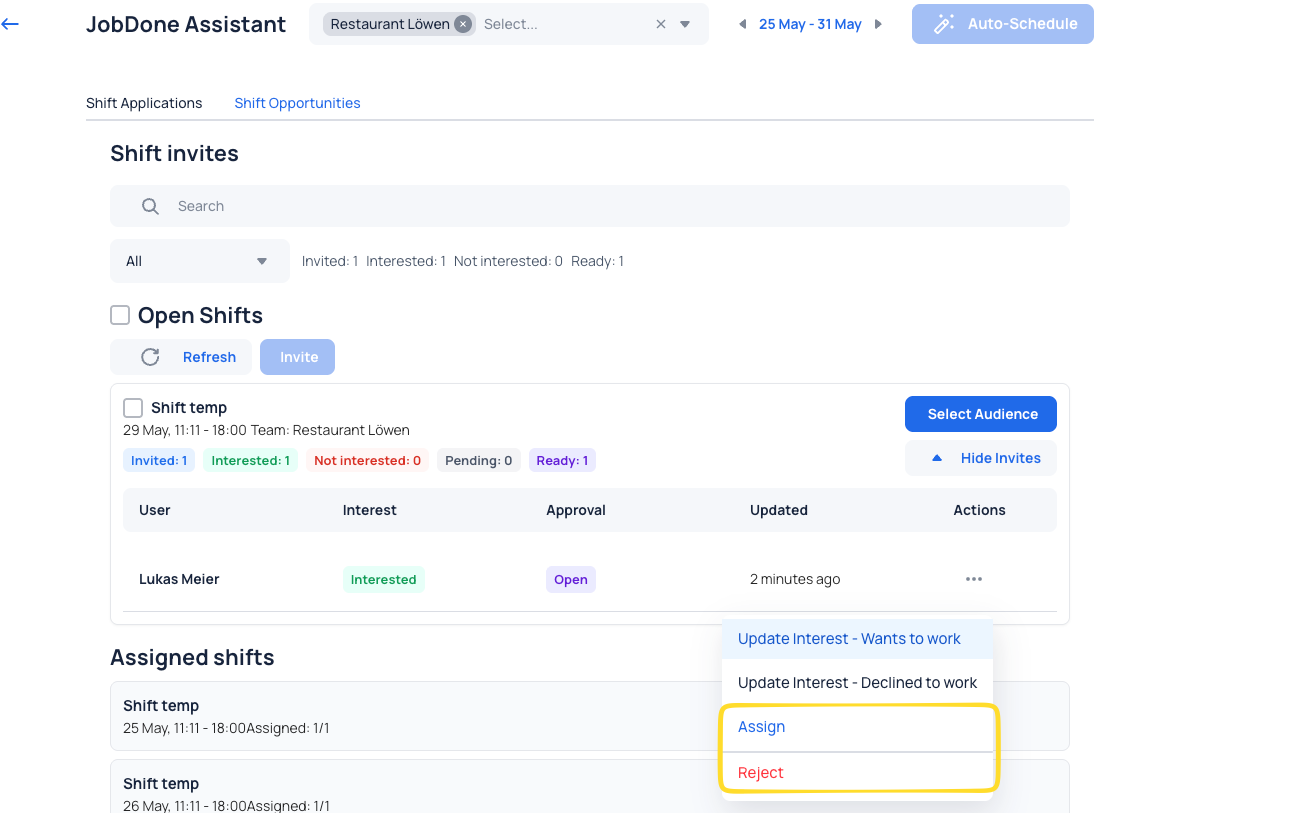
Compare responses and assign the best-fit employee.
Quick check
- Target shift selected in Schedule → Assistant
- Audience selected in Select Audience
- Invite sent
- Response submitted in Home → My Day → Go to Shift Invites
- Final assignment completed in Schedule → Assistant using Assign