Transactions
Transactions are actions that affect financial aspects of an employment relationship. They include payments, bonuses, allowances, or deductions related to an employee's salary or additional benefits.
Configuration
Under Organization → Contracts → Transactions, you can add and define the transaction types you need.
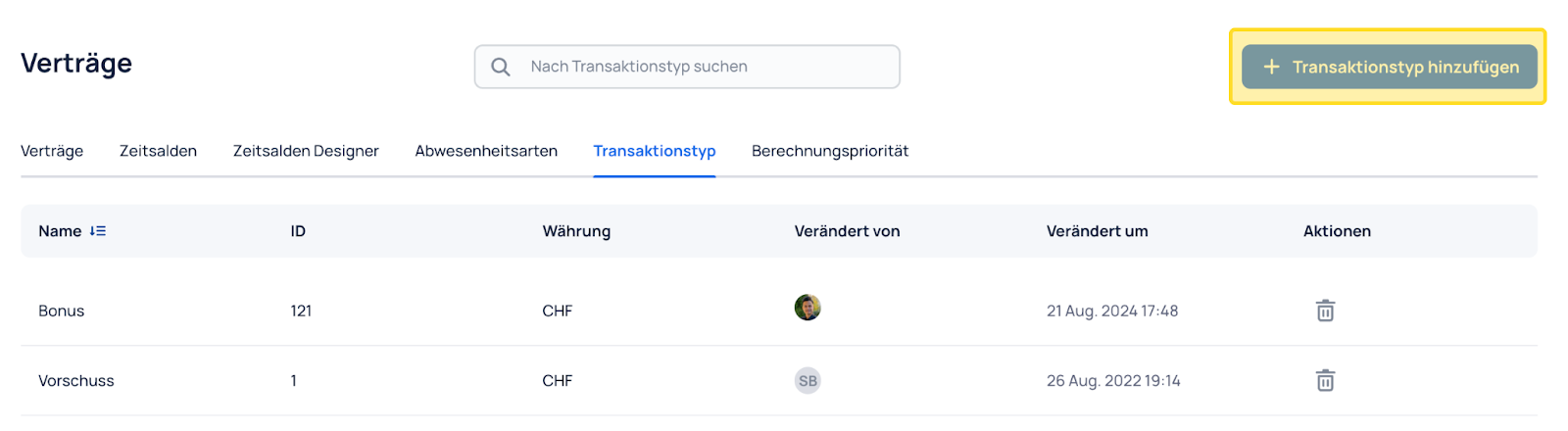
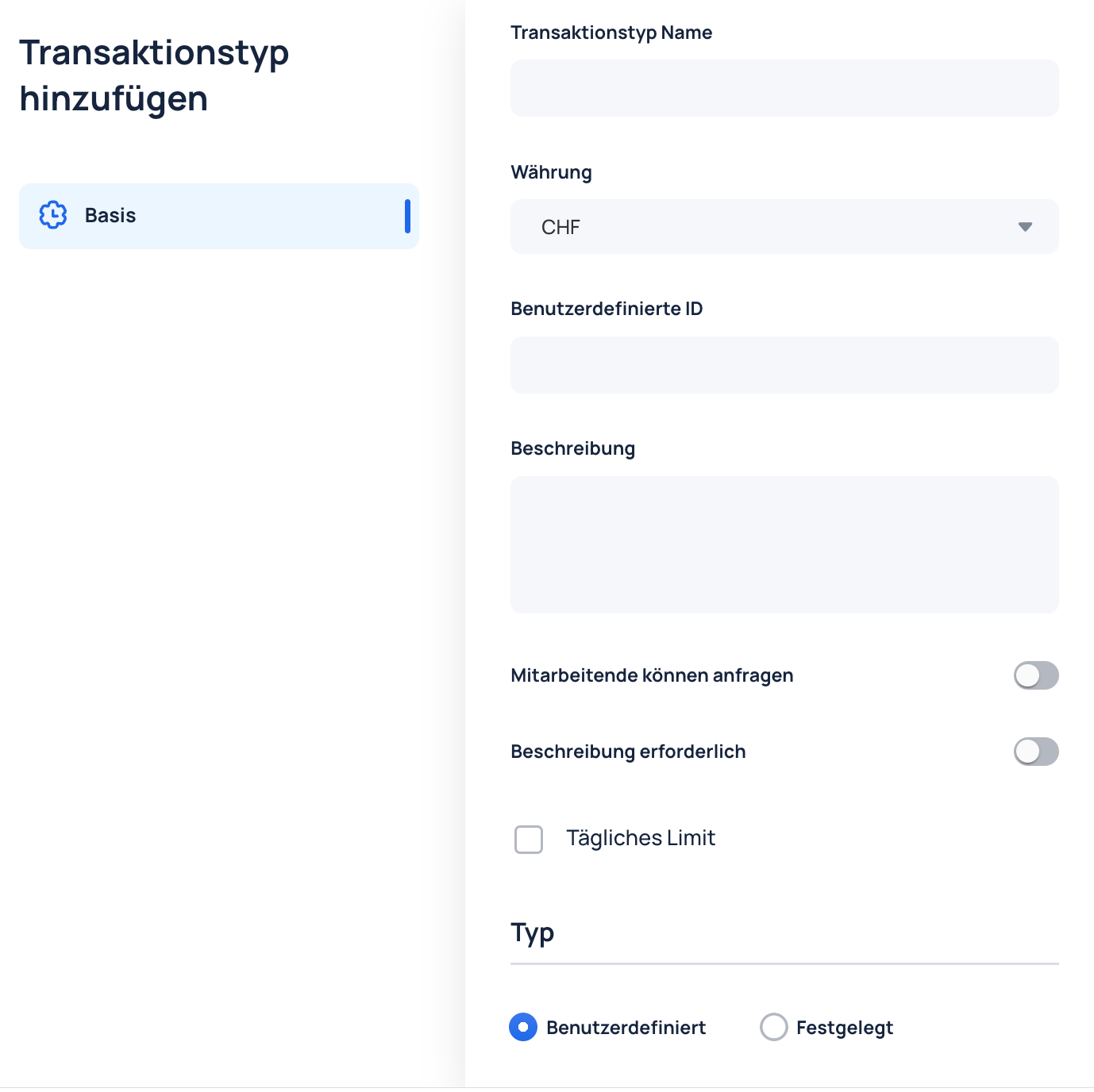
Important settings per transaction:
- Employees can request: Define whether employees can request this transaction themselves in the smartphone app. These requests must then be approved by supervisors.
- Description required: Define whether a description must be provided when requesting the transaction.
- Fixed or variable amount: Define whether the transaction has a fixed amount or whether employees can enter the amount themselves.
Fixed amounts are useful for predefined transaction types, such as meal allowances.
Transaction requests
If the "Employees can request" setting is enabled for a transaction, the "Transactions" icon appears under Profile in the JobDone smartphone app.
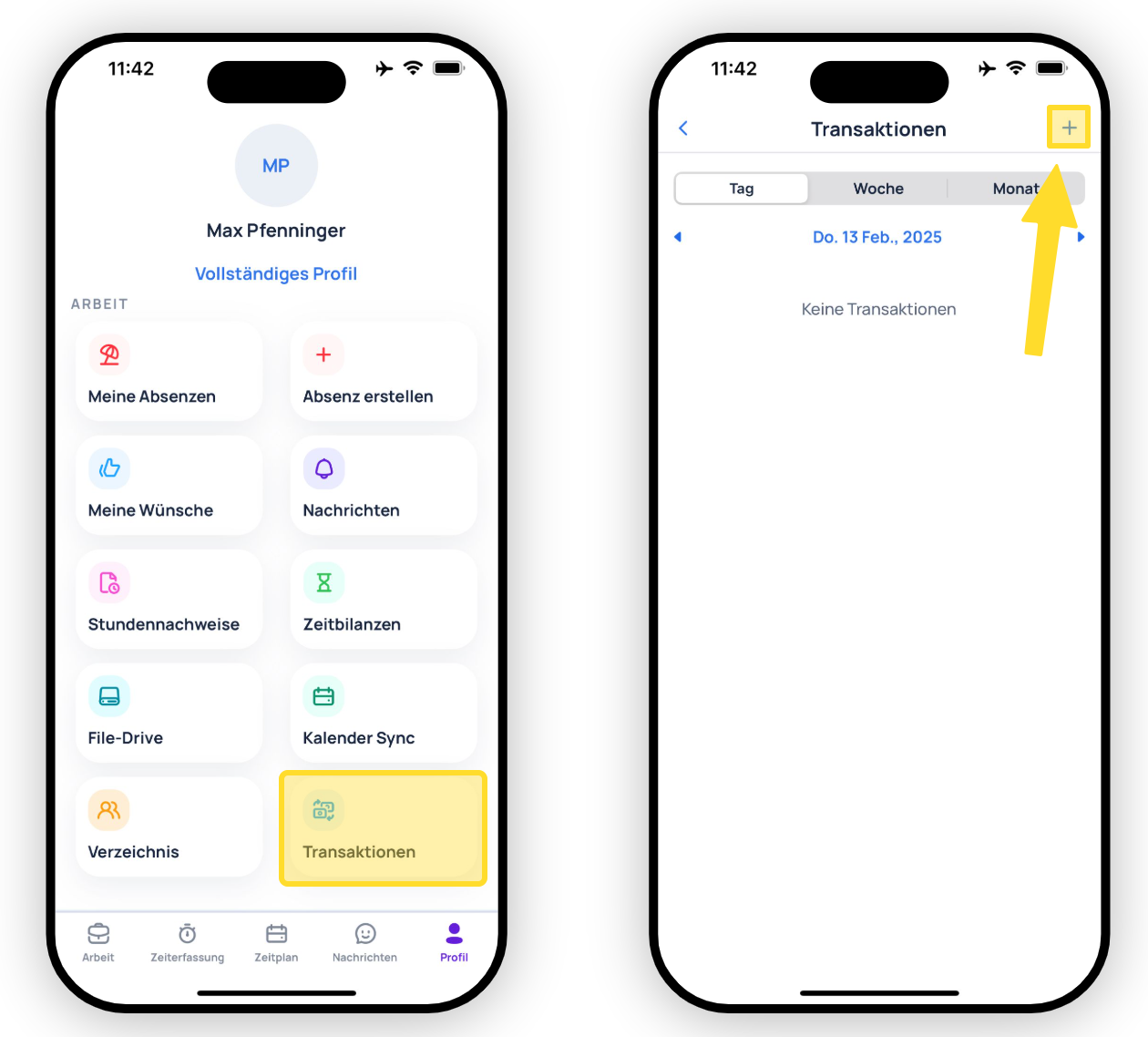
Use the "+" icon in the top-right corner to request a transaction.
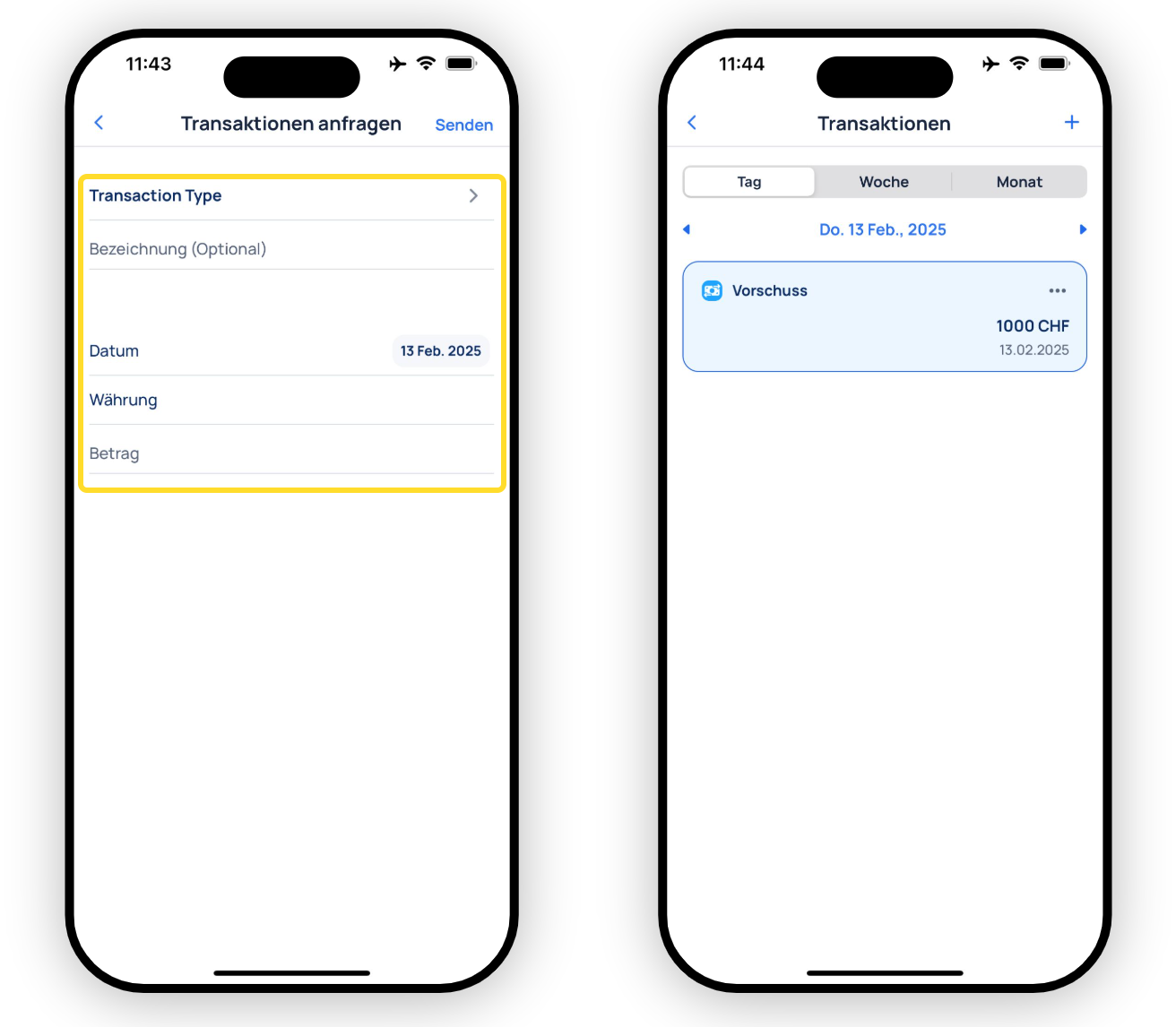
Select the transaction type and enter the required details. After submitting, the transaction appears under the "Transactions" icon.