JobDone logoJobDone logo
JobDone Knowledge Base
L-GAV - SwitzerlandOrganization ConfigurationProcessesFeature Overview
English
  • Deutsch
  • English
  • Feature Overview
    • Messenger
    • Engagement
    • Absences
    • Reports
    • Analytics
    • File Drive
    • Organization
    • Dashboard
    • Menu Overview
    • Schedule
    • Open Shifts
    • Shift Invite
    • Shift Swap
    • Time Tracking
      • Lending Employees / Time Tracking in Other Teams
    • Warnings
    • Directory
    • Shift Pool
    • Calendar Sync with Google
    • Notifications
    • Transactions
    • Wishes
  • Feature Overview
  • Time Tracking
  • Lending Employees / Time Tracking in Other Teams

Lending Employees

Employees from Other Teams

In JobDone, employees can be lent to other teams. Depending on the use case, the following settings are available. Scheduling an employee in another team
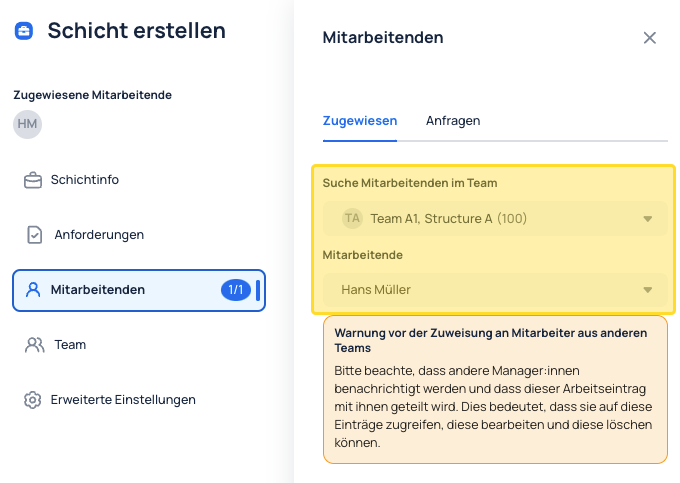
When creating a shift, you can assign it to an employee from any team.

Time Tracking in Other Teams

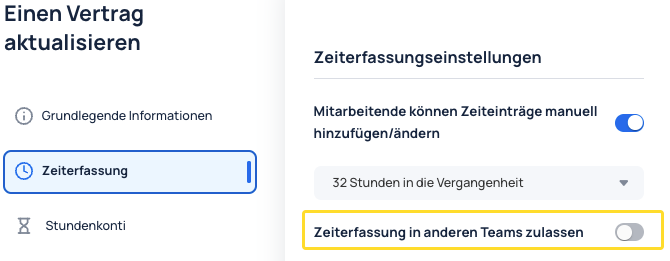
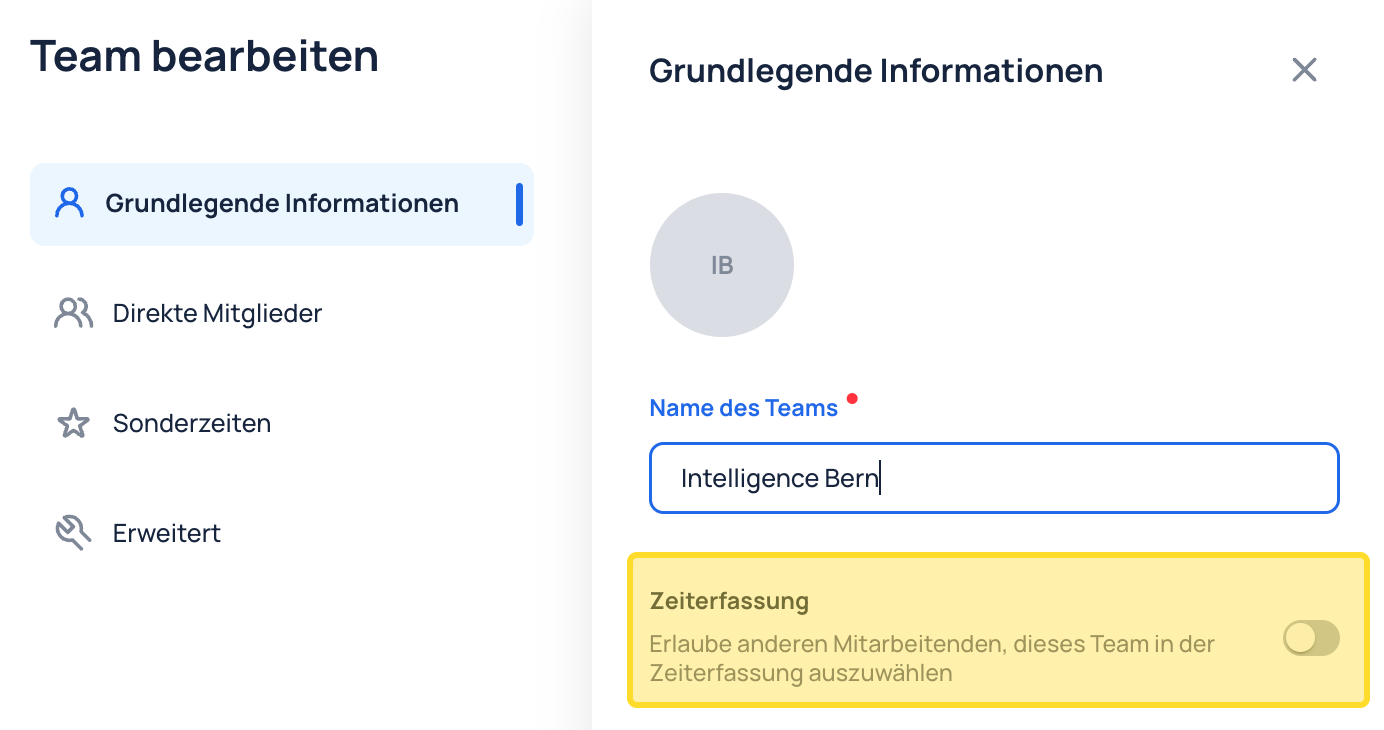
If you want an employee to be able to flexibly track time in other teams, use the "Allow time tracking in other teams" setting.

This setting can be found in:

  1. Organization → Contracts → Time Tracking. When enabled, employees with this contract can flexibly track time for other teams.
  1. Organization → Structure → within the team's basic information.
Permanent Membership

If employees regularly work for other teams, it may make sense to add them as permanent members. This can be done in two ways:

1. Organization → Structure → Team → Direct Members 2. Organization → Employees → Memberships

Previous
Time Tracking
Next
Warnings
JobDone
 Download on the App Store ▶ GET IT ON Google Play

Knowledge Base

Home L-GAV - Switzerland Organization Configuration Processes Feature Overview JobDone Updates

Pricing

Pricing

Resources

Support Partnership Contact Us About Us

Legal

Terms & Conditions Privacy Imprint Cookies
All rights reserved © 2023 JobDone
Brought to you with ♥ by the JobDone Team