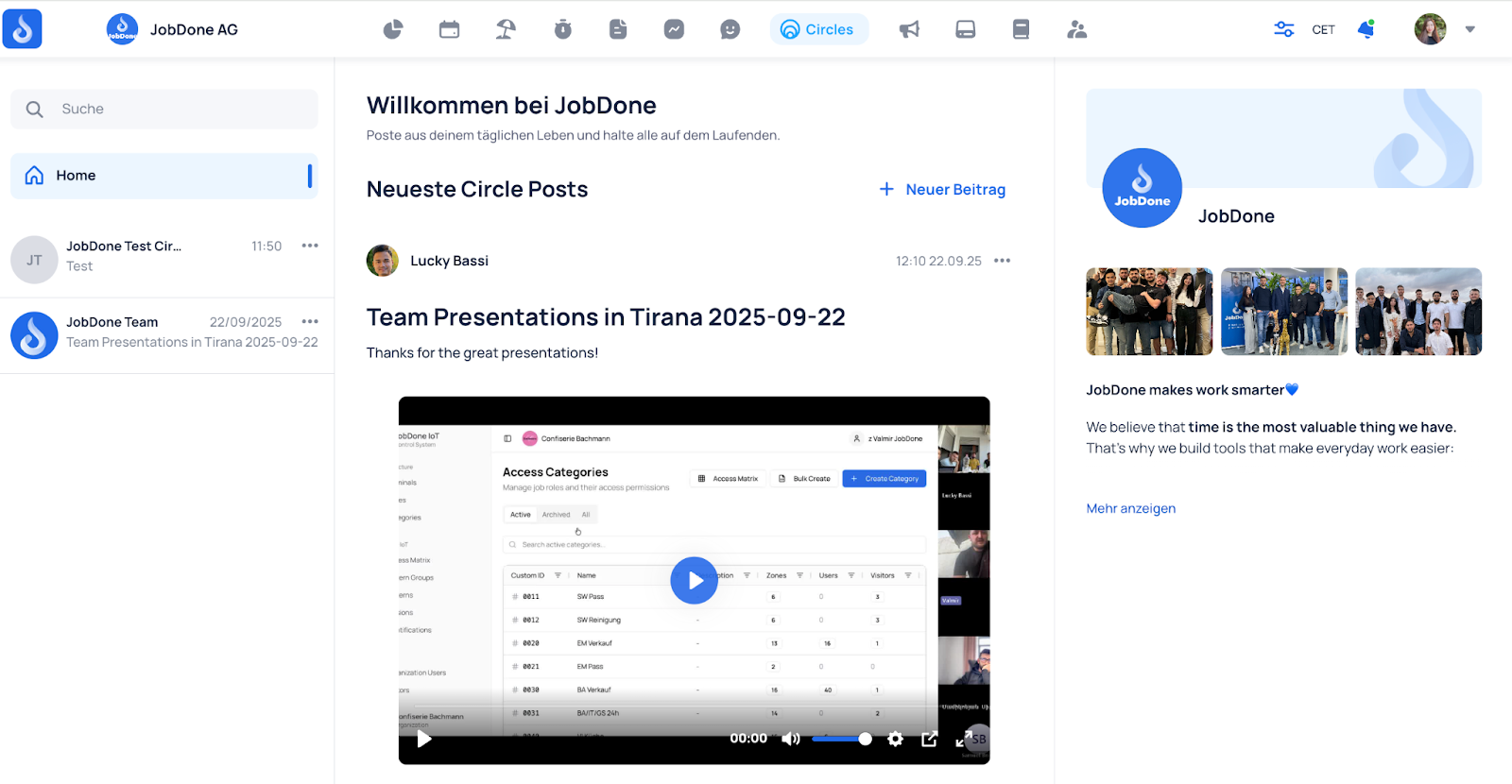
Circles Home
Circles
Take internal communication one step further with our Circles feature. Publish company news, comment on updates, respond to posts, and interact with your workforce. Foster a vibrant work culture and boost employee engagement with Circles.
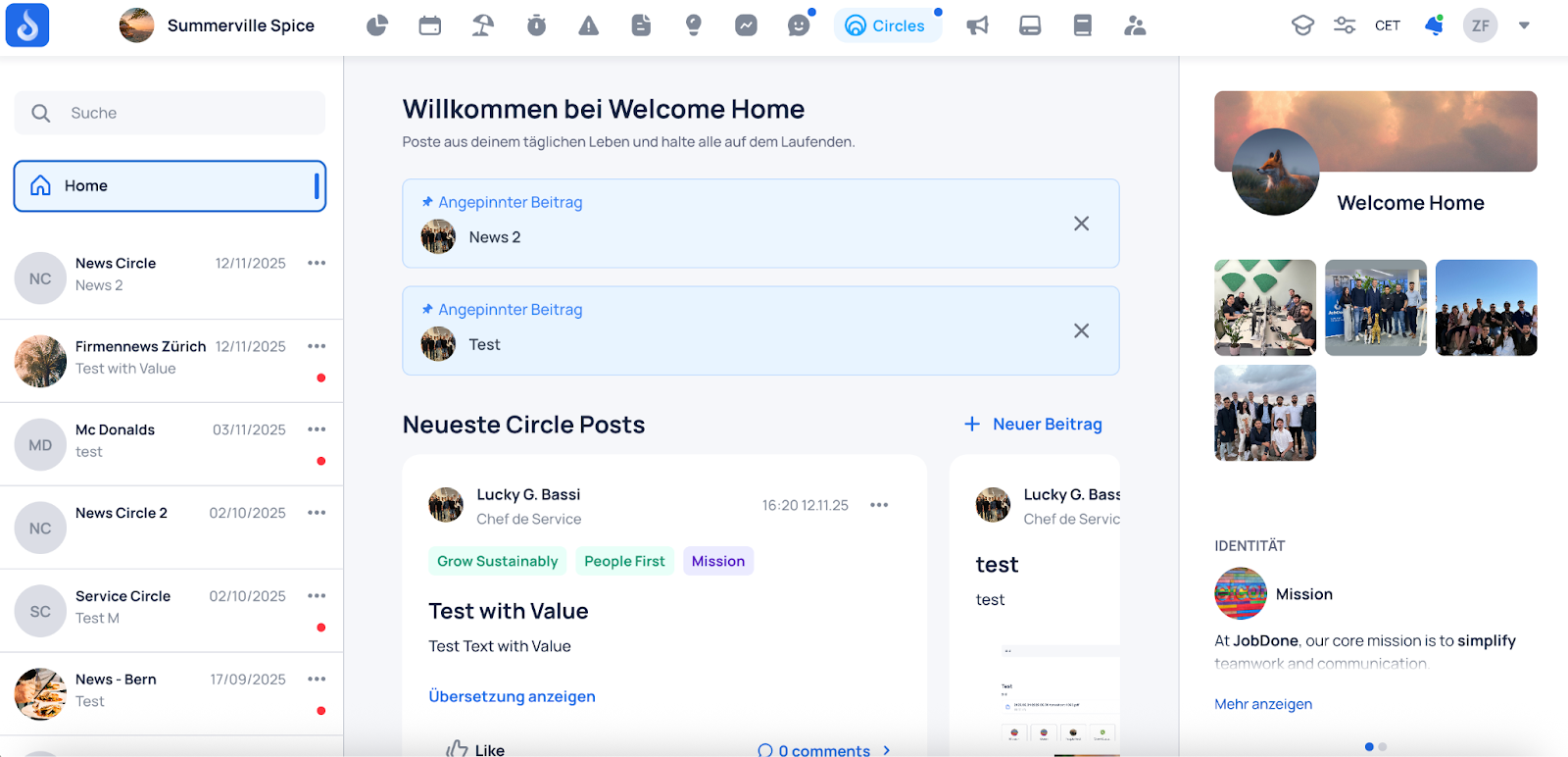
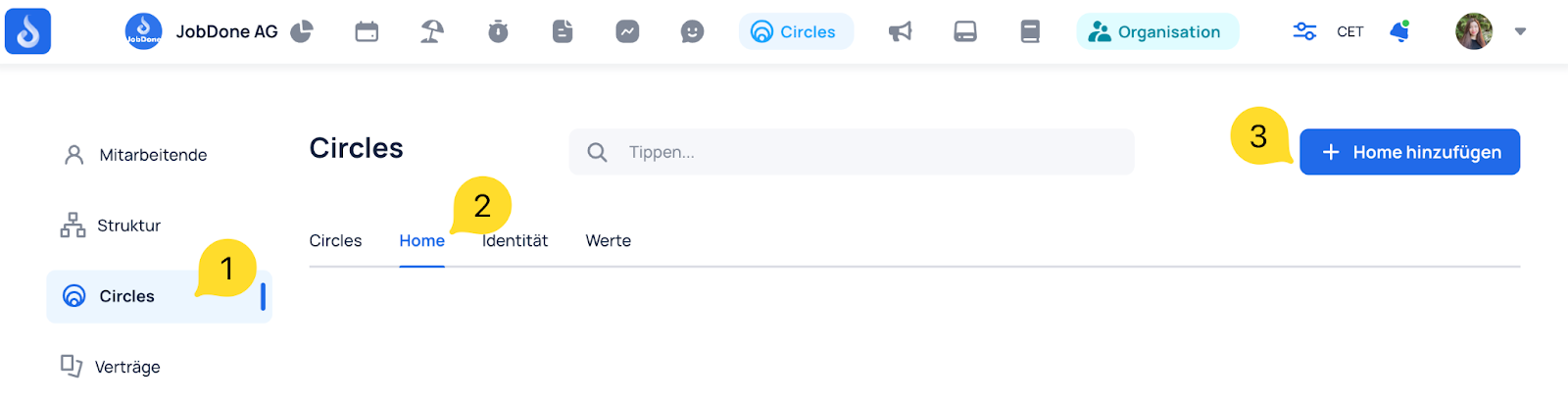
On the Organization page in the Circles tab, you can create your Circles Home. This page collects all posts from all Circles you have access to in one place.
💡 Important to know:
- Each organization can only have one Circles Home.
- Each person only sees the posts from the Circles they have access to.
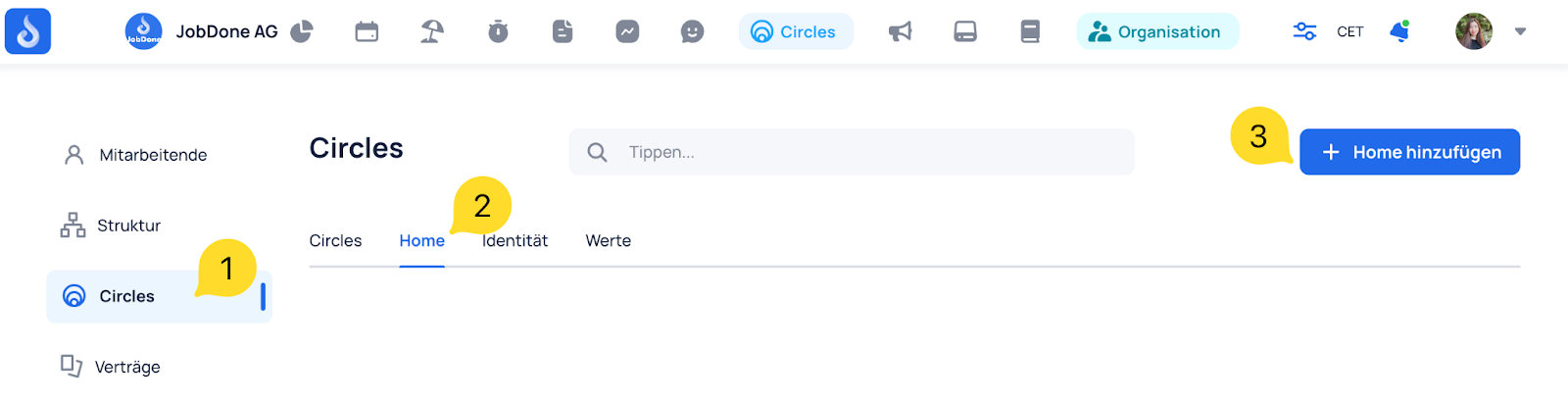
Here's how to create it:
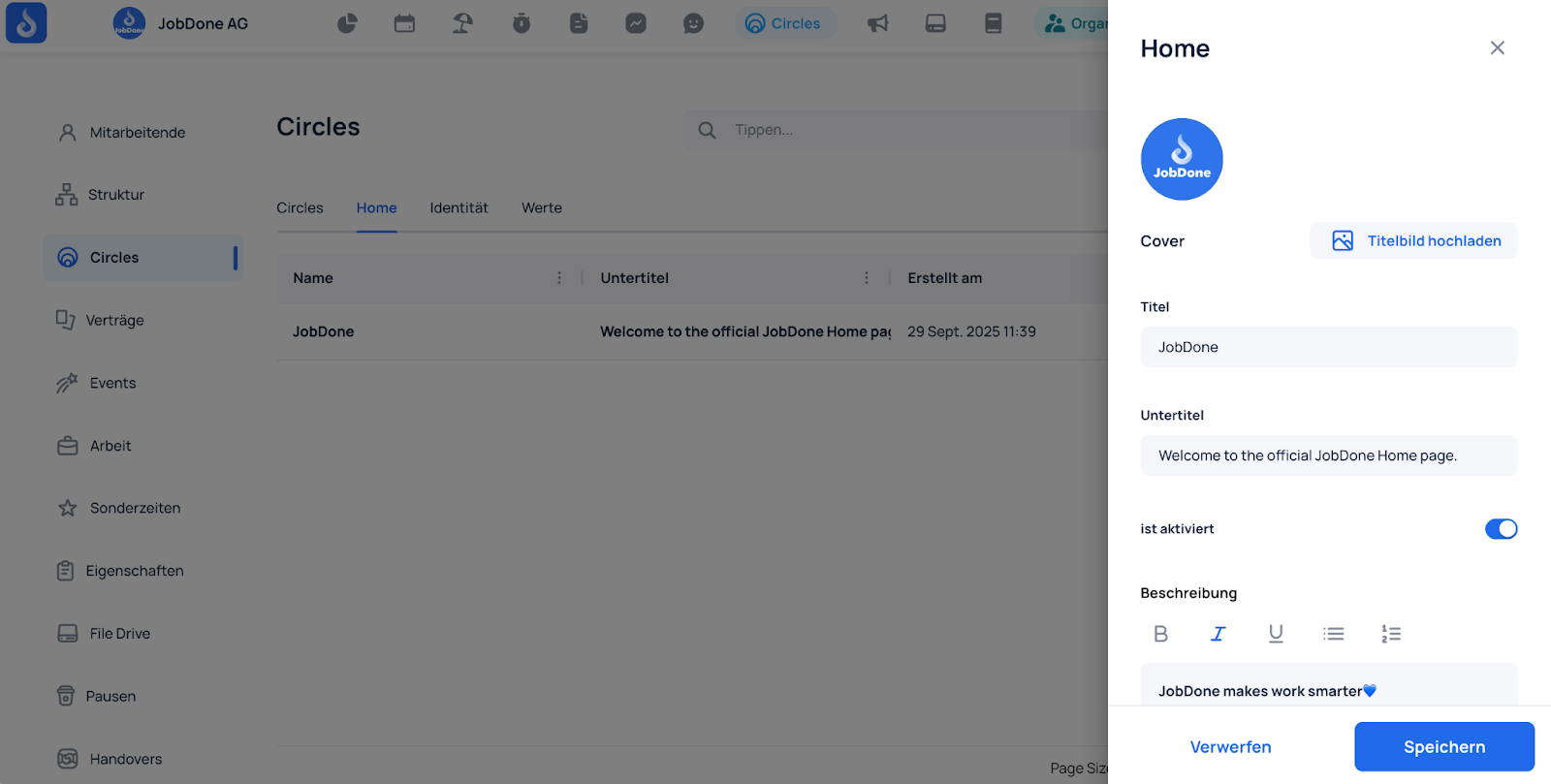
Fill in the details and upload your images:
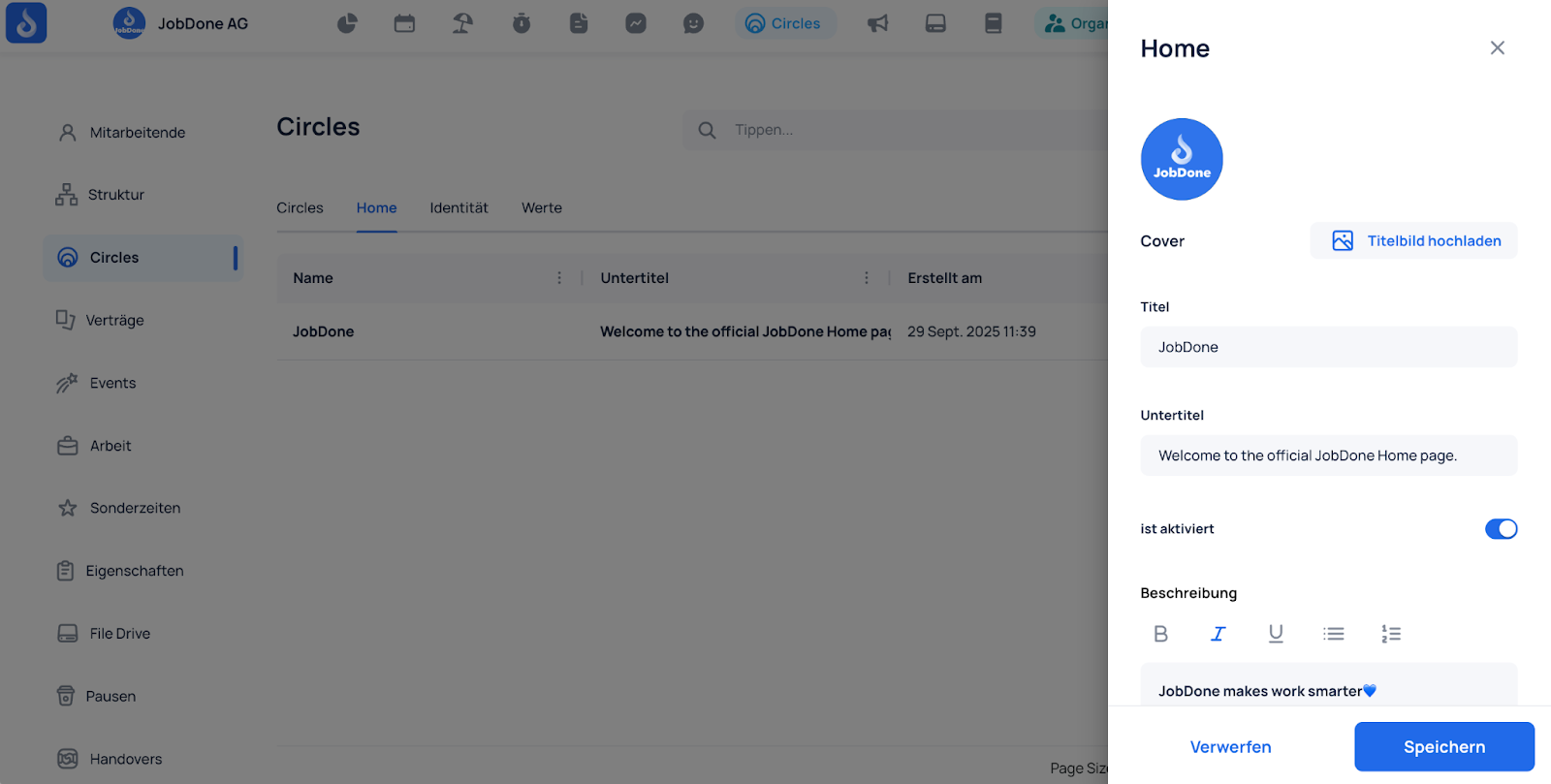
Click "Save." The Circles Home now appears in the Circles tab.
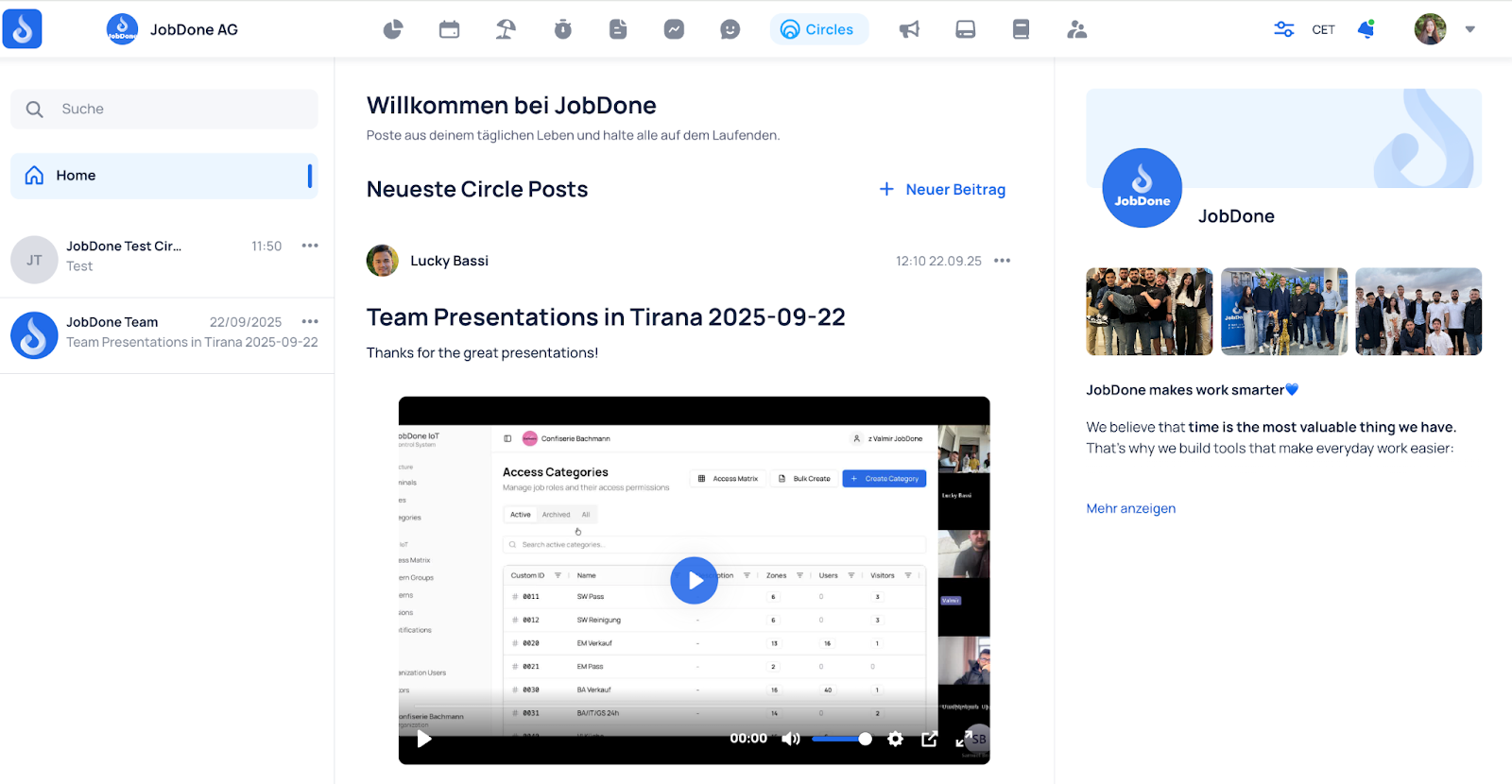
Circles Home (English)
On the Organization page, under the Circles tab, you can create your Circles Home page. This page gathers all posts from every Circle you have access to, all in one place.
💡 Important to know:
- Each organization can only have one Circles Home page.
- Each person only sees posts from the Circles they have access to.
How to create it:
Fill in the details and upload your pictures:
Click "Save." The Circles Home page will now appear in the Circles tab.