April
Published: April 2026
Update
Dear JobDone User,
In April, we mainly improved scheduling, reporting, exports, staff setup, and the mobile experience. Below is a clear summary of the most important updates from this month.
Schedule
-
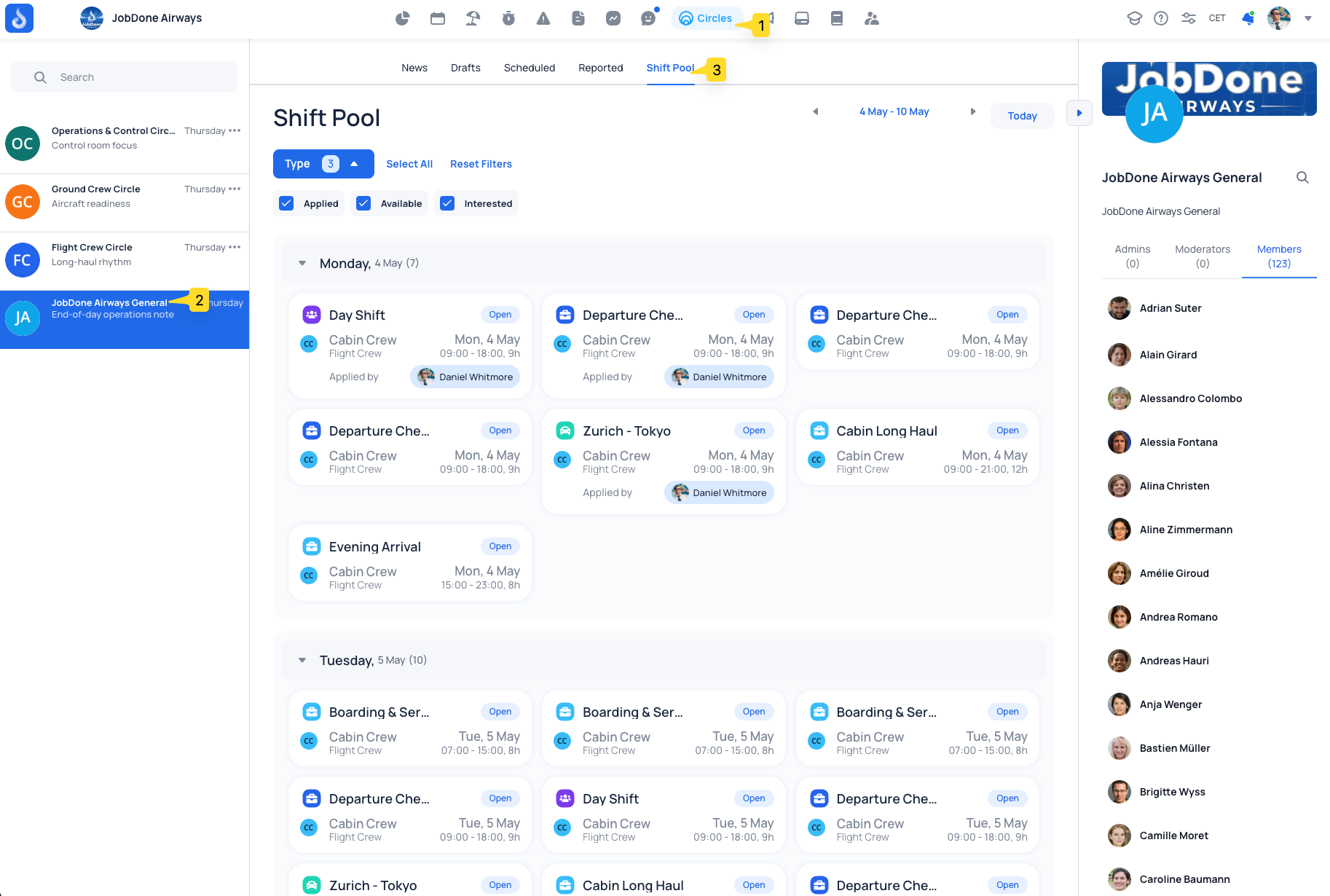
Shift Pool: New dedicated tab with an overview of all shifts from the selected Shift Pool, including the ability to review applicants and approve assignments directly in one place.
-
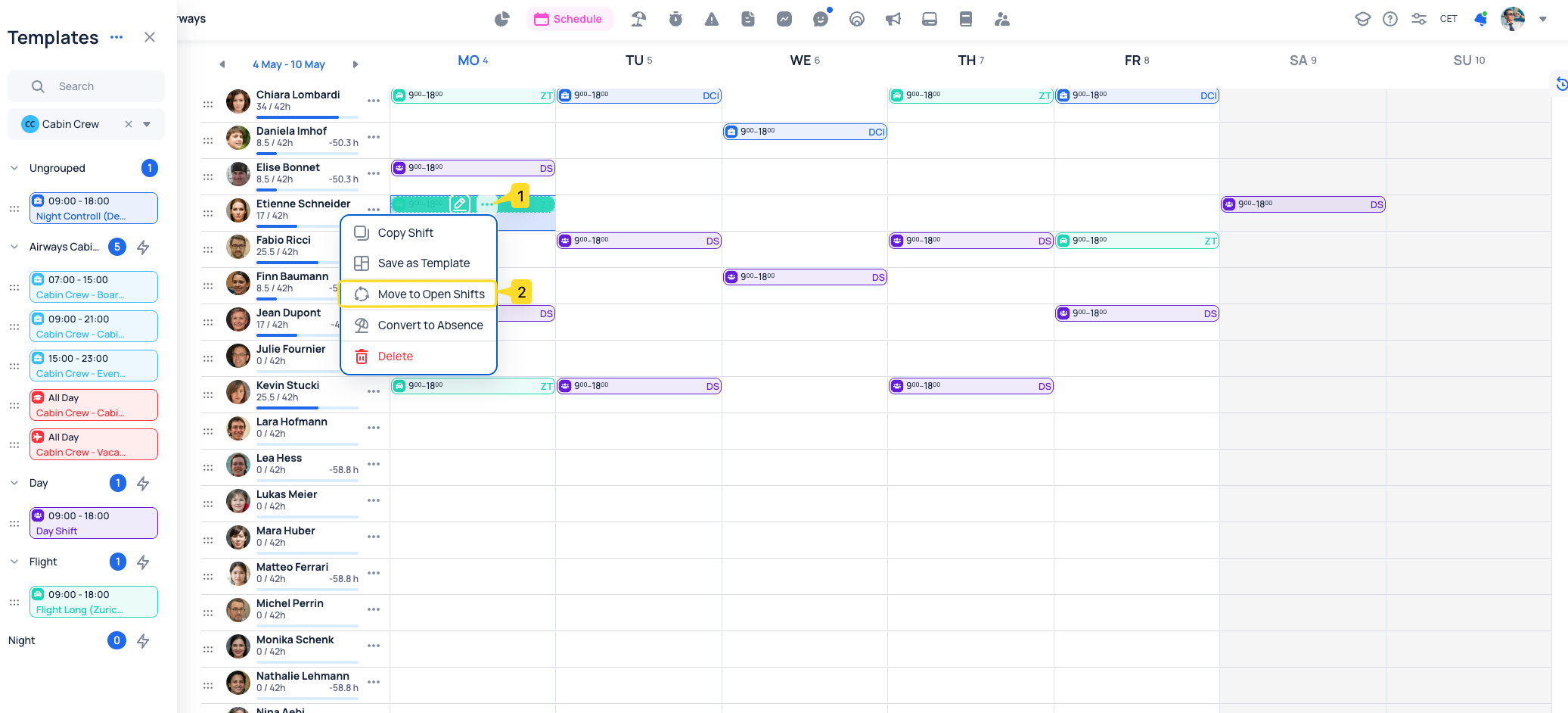
Move to Open Shifts: Shifts can now be moved directly into open shifts from the schedule.
-
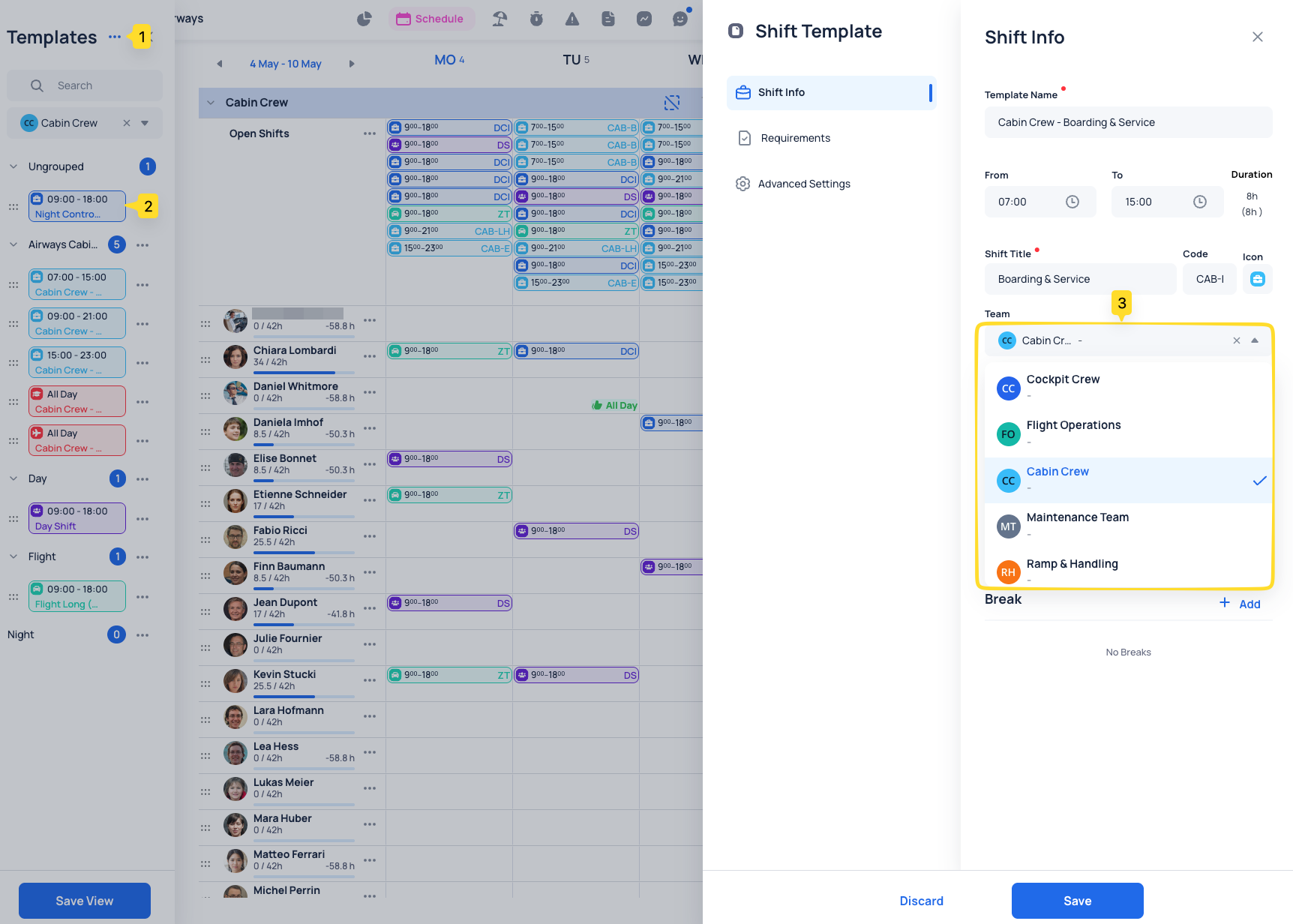
Team selection in templates: Teams can now be selected directly inside shift and absence templates.
-
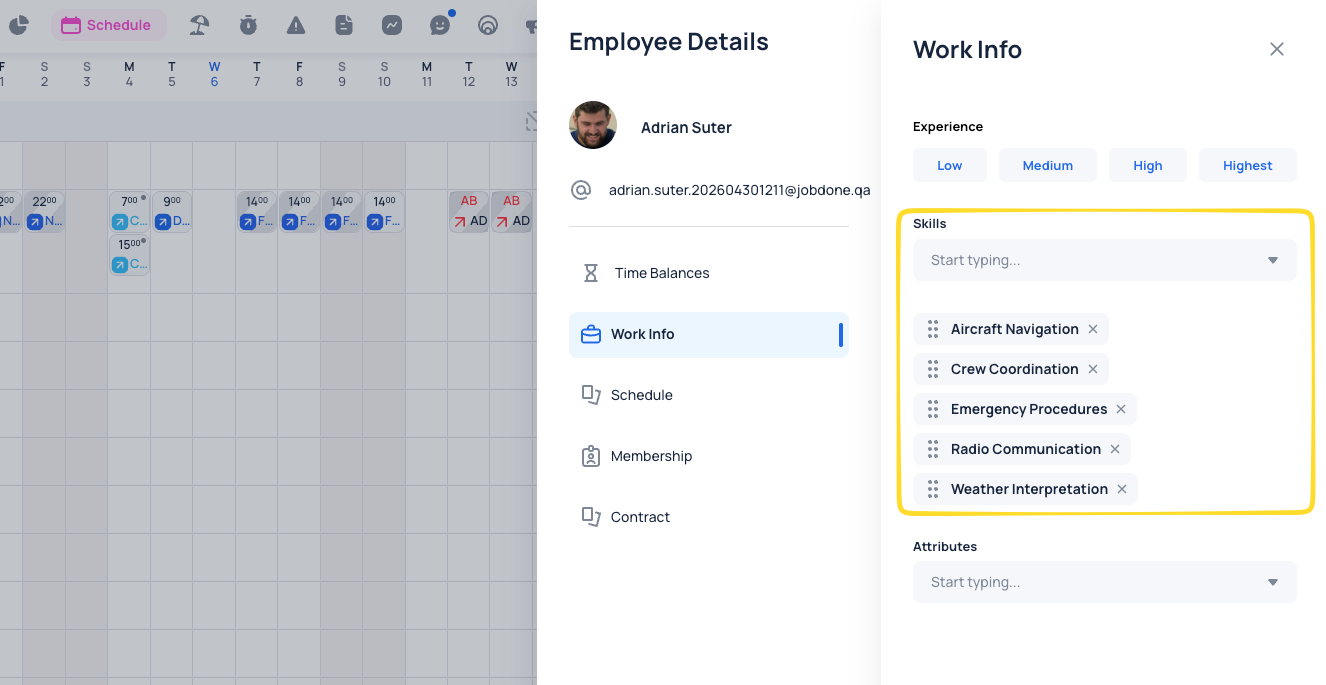
Skills: Employee skills can now be reordered using drag & drop directly in the employee profile in Schedule. The selected order defines skill priorities and is taken into account by AI Scheduling when assigning employees to shifts.
-
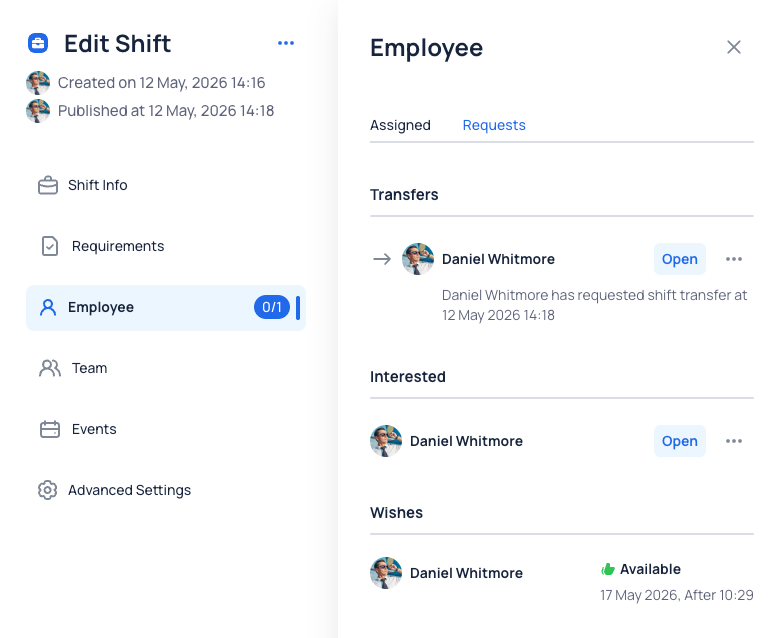
Shift drawer: possibility to open employee profile directly from a shift. Added a dedicated page to review employees’ wishes, shift applications and and shift interests.
-
Open shifts: related Shift Pool is shown on hover.
Reports & Exports
-
Time entry export: Exports can now include number-type work custom fields.
-
LGAV export settings: Now include a version selector with V1 and V2. V1 keeps the existing export behavior and remains selected by default. V2 introduces updated minimum break calculation logic based on the employee’s full working day instead of checking each work entry separately. The new logic also counts gaps between work entries as break time. This allows more accurate minimum break validation in LGAV exports.
-
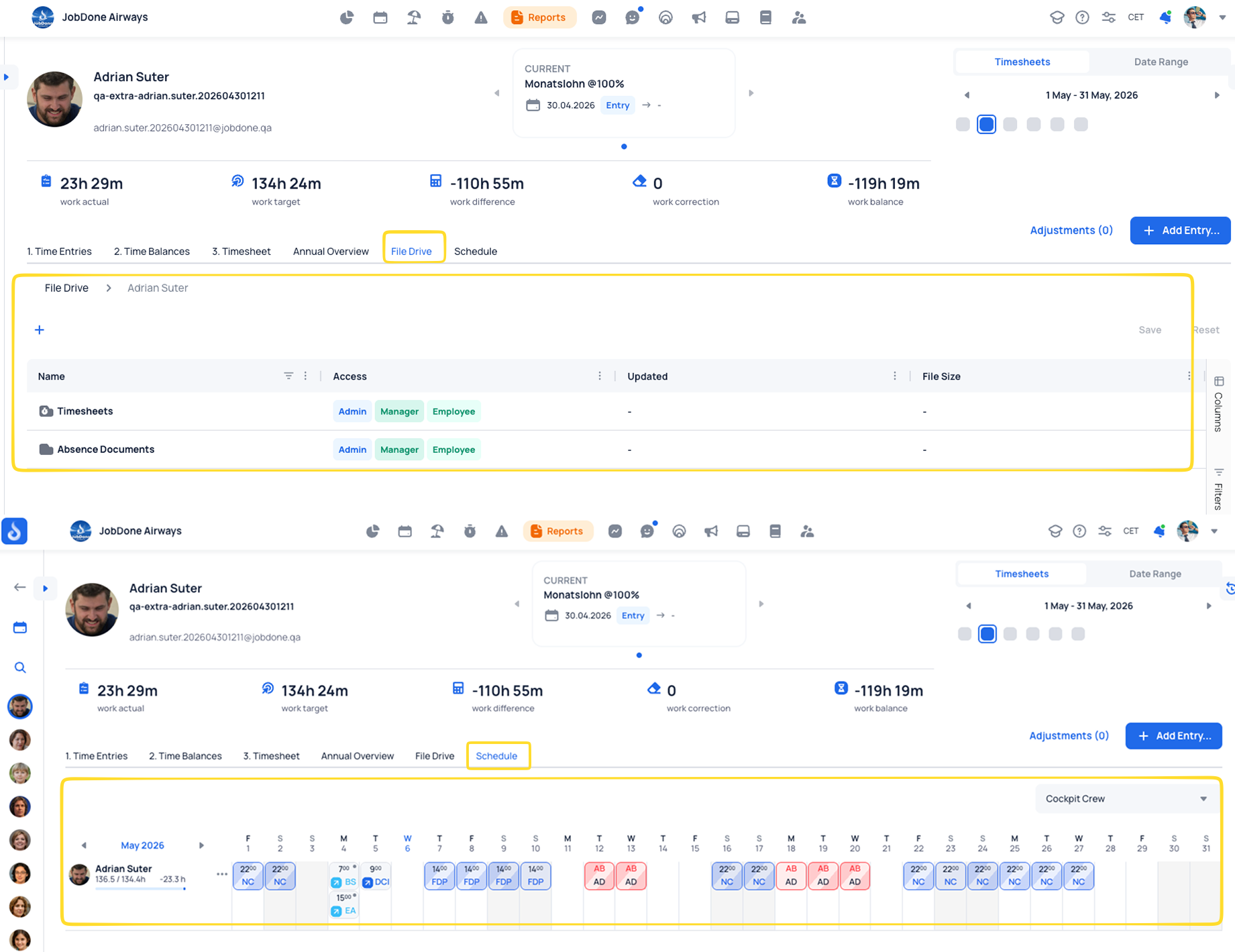
Employee detail view in Reports Timesheet: Added two new tabs: Schedule and File Drive. The Schedule tab shows the employee’s schedule for the selected report period, while the File Drive tab displays the employee’s related files directly inside Reports.
Organization
-
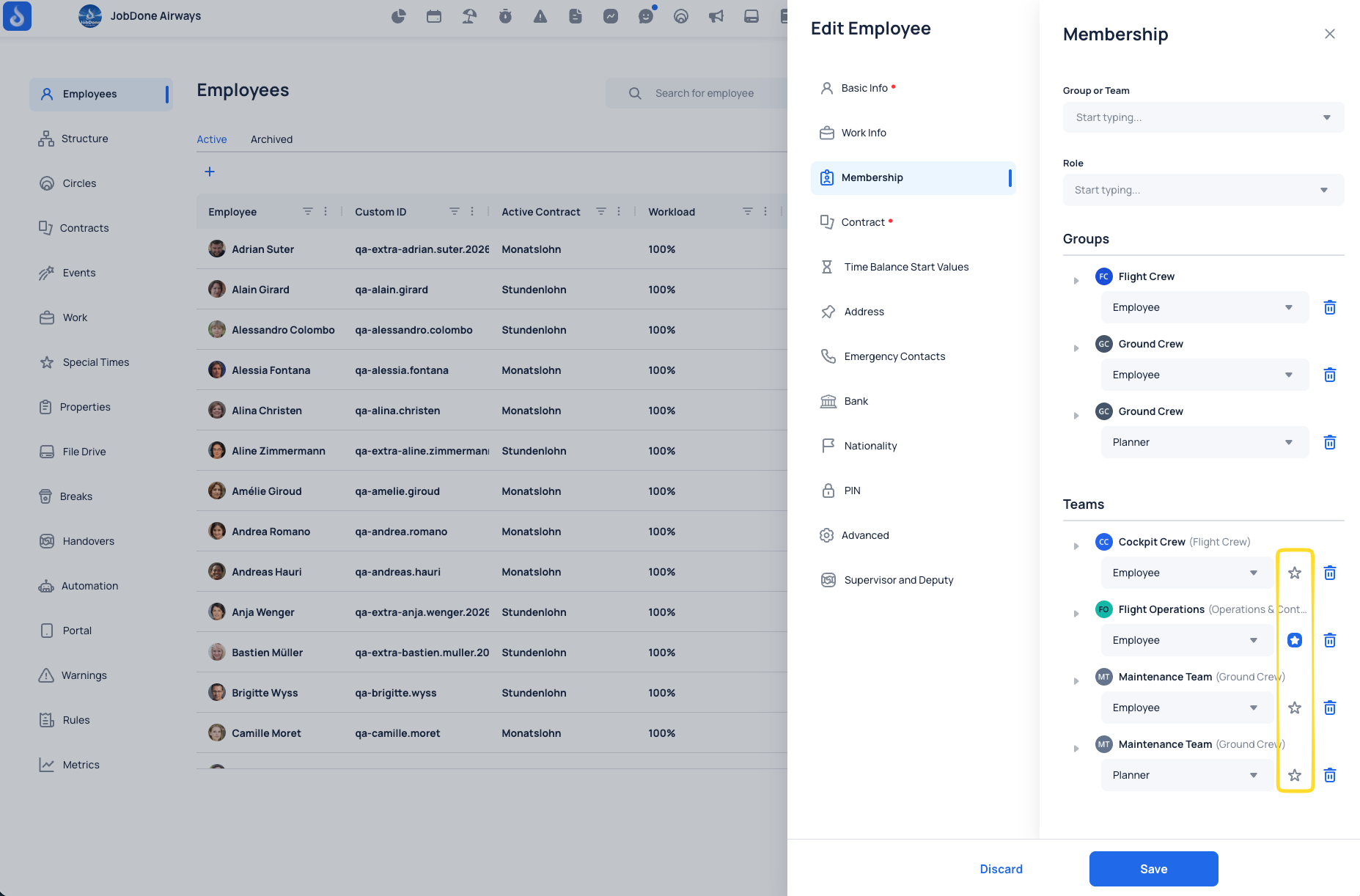
Primary Team: possibility to select main/default team. It is shown in Membership, Time Tracking, and the Portal App. When starting work without a shift, the primary team is automatically preselected by default.
-
Absence approvals: Added the option to select “Planner” as an approver of absences.
-
Role visibility: Possibility to hide shifts and absences of employees based on roles for chosen team or group. For example, limiting visibility of teammates' shifts.
-
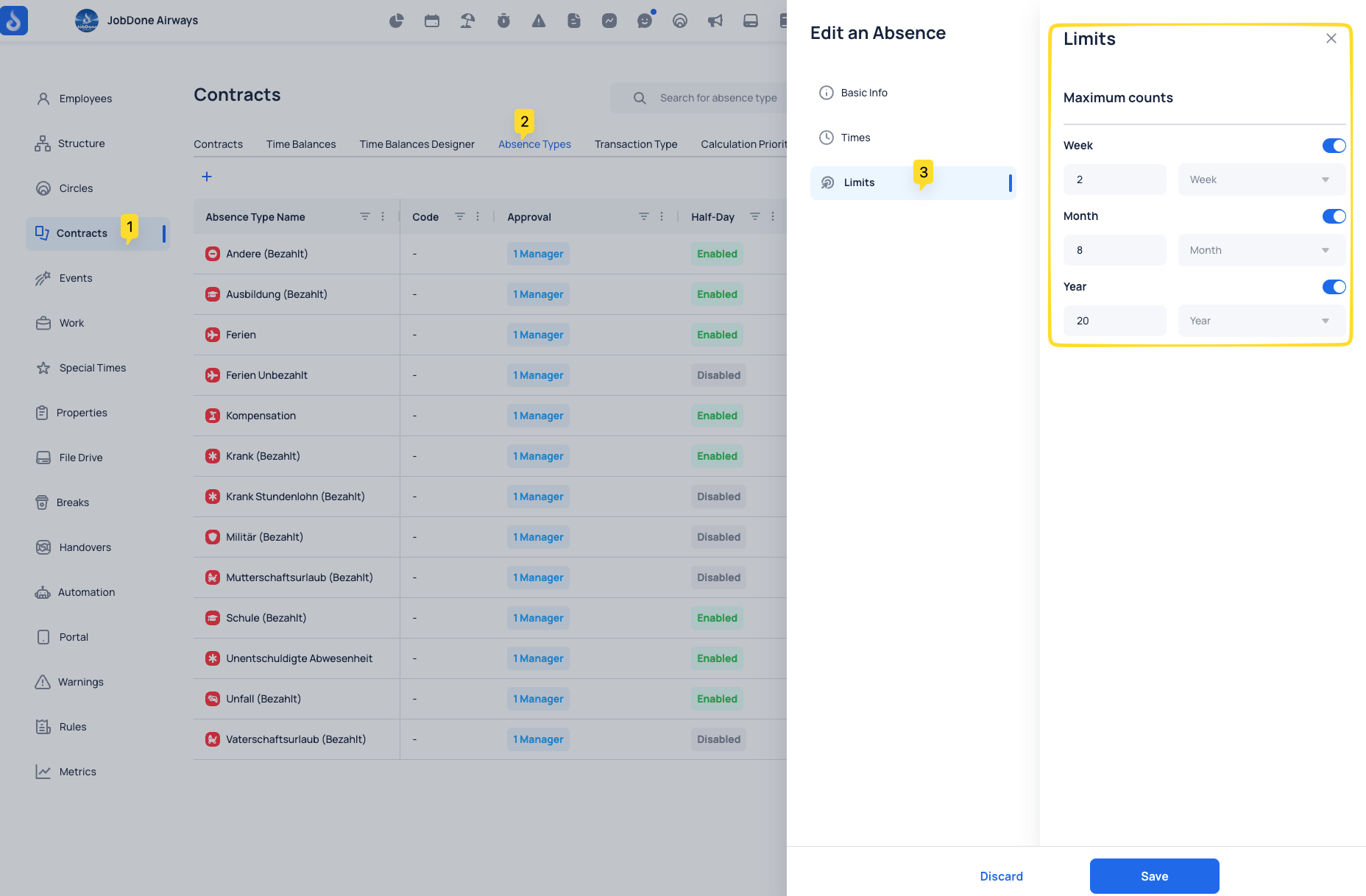
Absence limits: Define how many times an employee can use a specific absence type within a week, month, or year. When an employee creates an absence request, the system checks these limits and can block the request if the limit is reached. For example: max 2 per week, 8 per month, and 20 per year.
-
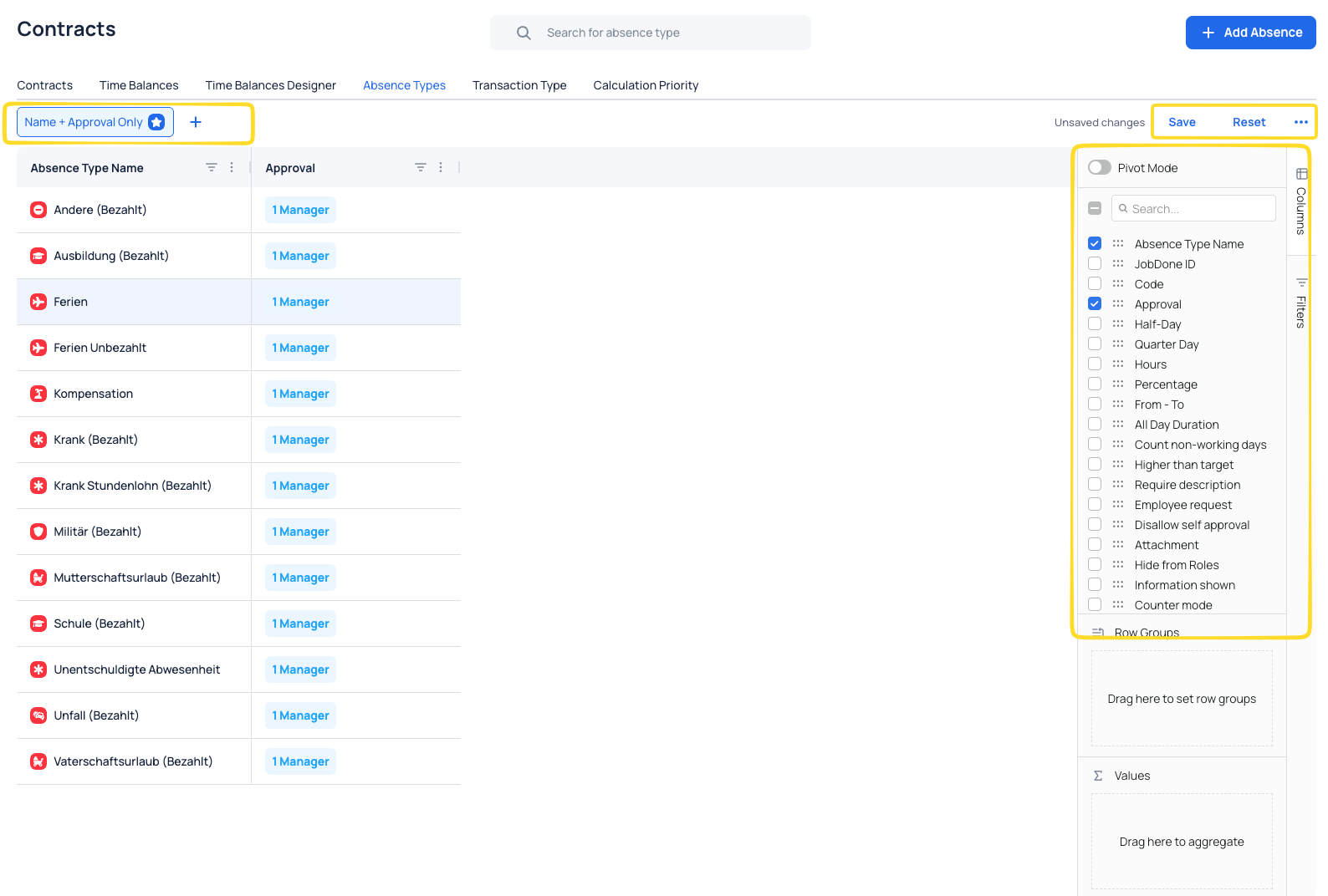
Contracts tables: Contracts, Time Balances, Time Balance Designer, Absence Types and Transaction Type tables were moved to advanced tables: added more columns, quick filters, and possibility to create custom views. All custom views are saved for every user individually.
Time Tracking & Timesheets
- Timesheet Preview: Added the possibility to preview Timesheets on mobile devices. If enabled, employees can view unlocked and not yet sent Timesheets directly in the mobile app.
- Absence descriptions: Possibility to include Absence description in Timesheet.
Communication & Circles
- Images in comments: Images can now be uploaded in form comments.
- File Drive: Drag and drop is now supported.
Mobile App
- My Entries: Redesign with possibility to see work and absences by day, week or month.
- Shift Pool: Added option to send open shifts to a Shift Pool. Possibility to send push notification when sending assigned and open shifts to Shift Pool.
- Portuguese language: Portuguese is now available in the mobile app.
Thank you for being a valued JobDone User. If you have any questions, please don't hesitate to reach out to us at support@jobdone.app.
Best regards,
JobDone Team