JobDone logoJobDone logo
JobDone Knowledge Base
L-GAV - SwitzerlandOrganization ConfigurationProcessesFeature Overview
JobDone Updates
  • Monthly News
  • JobDone Releases
English
  • Deutsch
  • English
  • JobDone Updates
    • Monthly News
      • 2026
        • May
        • April
        • March
        • February
        • January
      • 2025
        • December Part 2
        • December Part 1
        • November
        • October
        • September
        • August
        • July
        • June
        • May
        • March
        • February
        • January
    • JobDone Releases
      • 2026
        • JobDone Release – July 2, 2026
        • JobDone Release – May 28, 2026
        • JobDone Release – May 22, 2026
        • JobDone Release – May 20, 2026
        • JobDone Release – May 18, 2026
        • JobDone Release – May 15, 2026
        • JobDone Release – May 8, 2026
        • JobDone Release – May 5, 2026
        • JobDone Release – May 1, 2026
        • JobDone Release – April 30, 2026
        • JobDone Release – April 22, 2026
        • JobDone Release – April 17, 2026
        • JobDone Release – April 13, 2026
        • JobDone Release – April 10, 2026
        • JobDone Release – April 9, 2026
        • JobDone Release – April 7, 2026
        • JobDone Release – April 6, 2026
        • JobDone Release – March 31, 2026
        • JobDone Release – March 19, 2026
        • JobDone Release – March 4, 2026
        • JobDone Release – March 2, 2026
        • JobDone Release – February 26, 2026
        • JobDone Release – February 14, 2026
        • JobDone Release – January 31, 2026
        • JobDone Release – January 18, 2026
      • 2025
  • JobDone Updates
  • Monthly News
  • 2026
  • March

March

Published: March 2026

Update​

Dear JobDone User,

In March, we continued improving the daily scheduling experience while also refreshing important mobile areas. The result is clearer planning, better visibility in event-related workflows, and a calmer, more reliable day-to-day experience.

Schedule​

  1. Absence tiles: You can now decide exactly how your absence tiles should look, whether you want to show start and end time, icons, abbreviations, or just the essentials. You can customise the layout separately for each calendar view: 1 week, 2 weeks, and 1 month.
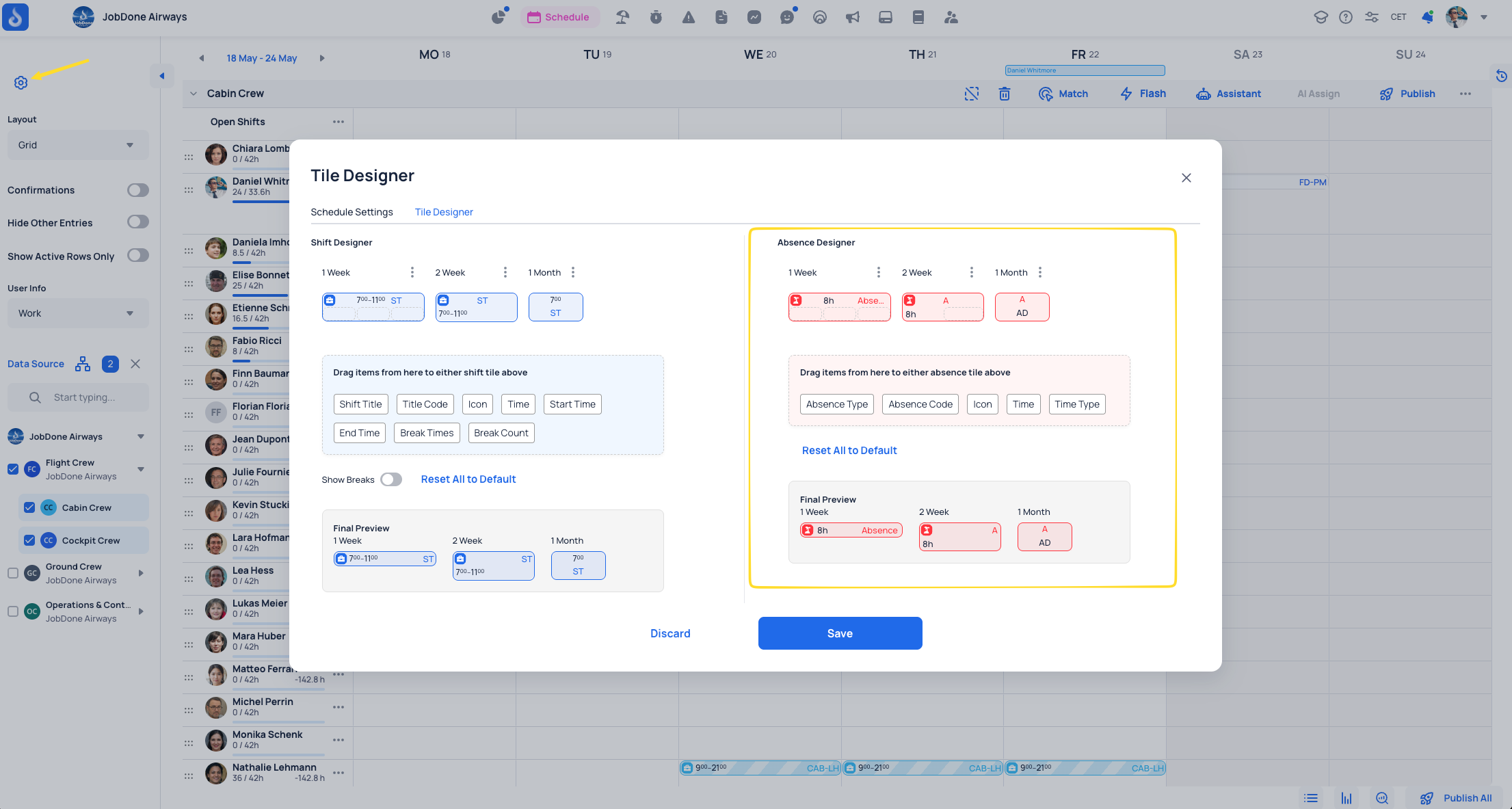
    Absence tiles in the new tile designer layout
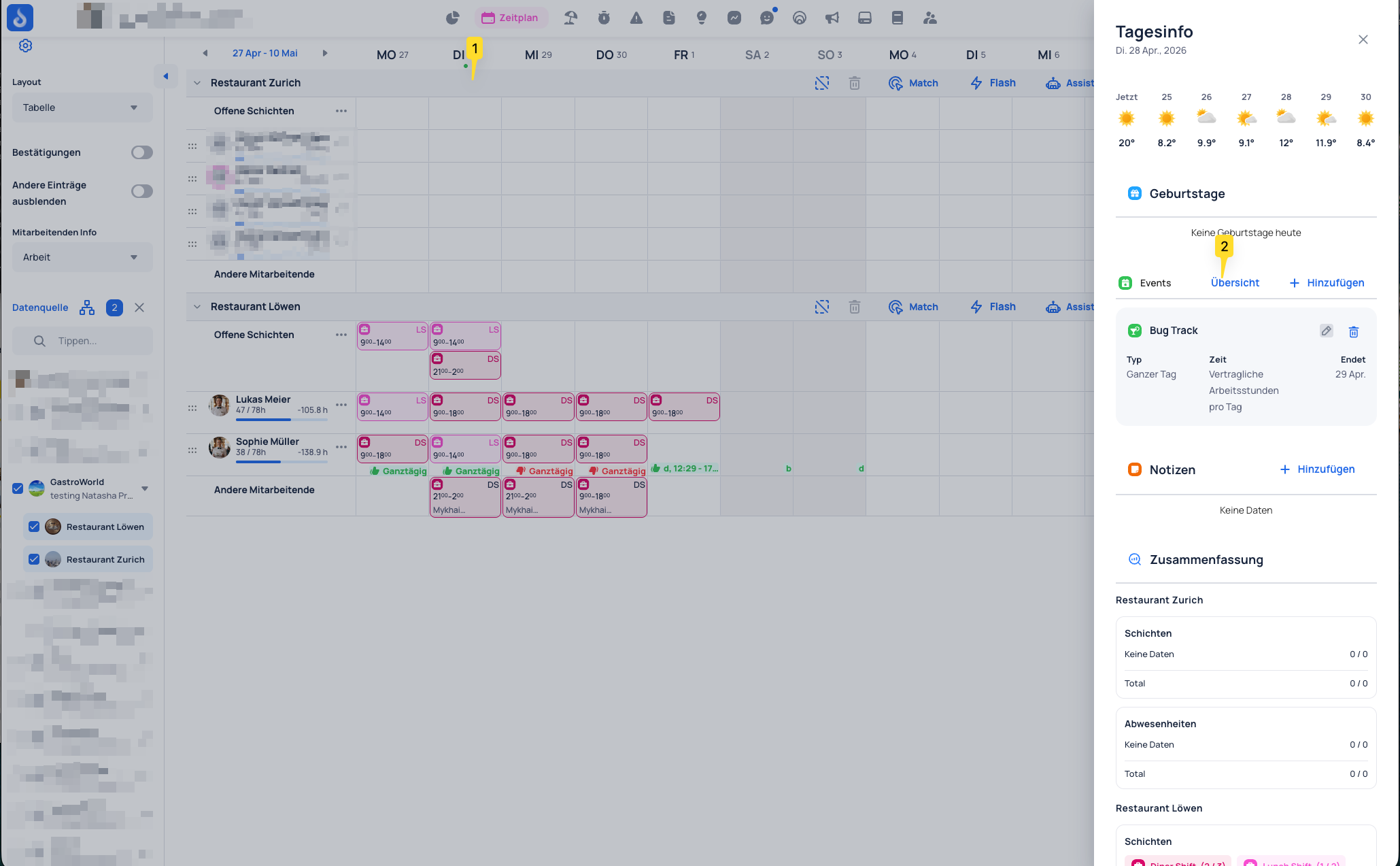
  2. Day info summary: Day Info now includes an entries summary, making it easier to review daily shifts, work entries, and absences from one place.
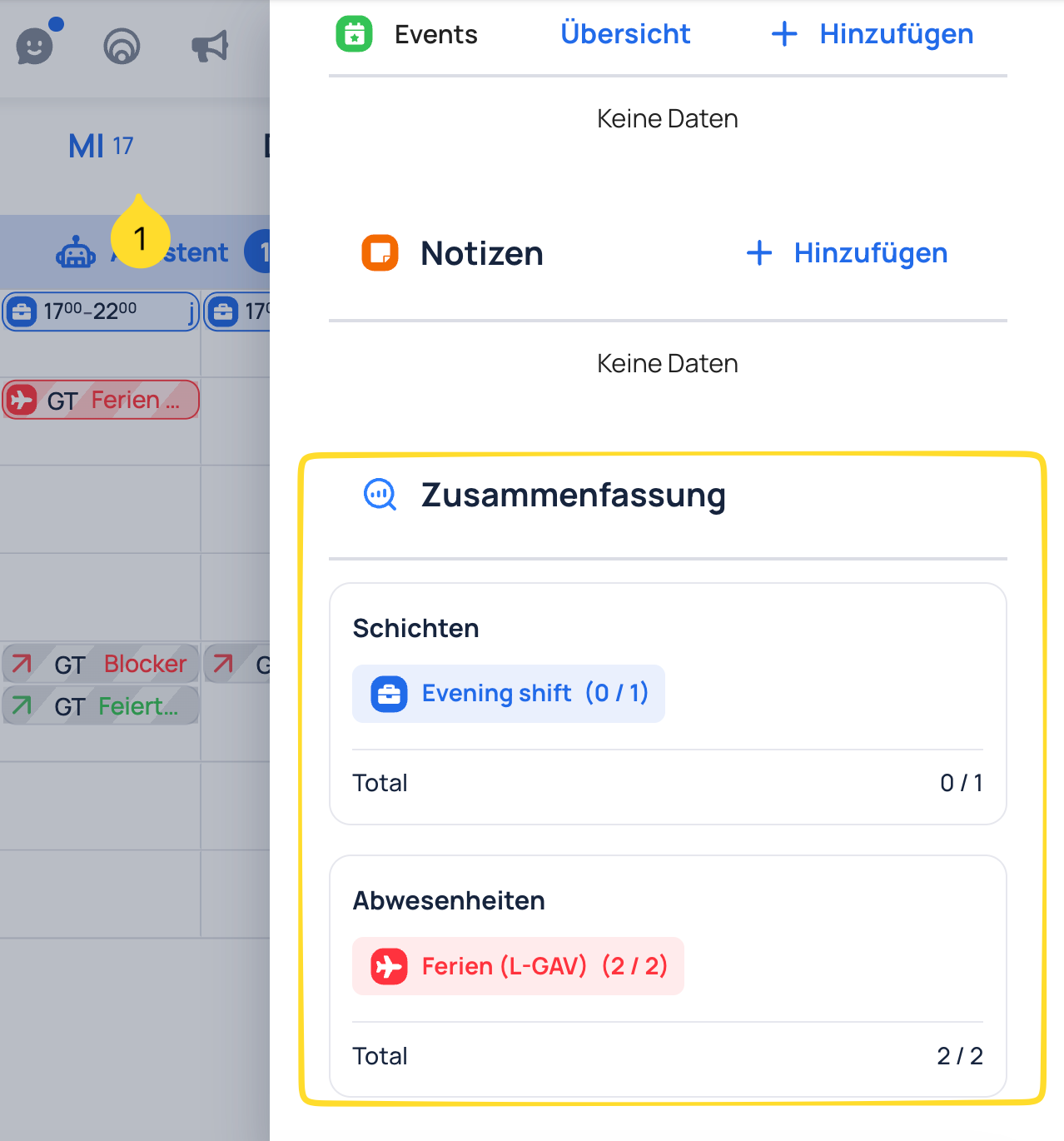
    Day Info summary with shifts and absences in the schedule
  3. Month view: Month view now supports selecting two teams at the same time, making it easier to coordinate two teams or planning scenarios.

  4. Shift colors: Additional shift display options are available, including custom colors. This makes shift types easier to distinguish in the schedule.
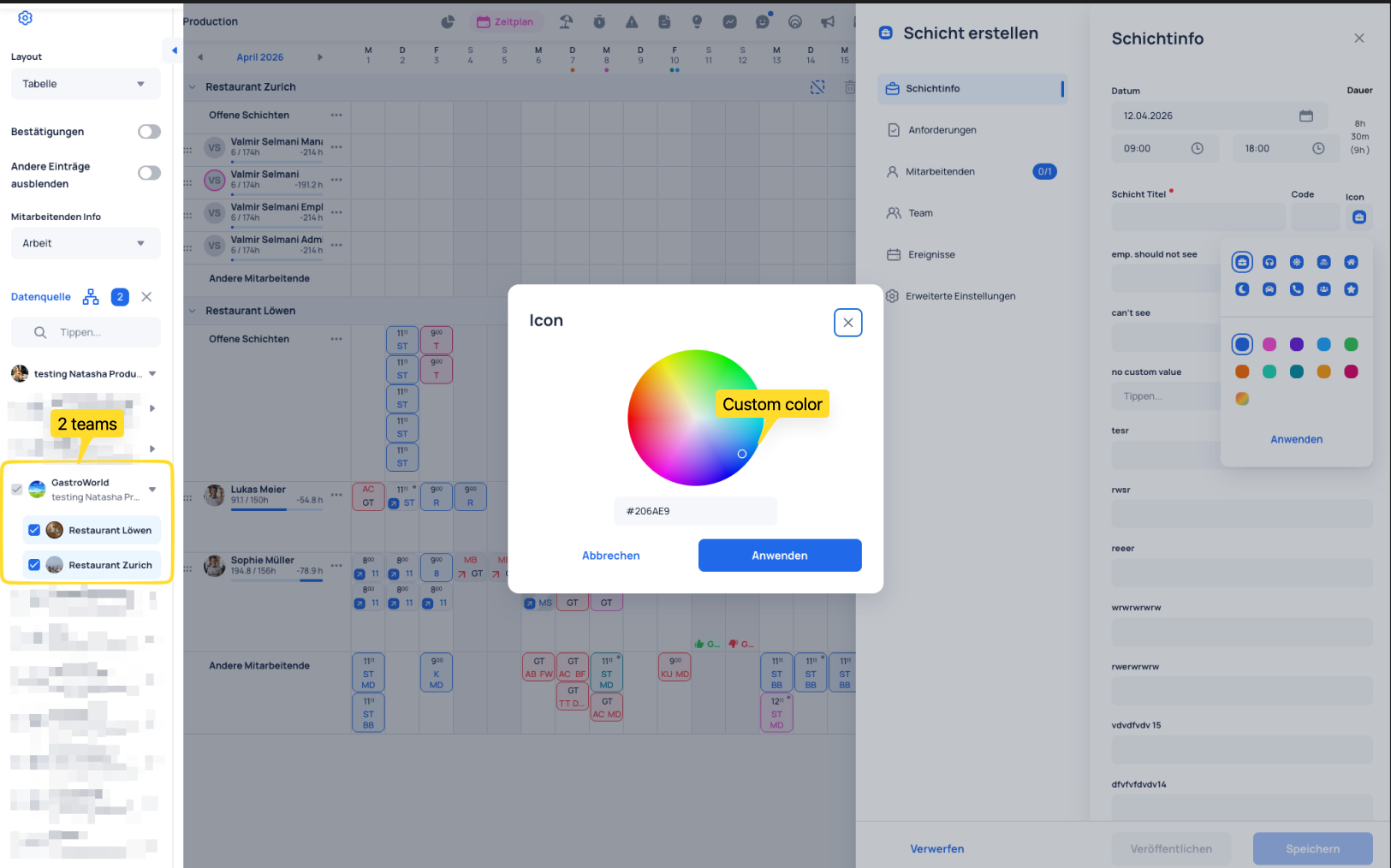
    Month view with two selected teams and custom shift colors

Events & Shifts​

  1. Event shift planning: Possibility to plan shifts for events. You can assign shifts from different teams to an event and track both assigned and open shifts for each event. The overview provides full visibility of all events within the selected period.
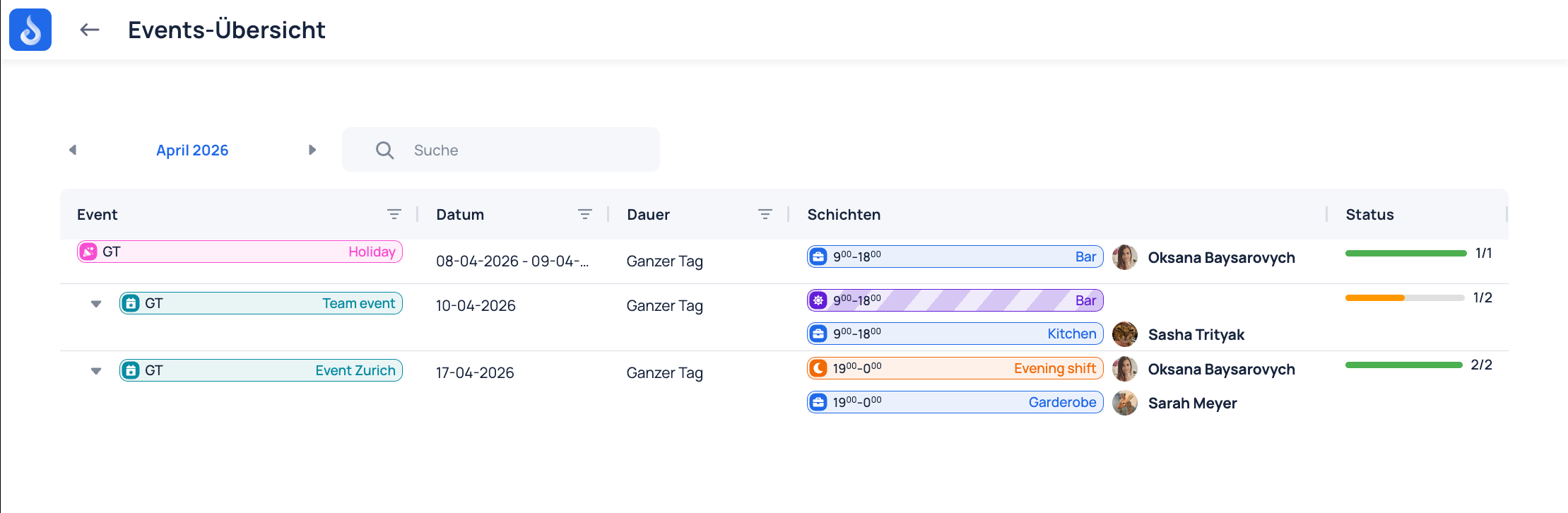
    Linked events and shifts inside the planning view Linked events and shifts inside the planning view
  2. Events in the Shift Drawer: The Shift Drawer now includes an Events section. Available events can be searched by time range and linked to the shift.

  3. Shifts in the Event Drawer: Shifts can now be assigned from the Event Drawer, with open and already assigned shifts shown separately.
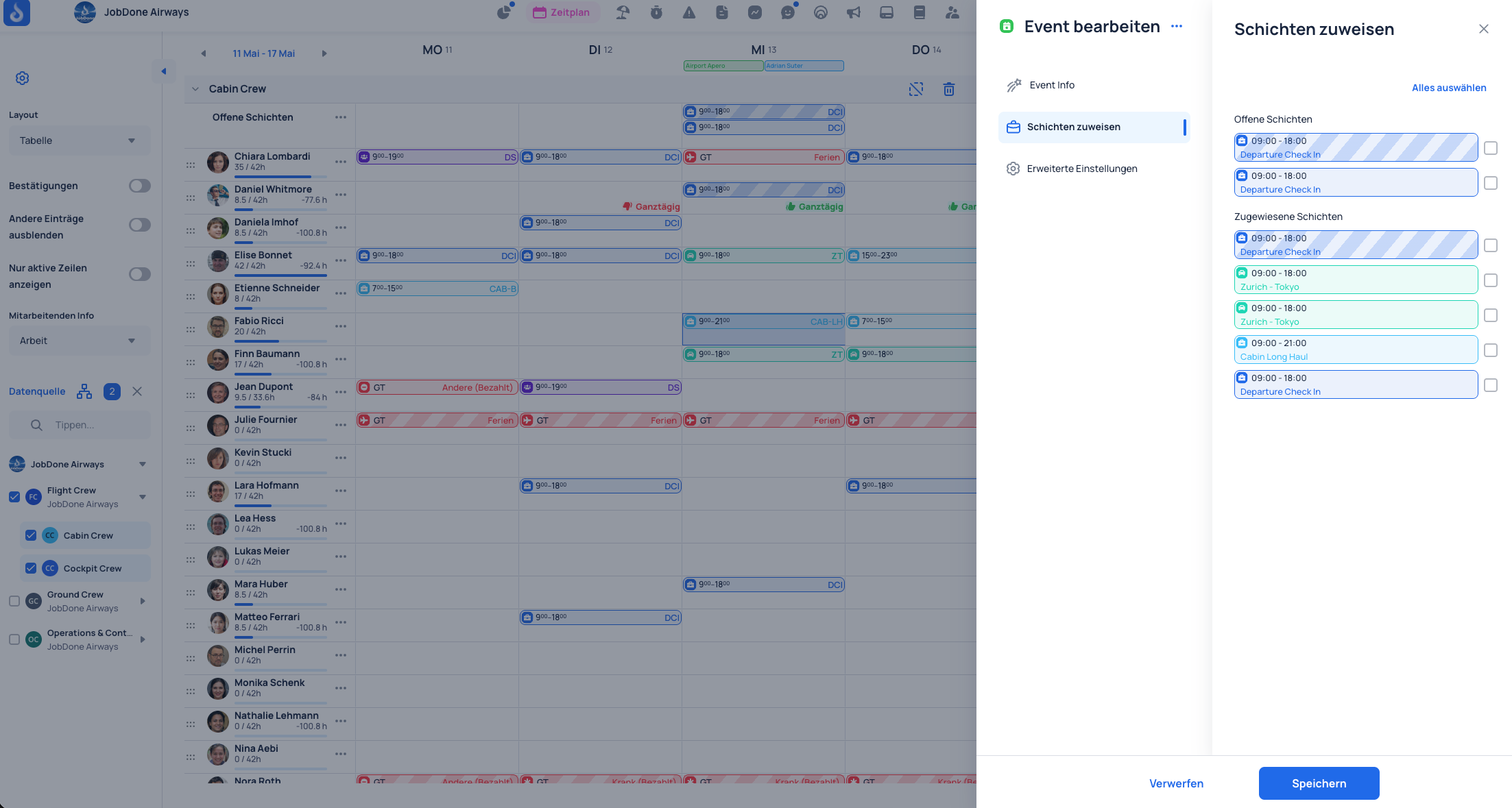
    Shifts in the Event Drawer with open and assigned shifts shown separately

Time Tracking​

  1. Break filler rule: A new break rule can automatically add missing break time when the configured work-time threshold is exceeded. The calculation can account for multiple work entries and gaps on the same day, and only applies when the rule is configured.
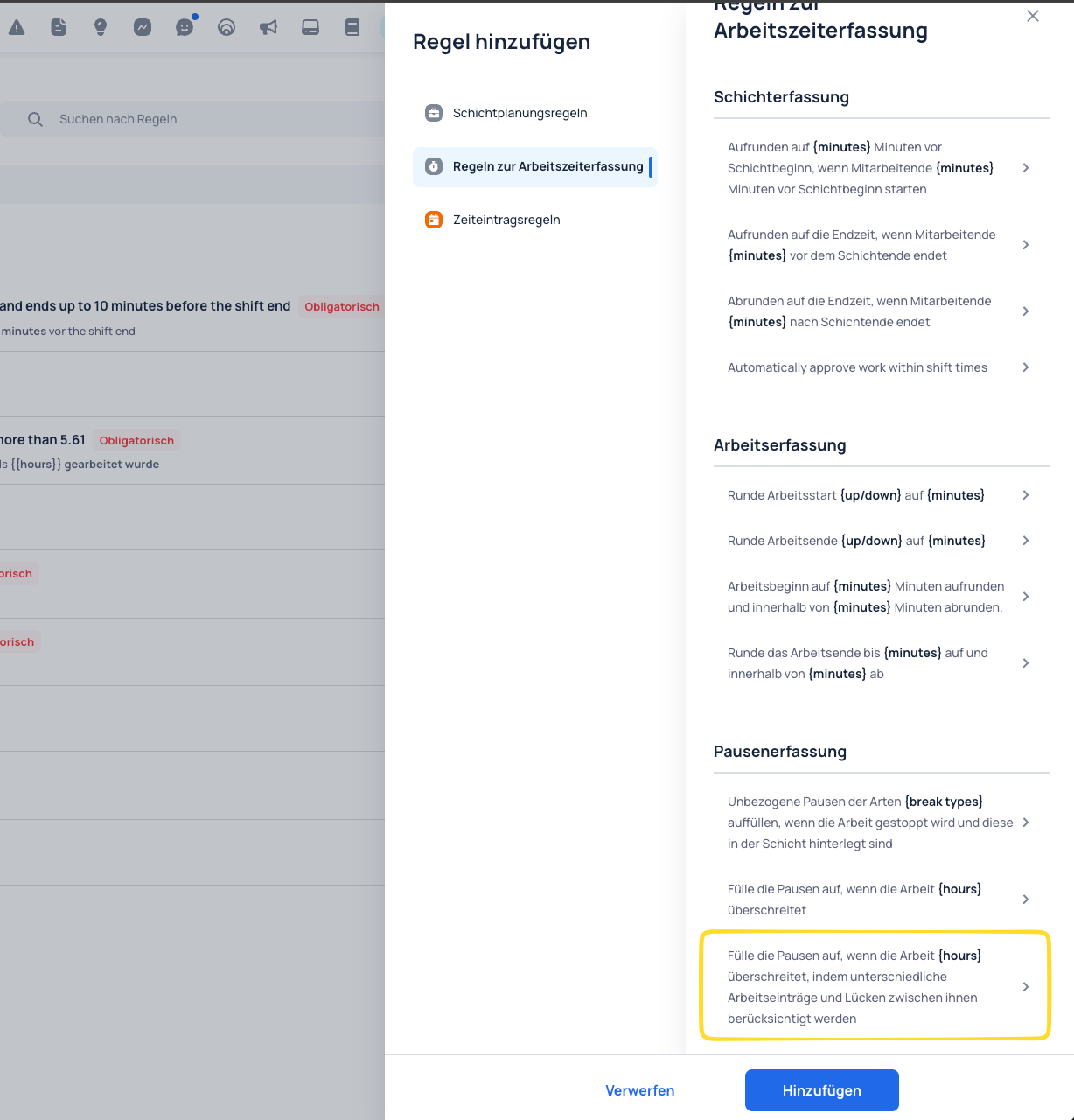
    New rule for more automatic break handling in time tracking
  2. Absence counters: Absence entry tables now include consecutive absence counters.

Reports & Exports​

  1. Cost data in exports: Work, shift, and absence custom exports can now include cost values.
  2. PDF generation: Dataspace and form content can now be generated as a PDF.

Circles & Messenger​

  1. Polls: Polls are now supported in Circle posts.
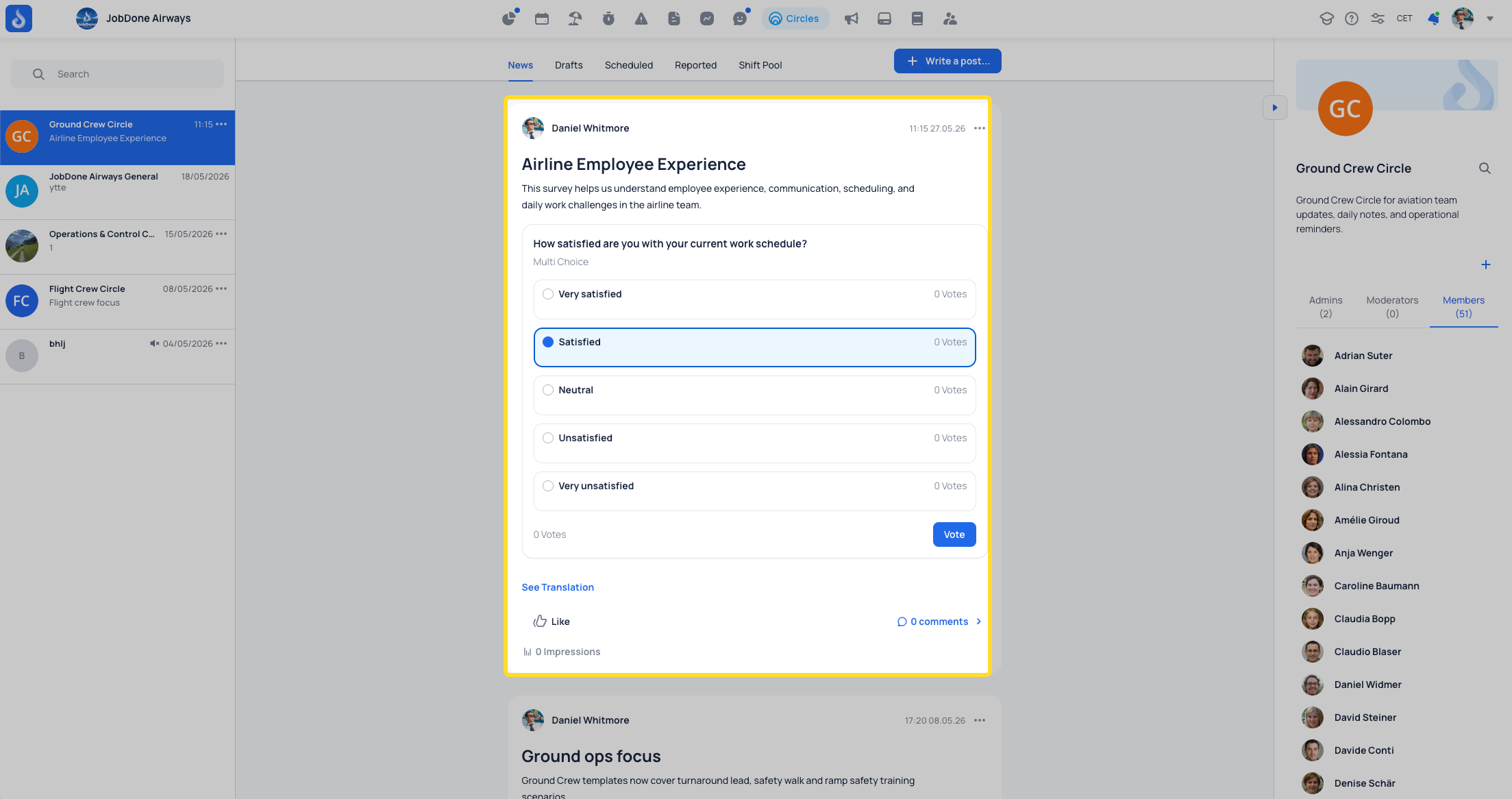
    Polls in Circle posts
  2. Knowledge Base: Possibility to share Knowledge Base articles via a direct link or QR code.
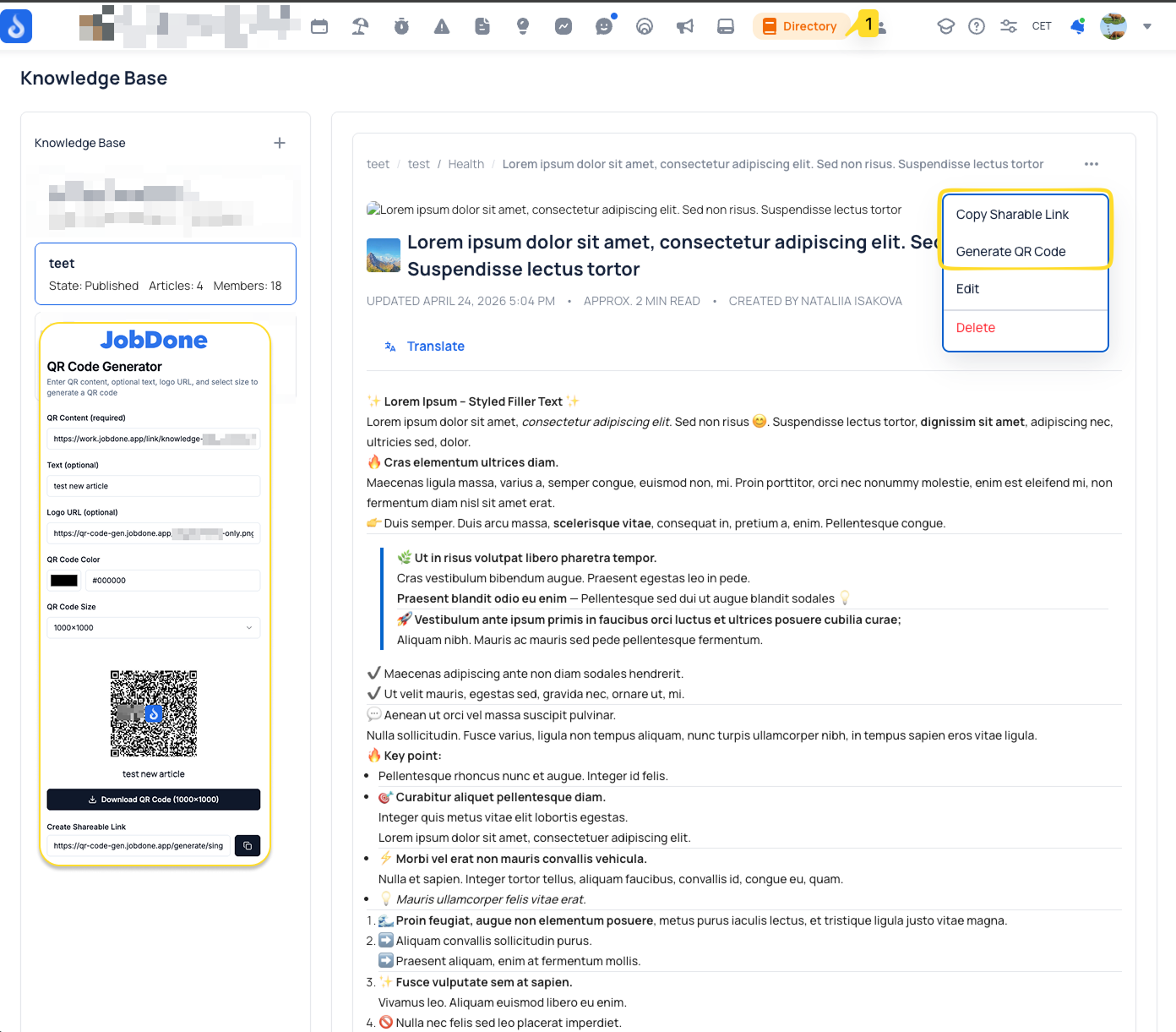
    Knowledge base in the mobile app
  3. Group chat permissions: Messenger group chats now include configurable permissions.
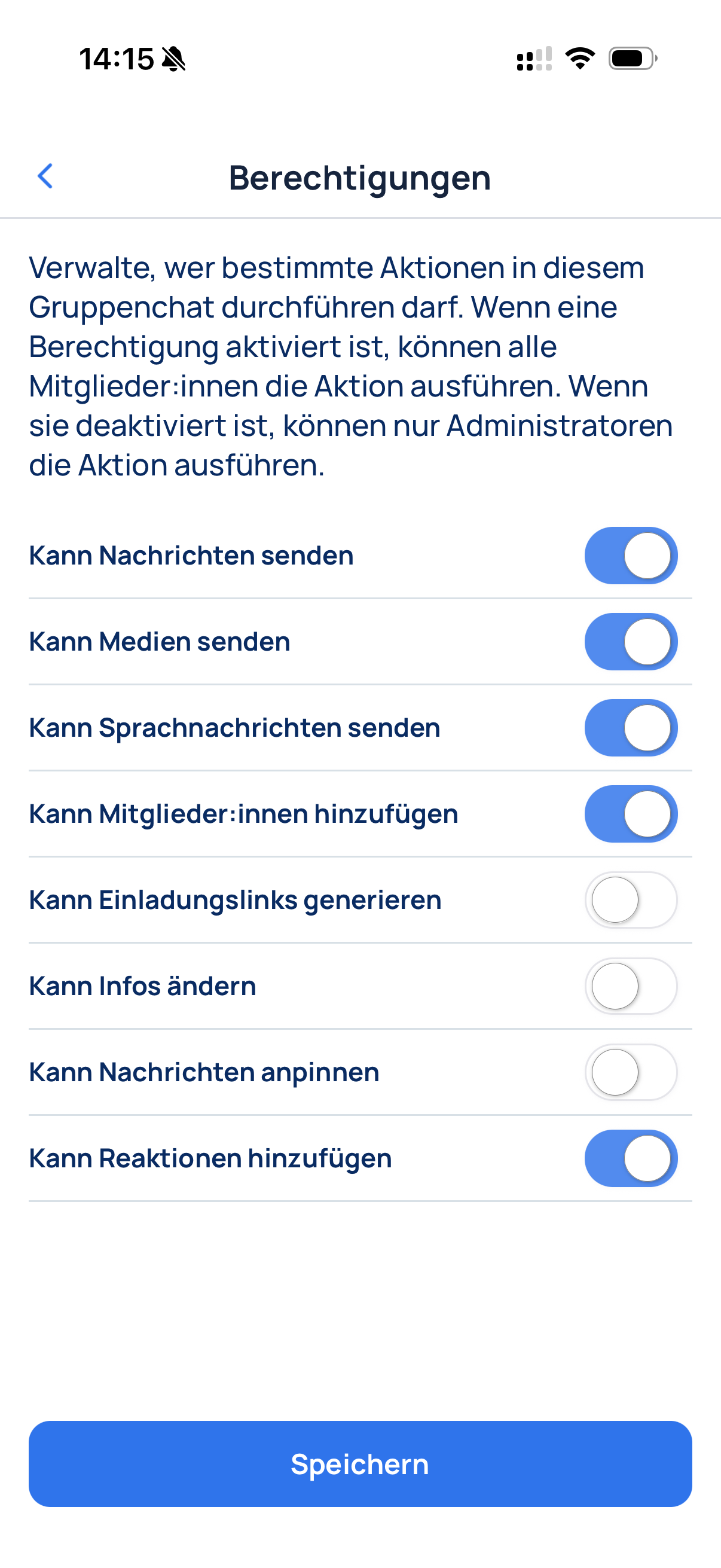
    Knowledge base in the mobile app

Organization​

  1. Employee profile details: Employee basic info now includes gender field.

Mobile​

  1. Redesign: Time Tracking and My Schedule is redesigned on mobile so employees can review their own time entries more clearly. Absences are now shown in My Entries.
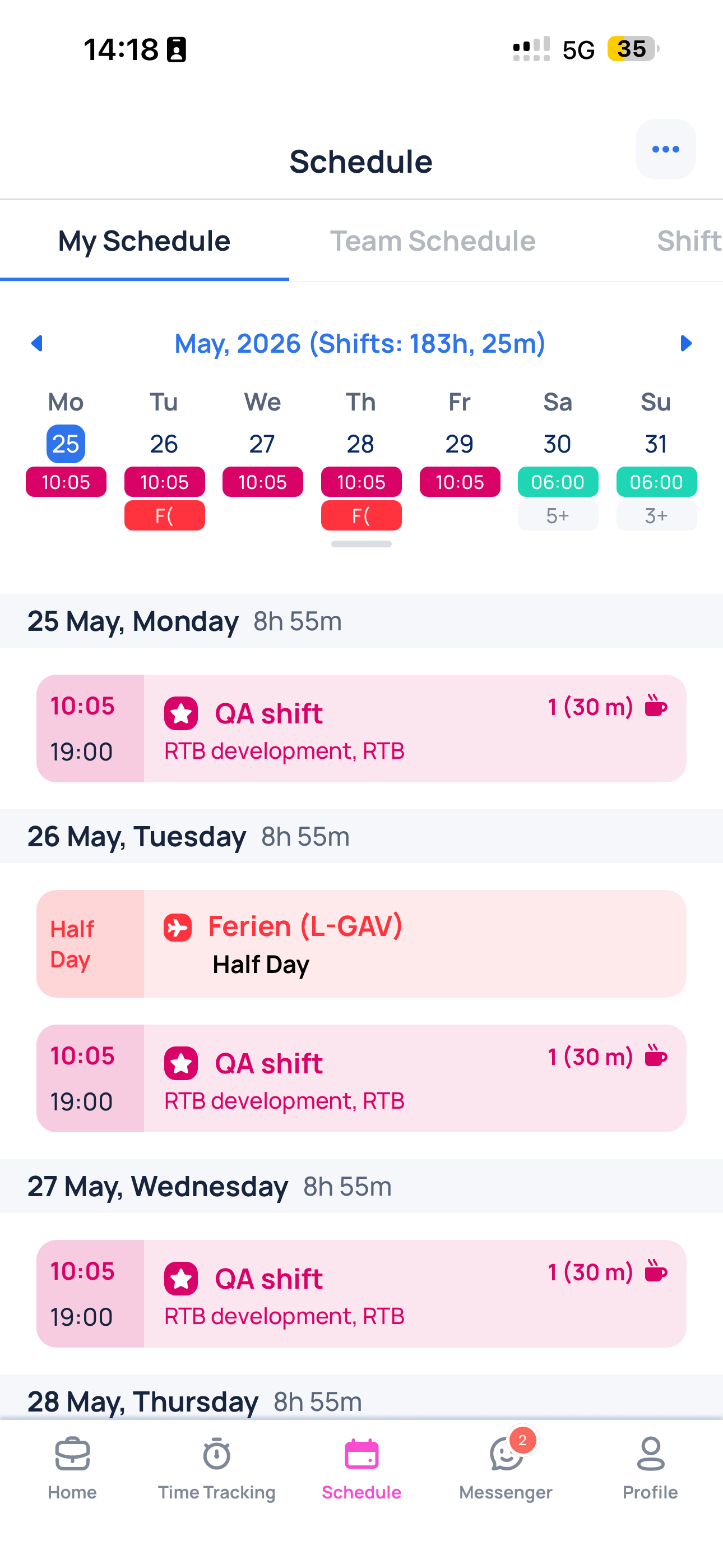
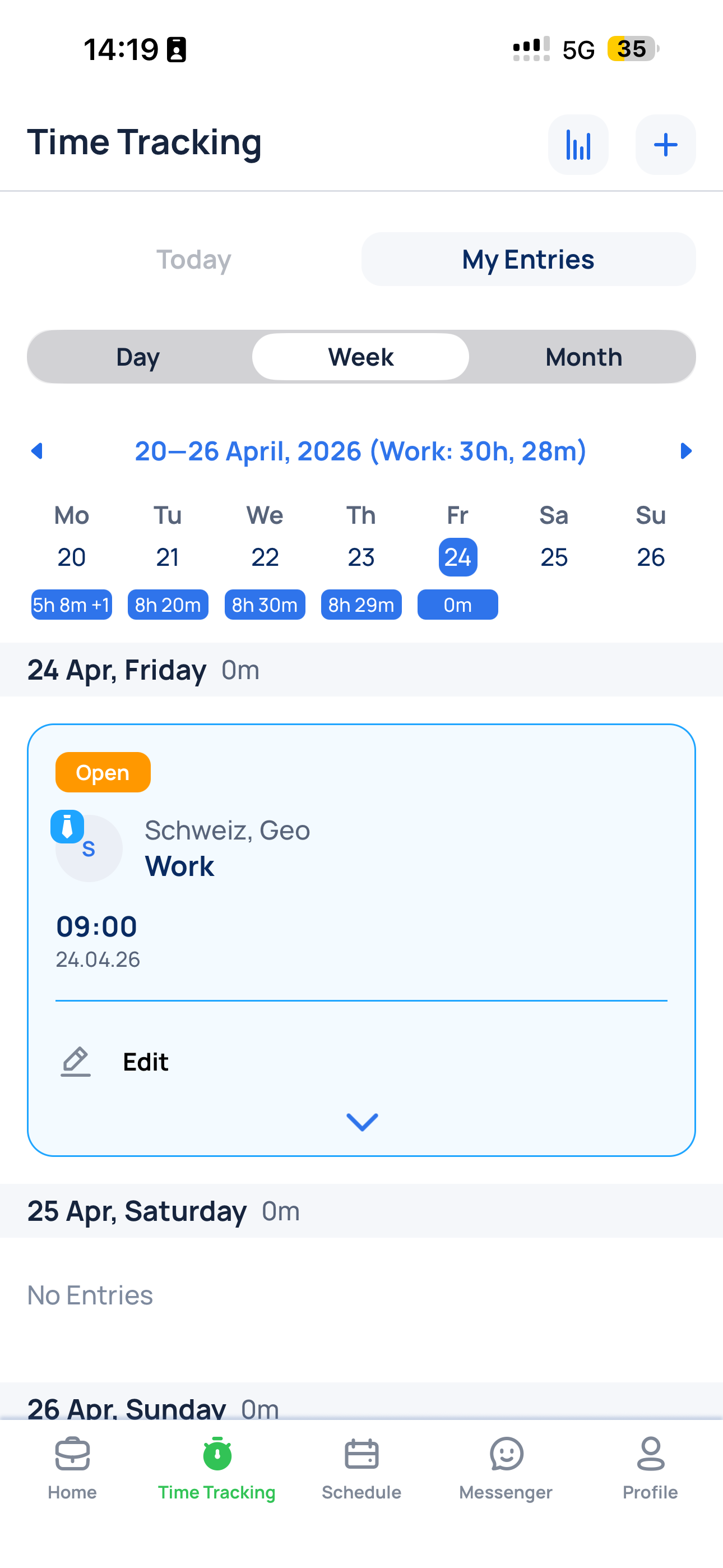
    Refreshed mobile design for My EntriesRefreshed mobile design for My Schedule

Thank you for being a valued JobDone User. If you have any questions, please don't hesitate to reach out to us at support@jobdone.app.

Best regards,
JobDone Team

Previous
April
Next
February
  • Update
  • Schedule
  • Events & Shifts
  • Time Tracking
  • Reports & Exports
  • Circles & Messenger
  • Organization
  • Mobile
JobDone
 Download on the App Store ▶ GET IT ON Google Play

Knowledge Base

Home L-GAV - Switzerland Organization Configuration Processes Feature Overview JobDone Updates

Pricing

Pricing

Resources

Support Partnership Contact Us About Us

Legal

Terms & Conditions Privacy Imprint Cookies
All rights reserved © 2026 JobDone
Brought to you with ♥ by the JobDone Team