JobDone logoJobDone logo
JobDone Knowledge Base
L-GAV - SwitzerlandOrganization ConfigurationProcessesFeature Overview
JobDone Updates
  • Monthly News
  • JobDone Releases
English
  • Deutsch
  • English
  • JobDone Updates
    • Monthly News
      • 2026
        • May
        • April
        • March
        • February
        • January
      • 2025
        • December Part 2
        • December Part 1
        • November
        • October
        • September
        • August
        • July
        • June
        • May
        • March
        • February
        • January
    • JobDone Releases
      • 2026
        • JobDone Release – July 2, 2026
        • JobDone Release – May 28, 2026
        • JobDone Release – May 22, 2026
        • JobDone Release – May 20, 2026
        • JobDone Release – May 18, 2026
        • JobDone Release – May 15, 2026
        • JobDone Release – May 8, 2026
        • JobDone Release – May 5, 2026
        • JobDone Release – May 1, 2026
        • JobDone Release – April 30, 2026
        • JobDone Release – April 22, 2026
        • JobDone Release – April 17, 2026
        • JobDone Release – April 13, 2026
        • JobDone Release – April 10, 2026
        • JobDone Release – April 9, 2026
        • JobDone Release – April 7, 2026
        • JobDone Release – April 6, 2026
        • JobDone Release – March 31, 2026
        • JobDone Release – March 19, 2026
        • JobDone Release – March 4, 2026
        • JobDone Release – March 2, 2026
        • JobDone Release – February 26, 2026
        • JobDone Release – February 14, 2026
        • JobDone Release – January 31, 2026
        • JobDone Release – January 18, 2026
      • 2025
  • JobDone Updates
  • Monthly News
  • 2025
  • July

July

Published: July 2025

Update​

Dear JobDone User,

We are pleased to send you the latest updates on JobDone:

Web App​

  1. Recurring Absences – You can now create repeating absences with ease.
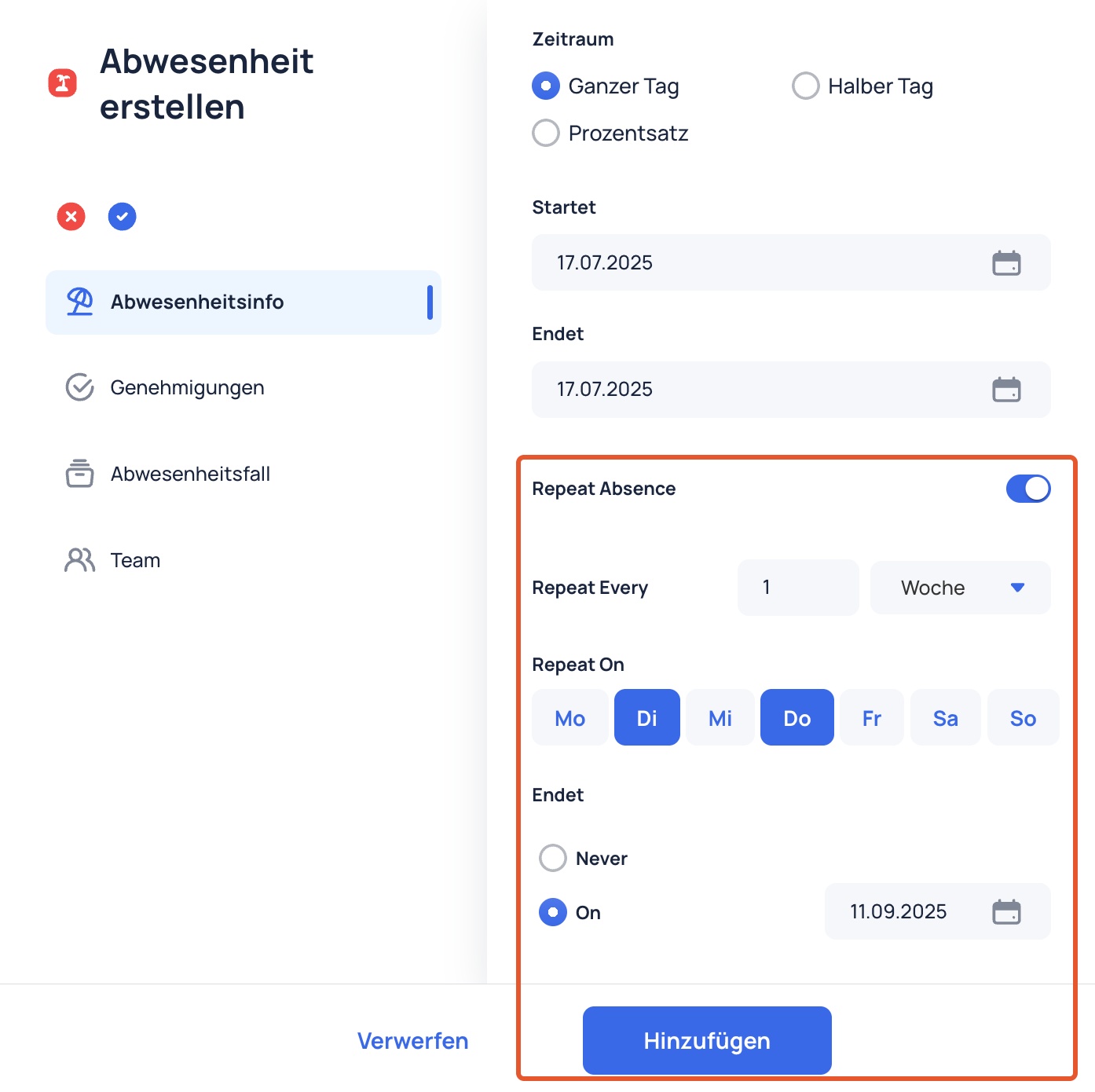
    Recurring absences
  2. Flash Mode in Resources View – Quickly highlight important data and changes.

  3. Employee Info in File Drive – View employee details directly within their File Drive.
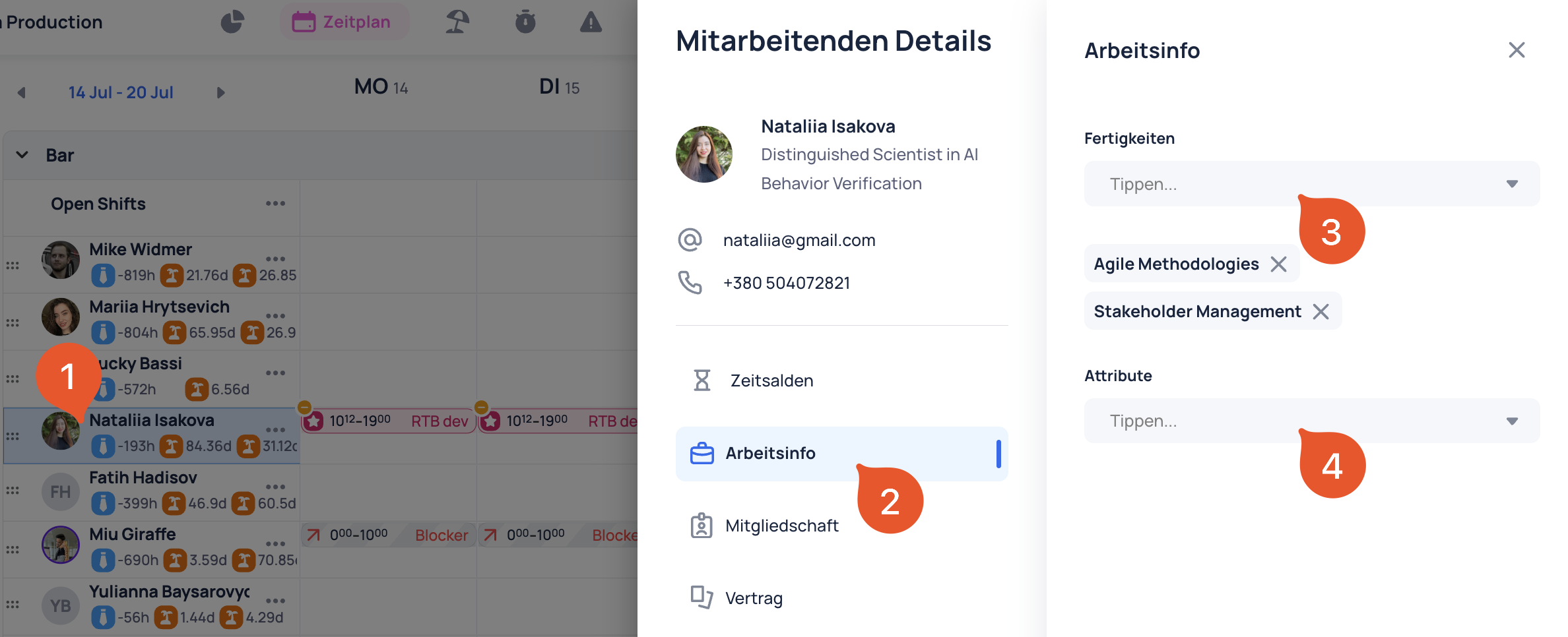
    Employee information in File Drive
  4. File Preview Inside the App – Preview documents and files without leaving the app.

  5. Skills & Attributes Management – In addition to Admins now Managers can add Skills and Attributes for employees in Schedule.
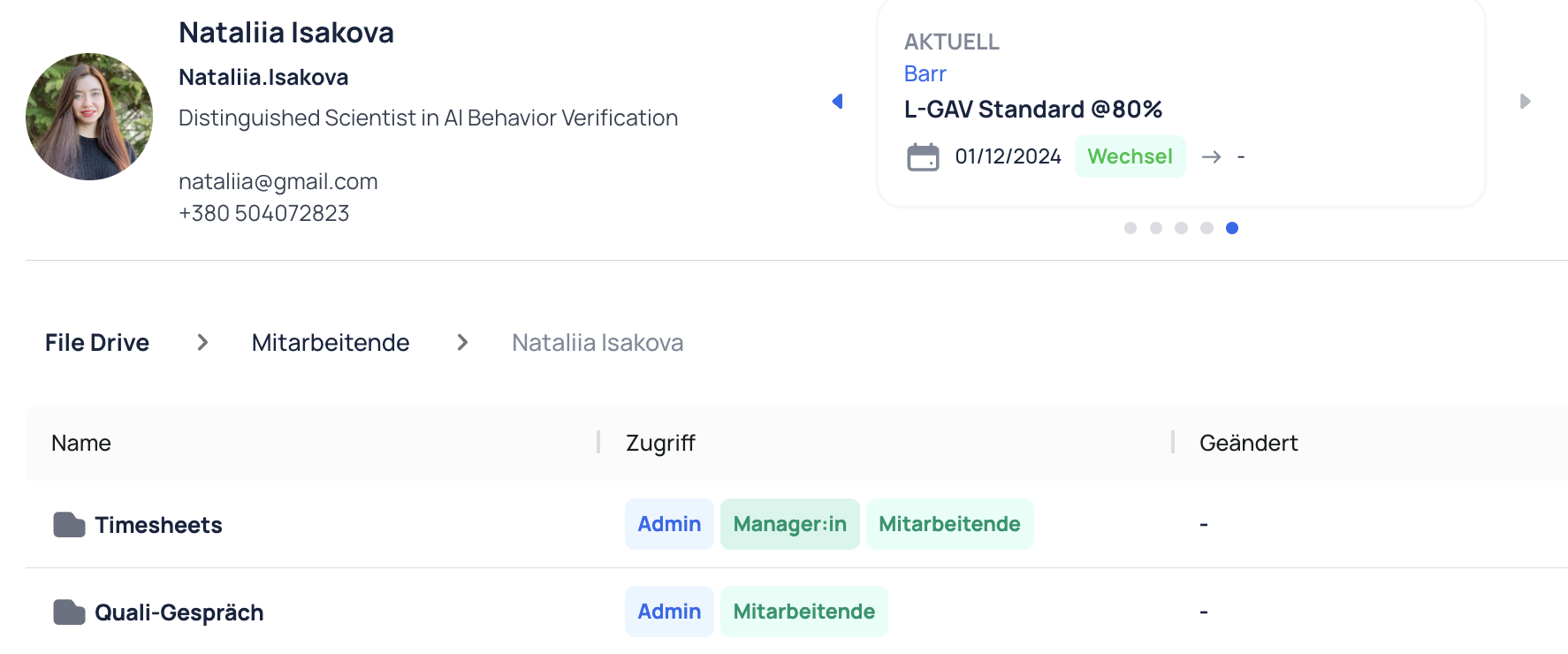
    Skills and attributes management
  6. Improved Highlights Table – A cleaner, more intuitive view of your Highlights.

  7. Template Column in Highlights – See which Template each Highlight was created from.

  8. Entry Date in Audit Logs – Track changes more accurately with a new timestamp column.

  9. Send Highlight from Template – Create and send Highlights directly using Templates.

Web and Mobile App​

  1. Approve Shift Applications with Comments – Managers can now add a comment when approving a shift application, improving clarity and communication.
  2. New Notification Category: Requests – Stay informed with a dedicated notification category for all incoming requests.

Mobile App​

  1. Flash Mode for Teams – Flash Mode is now available for Teams, helping you create schedules on the go.
  2. View Co-workers’ Shift Times – You can now see your colleagues’ scheduled times directly in the Shift view.
  3. Reply to Highlights – Respond directly to Highlights, making communication faster and more interactive.
  4. Double-Tap to Like Circle Posts – A quicker, more intuitive way to engage with postsjust double-tap to like.
Previous
August
Next
June
  • Update
  • Web App
  • Web and Mobile App
  • Mobile App
JobDone
 Download on the App Store ▶ GET IT ON Google Play

Knowledge Base

Home L-GAV - Switzerland Organization Configuration Processes Feature Overview JobDone Updates

Pricing

Pricing

Resources

Support Partnership Contact Us About Us

Legal

Terms & Conditions Privacy Imprint Cookies
All rights reserved © 2026 JobDone
Brought to you with ♥ by the JobDone Team