Special Times
In JobDone, you can define special times during which surcharges apply. This allows you to handle regulations such as Sunday or night work surcharges. Special times must be assigned in the structure to the groups or teams for which the surcharge should be calculated. Important: special times are inherited — if a special time is assigned to a parent group, it automatically applies to all subgroups and teams beneath it. See the "Structure" chapter for more details.
We distinguish between special times for weekdays and special times for events (typically public holidays).
Weekdays
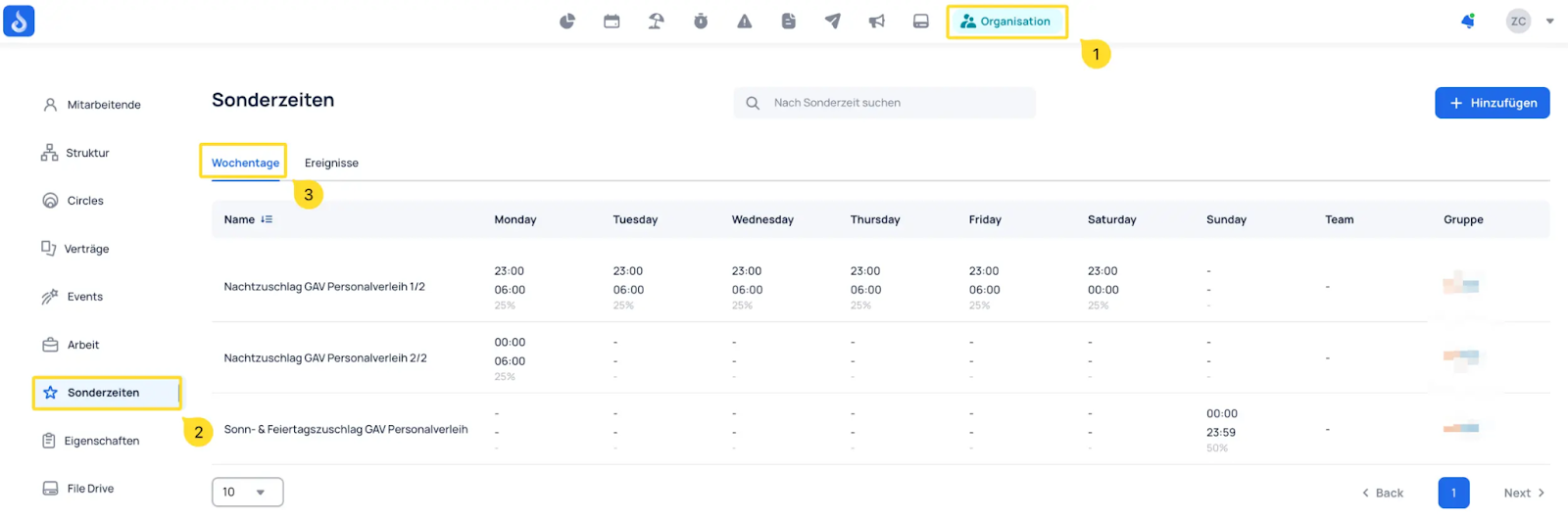
When creating a special time, you can choose whether the configured surcharge should be added to the duration of the work entry.
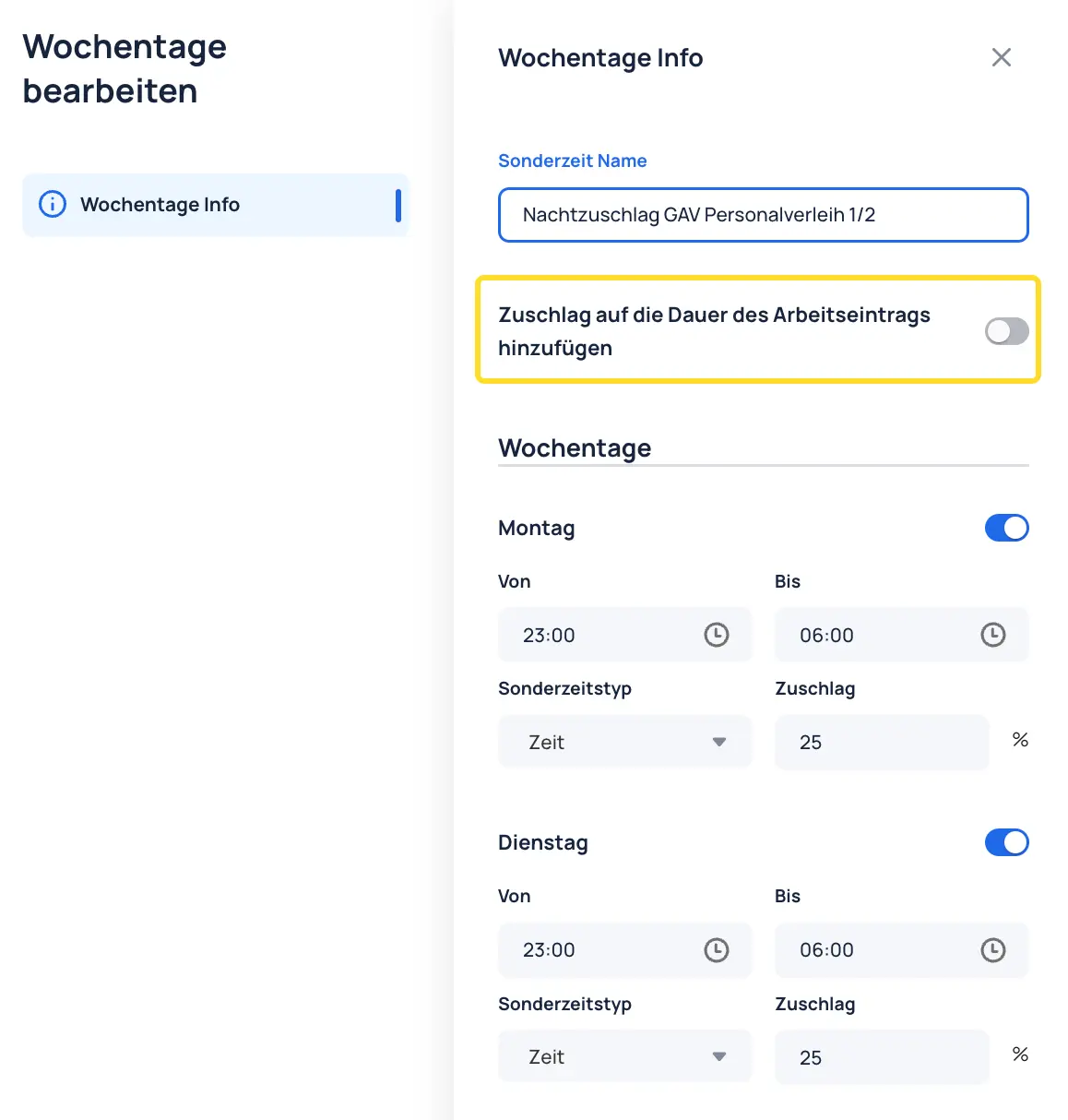
Add surcharge to work entry duration — enabled


When enabled, the surcharge is added to the duration of the time entry in the time report and also shown separately as a surcharge.
Add surcharge to work entry duration — disabled
When disabled, the surcharge is only reported externally and is not added to the duration of the time entry.


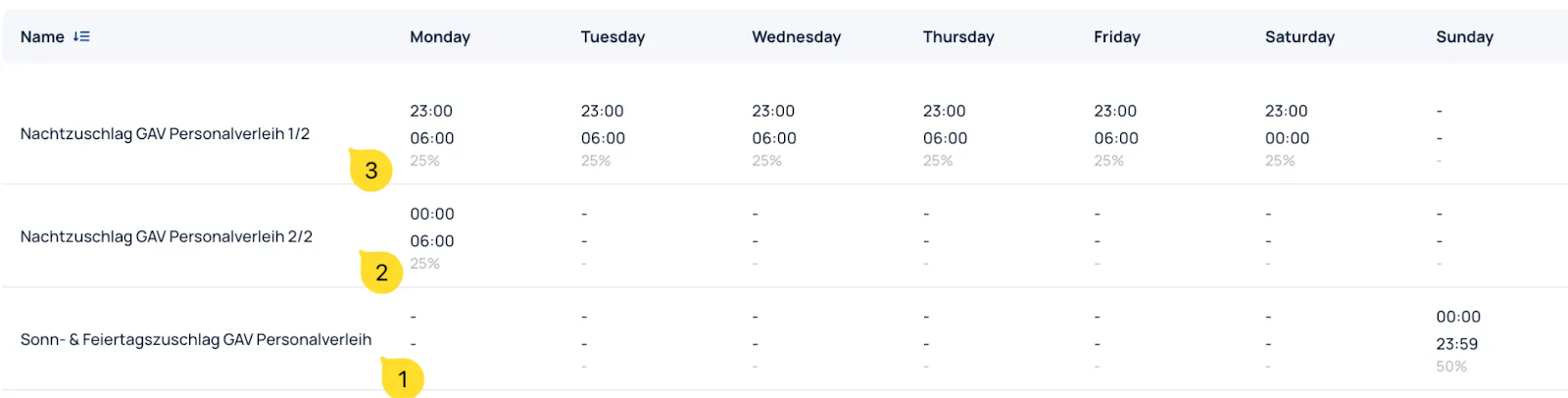
Defining Special Times
Below is a visual representation of the special times defined in this example:

note!
Additional info:
- If two special times overlap, the one with the higher surcharge applies by default. However, a setting can be enabled to count both overlapping special times. Our support team can configure this for you: ==Contact JobDone Support==
- In the contract settings (under Advanced), you can select which special times should be excluded. This means that employees with the corresponding contract will not be subject to those special times. More details under ==Contracts==
Events
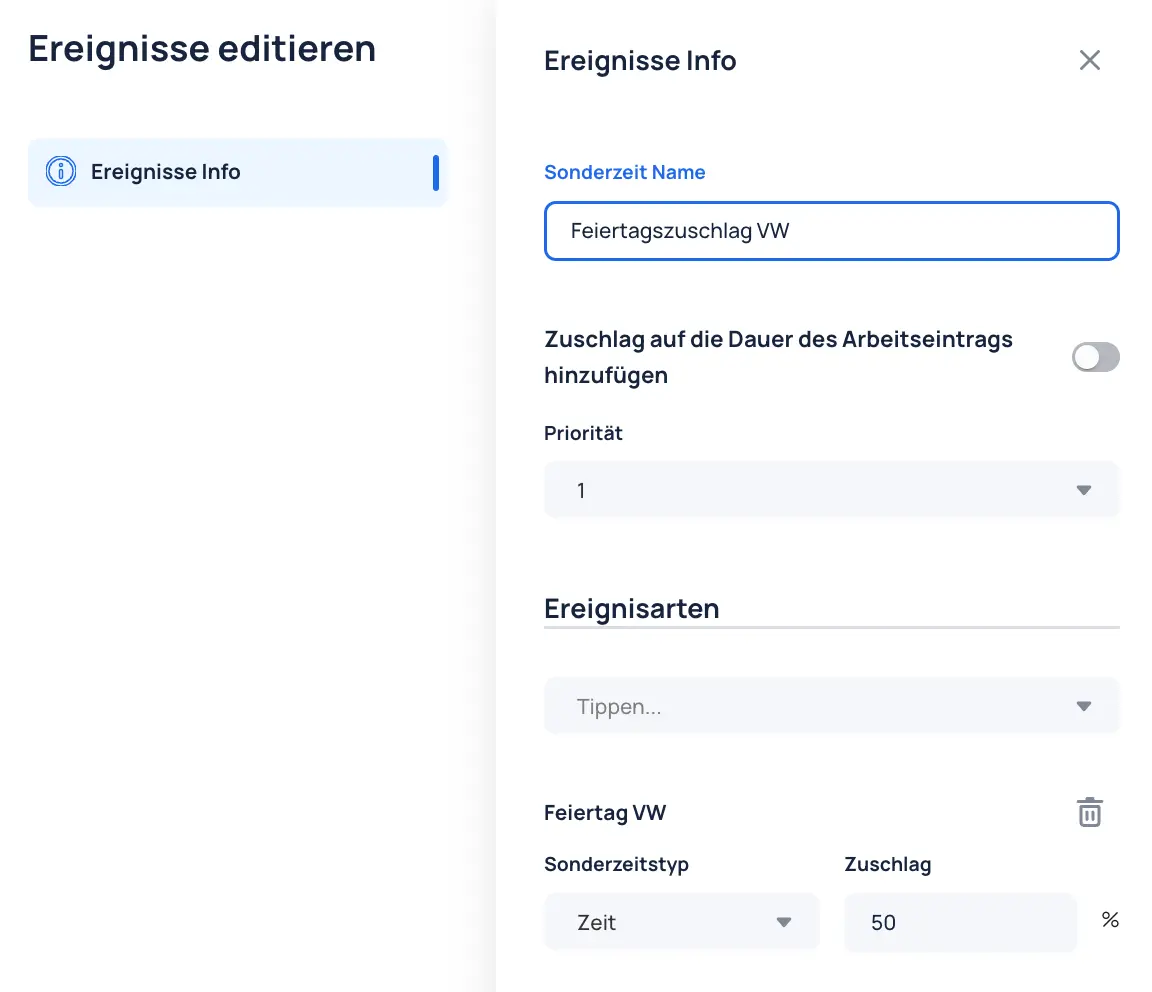
Under Events, surcharges can be configured for specific event types. This is commonly used for public holiday surcharges.

The surcharge for the selected event type can be defined within the event.
note!
Additional info: For more details on configuring events with surcharges on event types, see: Events - Holidays - Special Times for Events